User guide UM1659
22/25 UM1659 Rev 4
Programming of the memory device is done by the Memory Device Driver which is a small
application executed by the target MCU. MemTool uses functions provided by the SPC5-
UDESTK (UDE) target interface to load and run this driver application.
SPC5-UDESTK (UDE) observes the download channel and activates the FLASH
programming handling when it detects write accesses to the FLASH memory range. The
FLASH memory settings are done already, when you use the default target configuration.
3.3.2 Enabling the FLASH programming
The UDE MemTool is an Add-In of SPC5-UDESTK (UDE) starter kit version and must be
activated. This is done via the Add-In Manager, menu Config - Add-in Components. Enable
the entry UDE FLASH/OTP Memory Programming Tool.
When the UDE FLASH/OTP Memory Programming Tool is enable, a new menu entry is
created in UDE MemTool menu Tools - FLASH programming. Open this dialog and the main
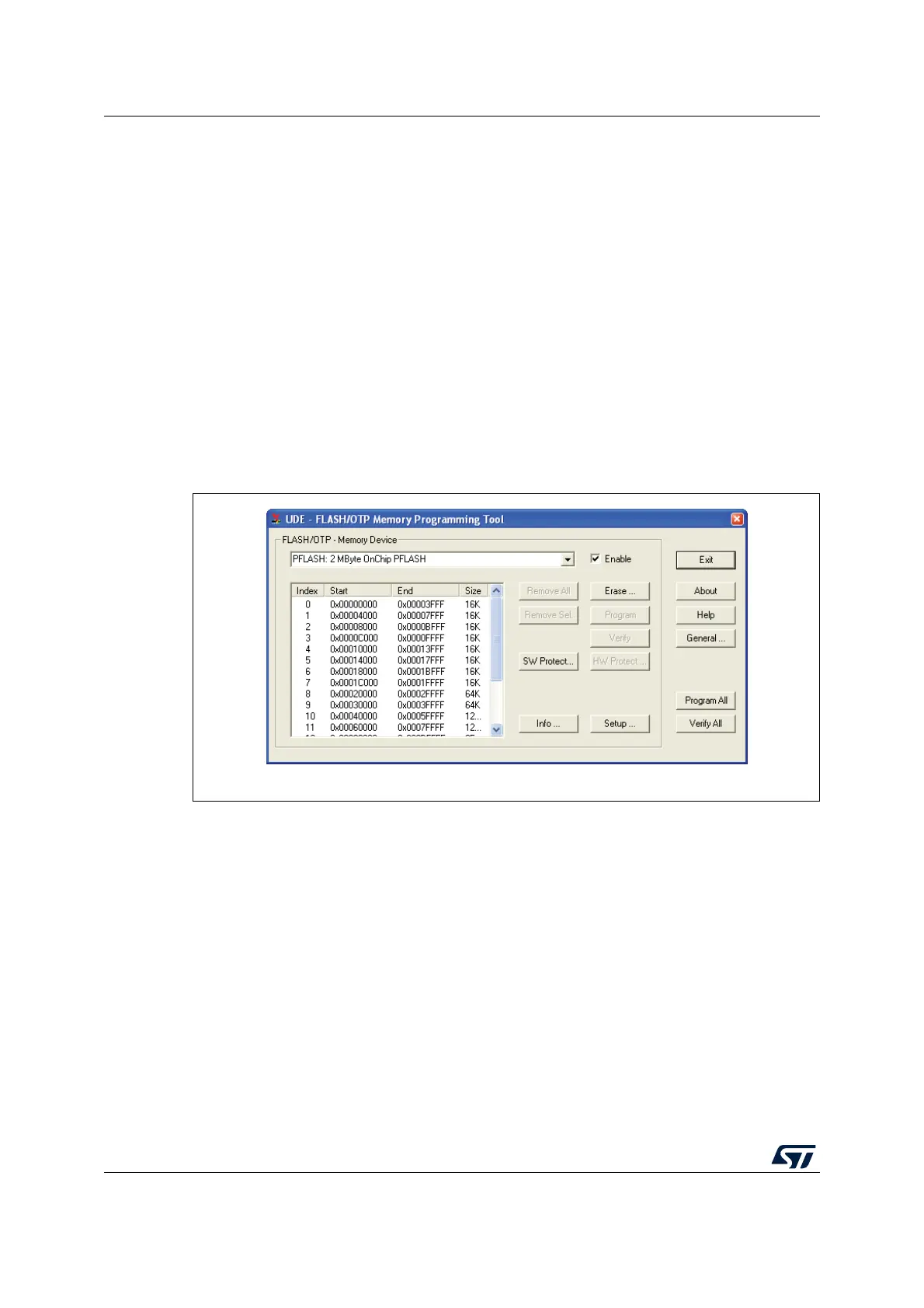
front-end of MemTool will be opened. Choose the FLASH device and try to enable it. If all
settings were correct, a list of FLASH sectors will displayed as shown below.
Figure 17. Enabling the FLASH programming
3.3.3 FLASH programming
If the UDE FLASH/OTP Memory Programming Tool is enabled, all registered FLASH
devices are installed with special filters. These filters watch the download stream for
address ranges met with a registered FLASH device. If the filters detect, that a code section
is loaded, which is destined for the FLASH device, the code section will be marked for
FLASH programming.
For the practical work it means, that you have to load the FLASH/ROM version of your
program code File - Load Program only.
After loading the program code sections, the FLASH Programming Tool will open the main
dialog and will offer the erasing, programming and verifying of code sections.


 To Next Page