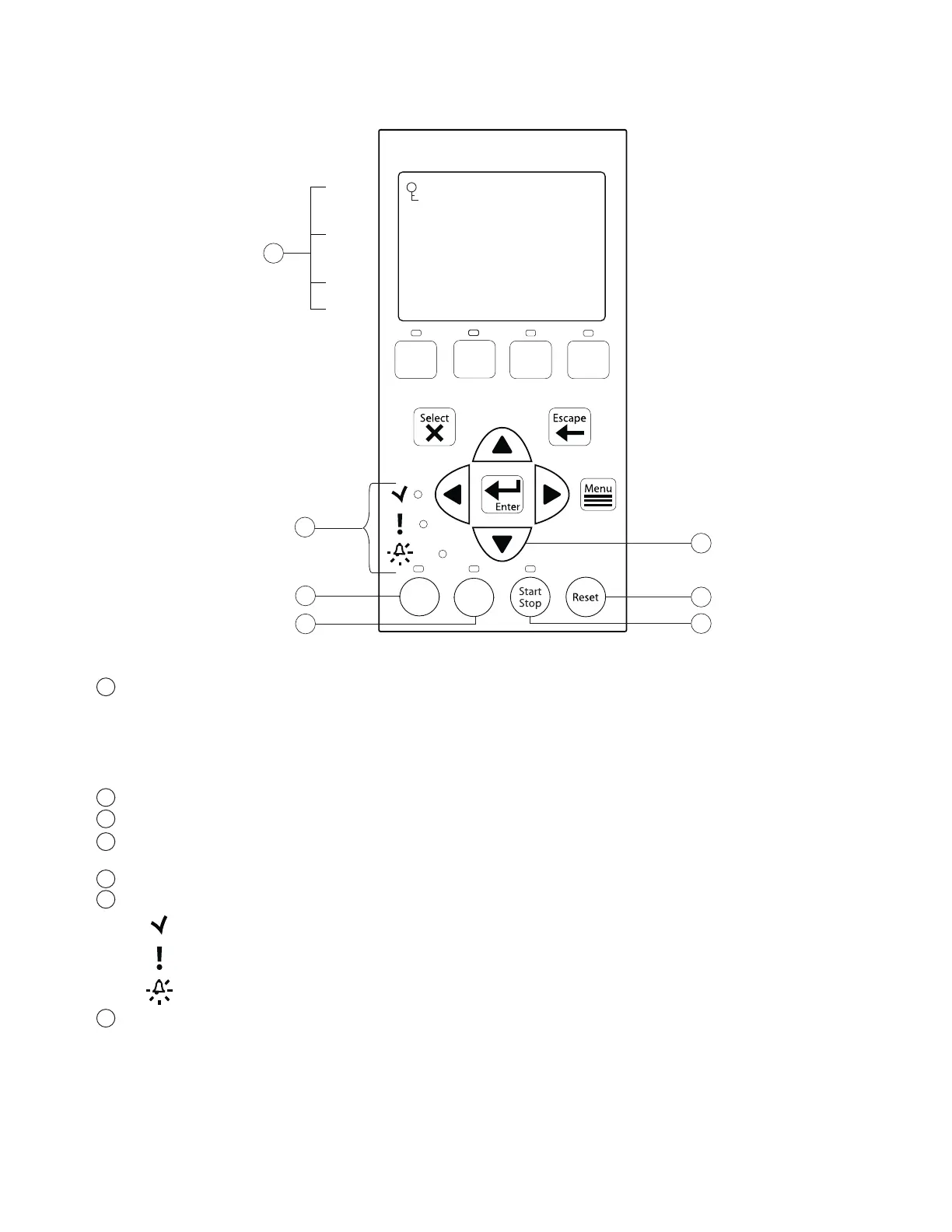
Arrow buttons:
• Up arrow: Move one level up in the menu tree or increase a digit when editing a setting.
• Down arrow: Move one level down in the menu tree or decrease a digit when editing a setting.
• Left arrow: Move cursor left one digit when editing a setting.
• Right arrow: Move cursor right one digit when editing a setting.
Quick Clean: Duration and speed (RPM) can be preset to save energy. The LED is on when active.
Time Out: When active (LED on), at the end of a “Time Out” preset time, the pump will run a schedule.
Start/Stop button: Start or Stop the pump. When the LED is on, the pump is currently running or in a
mode to start automatically.
Reset button: Reset alarm or alert.
LEDs
On: This green, power LED is on when IntelliPro
®
is powered on.
Warning: LED is on if a warning condition is present.
Alarm: The red LED is on if an alarm condition occurs. See “Alerts and Warnings” on page 34.
Control Panel LCD:
• Line 1 - Key icon indicates password protect mode is active. If password protect is not enabled,
no key icon is displayed.
• Line 2 - Displays the current pump speed (RPM).
• Line 3 - Count down time and Watts
• Line 4 - Current pump status.
IntelliPro
®
Variable Speed Pump Installation and User’s Guide
5
9
10
11
12
13
14
15
12:15
Running Speed 1
Quick
Clean
Time
Out
Speed
1
Speed
2
Speed
3
Speed
4
10
11
13
12
14
15
Line 1
Line 2
Line 3
Line 4
T 0.00 150 WATTS
750 RPM
9



 To Next Page