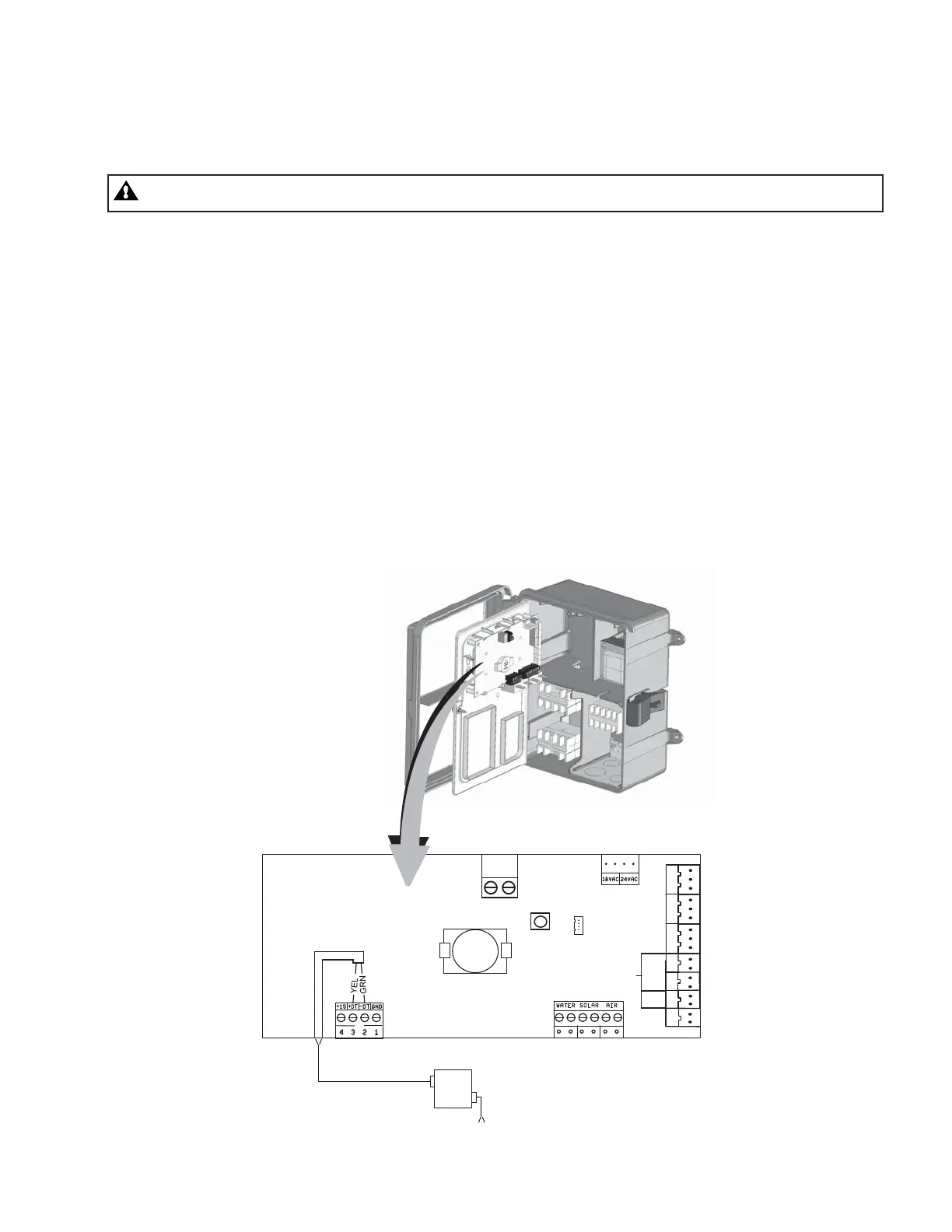
Connecting the IntelliPro
®
pump to a SunTouch
®
System
The IntelliPro
®
pump can be controlled by a SunTouch system via the RS-485 communication cable.
WARNING - Switch OFF main system power to the SunTouch Power Center before making any connections.
To connect the IntelliPro
®
pump two wire RS-485 communication cable to the SunTouch circuit board:
1. Unlatch the front door of the SunTouch power center, and open the door.
2. Loosen the retaining screw on front panel. Open the hinged front panel to access the
electronics compartment.
3. Route the two conductor cable up through the power center grommet opening located on the
left side, and up through the low voltage raceway to the motherboard.
4. Strip back the cable conductors 6.00 mm (1/4”). Insert the wires into the screw terminals
(provided). Secure the wires with the screws. Make sure to match the color coding of the
wires;
YELLOW to YELLOW and GREEN to GREEN.
5. Insert the connector on the COMPORT (J11) screw terminal on the SunTouch circuit board.
6. Close the control panel and secure it with the retaining screw.
7. Close the front door. Fasten the spring latch.
IntelliPro
®
Variable Speed Pump Installation and User’s Guide
25
VALVE ACTUATORS
COM PORT
INTAKE
RETURN
SOLAR
AUX 3
PUMP
AUX 2
AUX 1
VLV A
VLV B
VLV C
ONLY
SOLAR
CLNR
GAS
HEATER
RESET
RS-485 communication
cable (P/N 350122)
IntelliPro
VS-3050
Drive
230 VAC
Power to Pump
J11
SunTouch circuit board



 To Next Page