Section 3
Operating the IntelliPro Pump
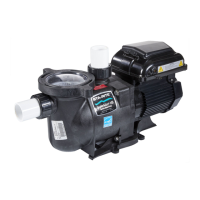
This section describes how to operate the IntelliPro
®
Variable Speed pump using the control panel
buttons and menu features.
Starting the pump
To start the pump
1. Be sure the pump is powered on and the green power LED is on.
2. Select one of the speed buttons, then press the Start button (LED on) to start the pump.
Stopping the pump
To stop the pump
• Press the Stop button to stop the pump.
Note: The pump can automatically restart if the communication cable is connected.
Servicing Equipment (Disconnect Power to Pump)
• When servicing equipment (fi lters, heaters, chlorinators etc.), disconnect the communication
cable, and switch OFF circuit breaker to remove power from the pump
Operating the IntelliPro
®
pump at preset speeds
The IntelliPro
®
Variable Speed pump is programmed with four default speeds of 750, 1500, 2350 and
3110 RPM. A Speed button is assigned to each of the preset speeds as shown.
To operate the pump at one of the four preset speeds
1. Be sure the pump is powered on and the green power LED is on.
2. Press the Speed button (1- 4) corresponding to the desired preset speed, and release quickly.
The LED above the Speed button will come on as shown.
3. Press the Start button. The pump will quickly ramp to the selected preset speed.
Adjusting the pump speed
1. While the pump is running, press the Up Arrow to increase speed setting.
2. Press the Down Arrow to decrease speed Setting.
3. Press and hold down a Speed Button for three (3) seconds to save speed to the button or
press the Enter button to save the speed.
6
IntelliPro
®
Variable Speed Pump Installation and User’s Guide
LED lit



 To Next Page