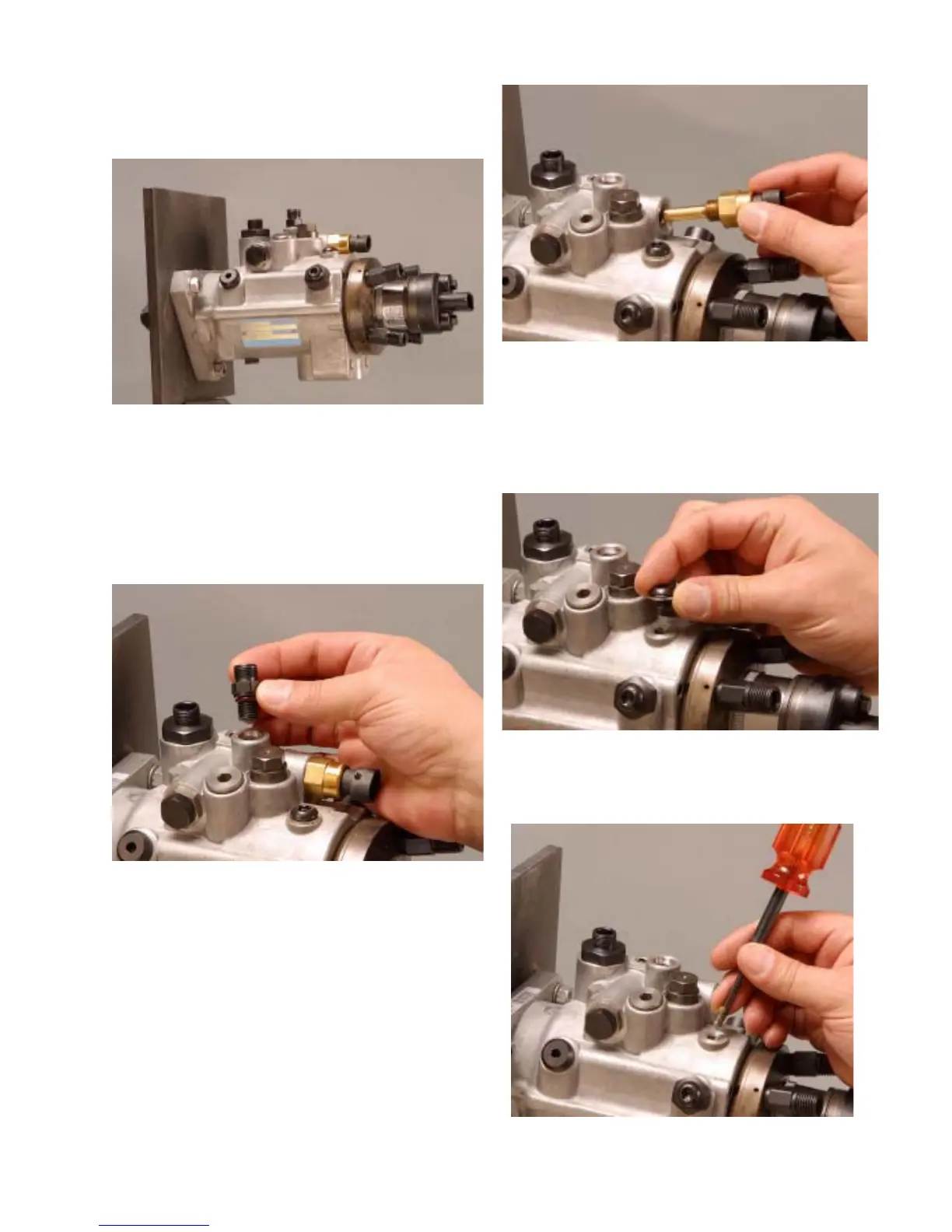
Step 1. Mount the pump in the 19965
pump holding fixture and clamp in a vise with
the pump right side up.
Step 2. Using a 9/16” deep socket loosen
and remove the return line connector/housing
pressure regulator. Remove and discard the
o-ring seal.
Step 3. Using a 3/4” deep socket Remove
the temperature sensor. Remove and discard
the o-ring seal.
Step 5. Loosen and remove the vent wire
assembly using the 16336 hex driver (1/8”).
13
Fig. 2.1
Fig. 2.2
Fig. 2.5
Fig. 2.3
Fig. 2.4
Step 4. Loosen and remove the vent assem-
bly screw using a T-40IPR bit. Discard the seal-
ing washer.


 To Next Page