X.X
o
C
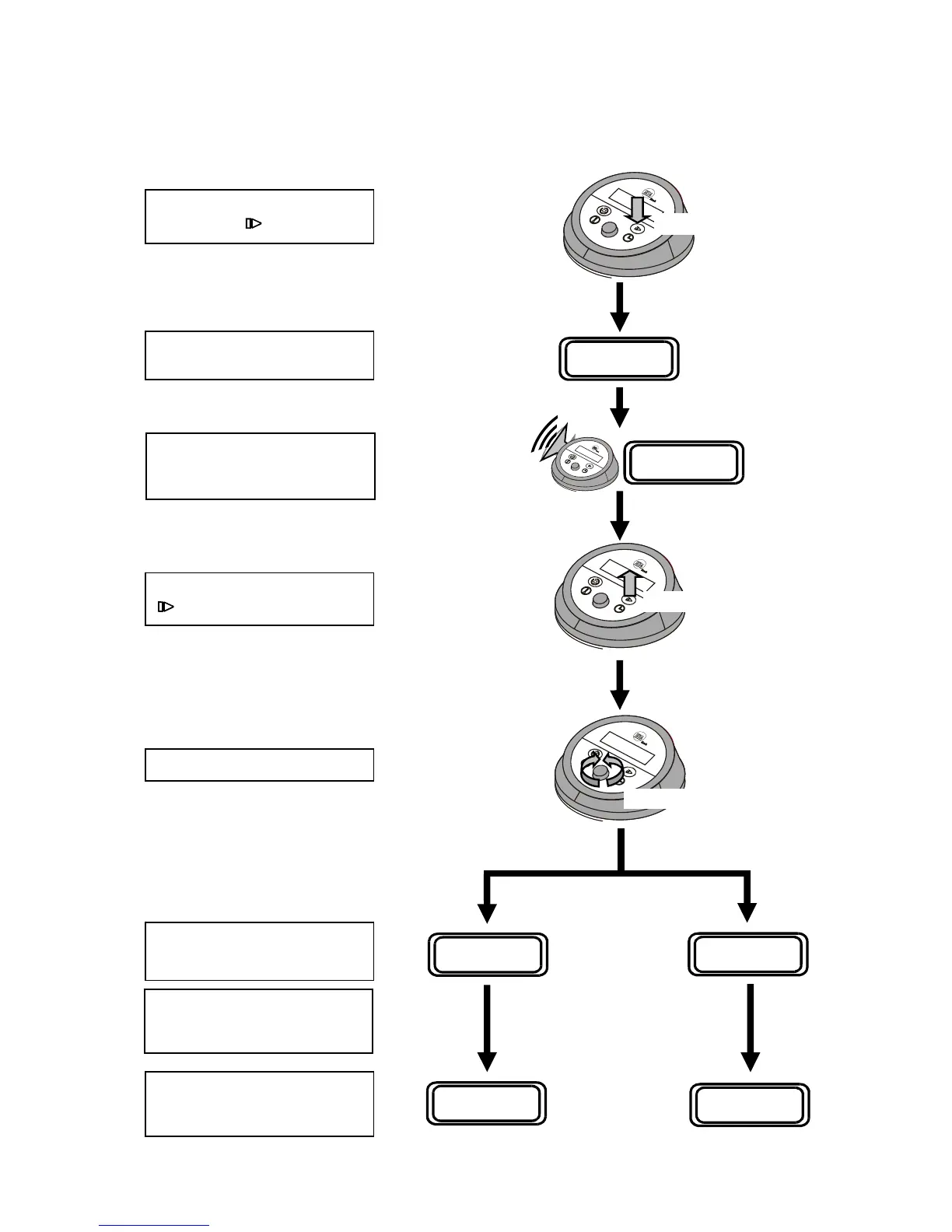
59 seconds
Release the Set Timer Button
.
Rotate the Control Knob …..
….. to set the time interval in
minutes, or to select Auto mode.
TT = time interval
SET TEST TIME
TT minutes
SET TEST TIME
AUTO
Note: FAME Products.
Maximum time interval = 1 min.
Do NOT use Auto mode.
….. then a warning beep will
sound and the display will
change to show “Set Test Time”.
Rotate
Press & Hold Down
Release
SET TEST TIME
AUTO
The display will start to count
down for a few seconds …..
Press and hold down the Set
Timer Button
.
If the Control Knob is not moved
for 4 seconds, the value shown
on the display will be saved.
XX.X
o
C TT mins
XX.X
o
C AUTO Yml
Issue K
10 Jun 2007
15


 To Next Page