10
HOME SCREEN:
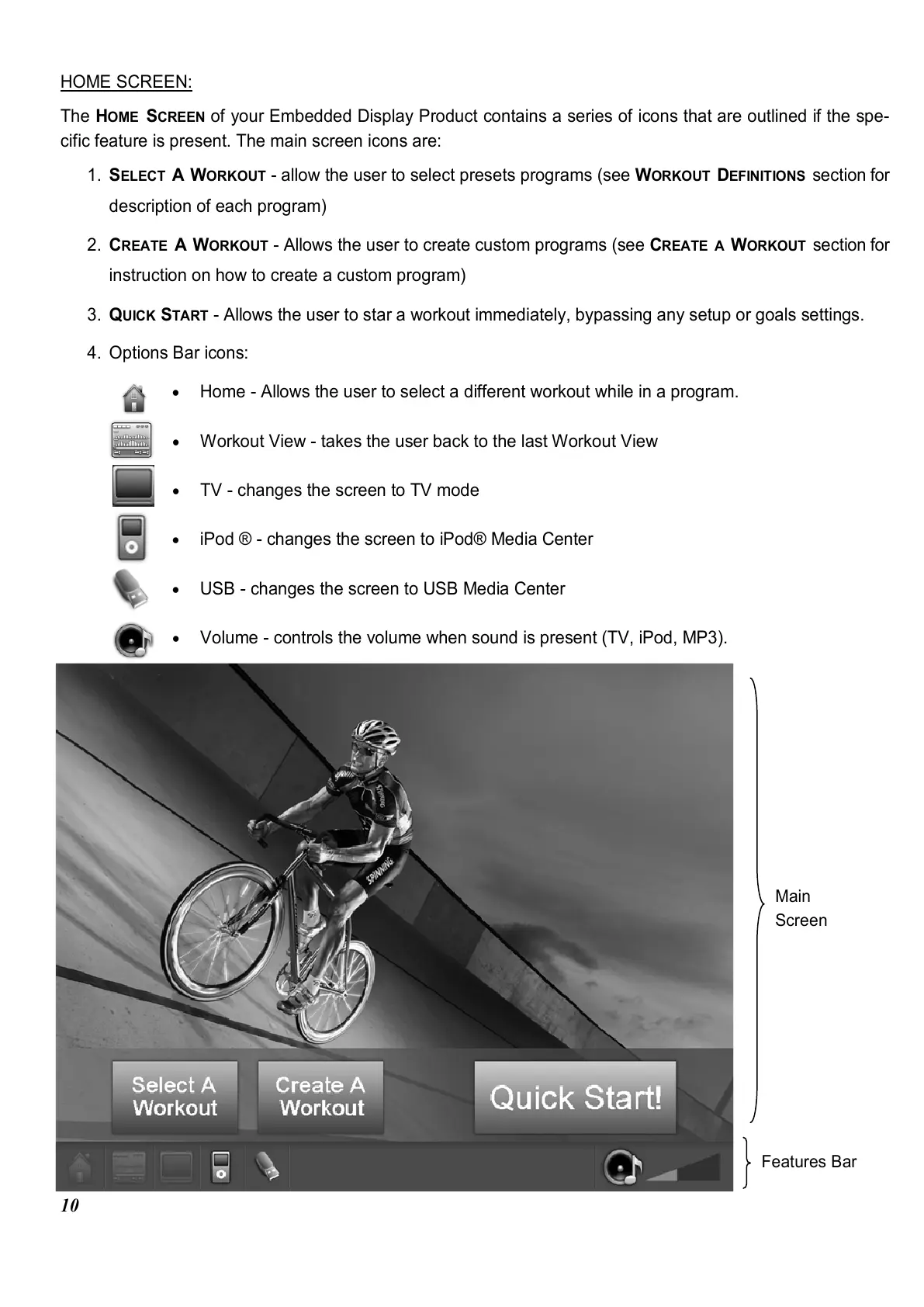
The H
OME
S
CREEN
of your Embedded Display Product contains a series of icons that are outlined if the spe-
cific feature is present. The main screen icons are:
1. S
ELECT
A W
ORKOUT
- allow the user to select presets programs (see W
ORKOUT
D
EFINITIONS
section for
description of each program)
2. C
REATE
A W
ORKOUT
- Allows the user to create custom programs (see C
REATE
A
W
ORKOUT
section for
instruction on how to create a custom program)
3. Q
UICK
S
TART
- Allows the user to star a workout immediately, bypassing any setup or goals settings.
4. Options Bar icons:
•
Home - Allows the user to select a different workout while in a program.
•
Workout View - takes the user back to the last Workout View
•
TV - changes the screen to TV mode
•
iPod ® - changes the screen to iPod® Media Center
•
USB - changes the screen to USB Media Center
•
Volume - controls the volume when sound is present (TV, iPod, MP3).
Features Bar
Main
Screen















 To Next Page