30
iPod® Media Center
I
P
OD
® M
EDIA
C
ENTER
: This future allows the user to control their iPod playlist from the display and watch
iPod-delivered video.
•
To access the iPod Media Center:
•
Dock your iPod in the Made for iPod docking station.
•
Press the iPod icon in the Features Bar of the current screen.
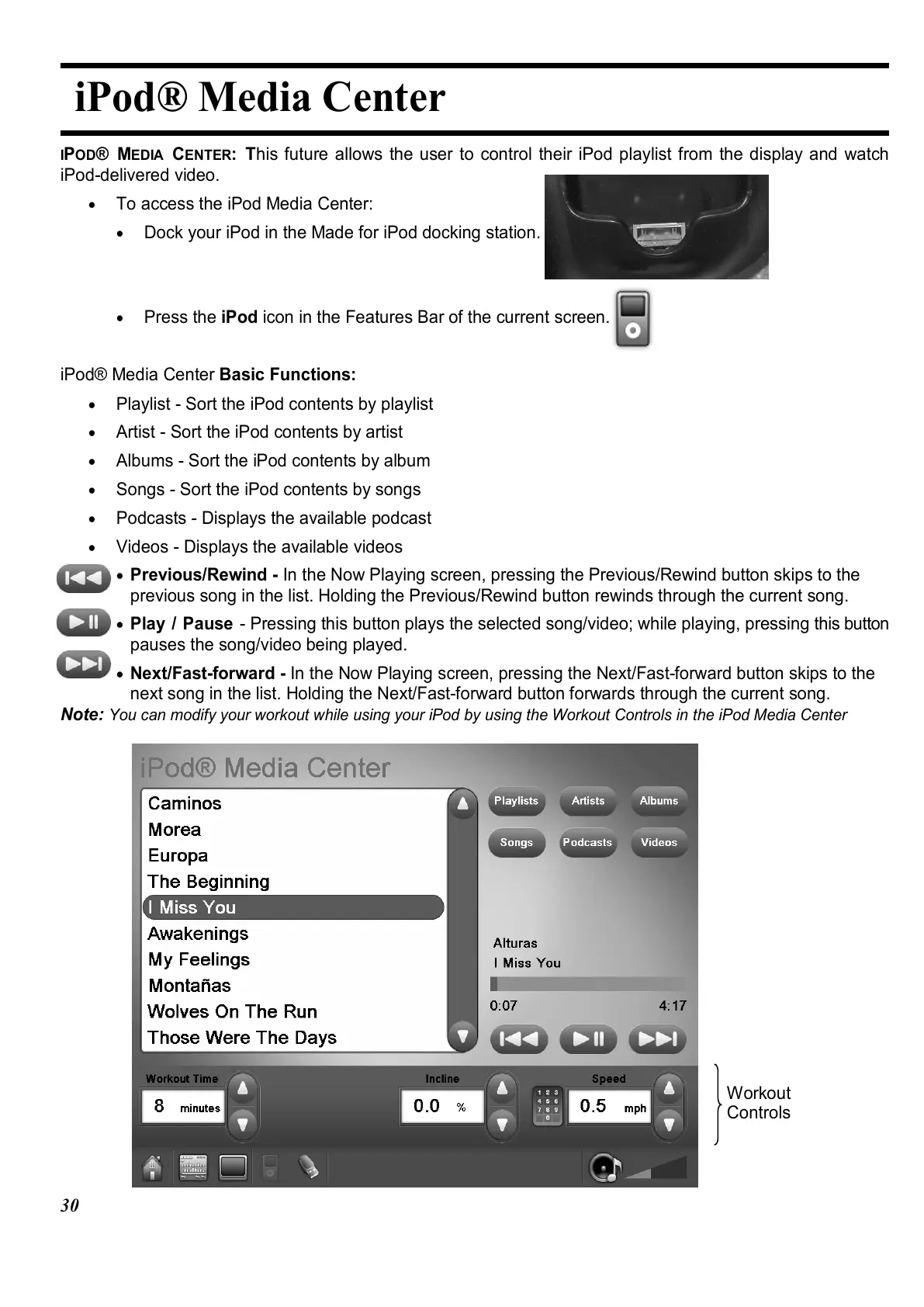
iPod® Media Center Basic Functions:
•
Playlist - Sort the iPod contents by playlist
•
Artist - Sort the iPod contents by artist
•
Albums - Sort the iPod contents by album
•
Songs - Sort the iPod contents by songs
•
Podcasts - Displays the available podcast
•
Videos - Displays the available videos
•
Previous/Rewind - In the Now Playing screen, pressing the Previous/Rewind button skips to the
previous song in the list. Holding the Previous/Rewind button rewinds through the current song.
•
Play / Pause - Pressing this button plays the selected song/video; while playing, pressing this button
pauses the song/video being played.
•
Next/Fast-forward - In the Now Playing screen, pressing the Next/Fast-forward button skips to the
next song in the list. Holding the Next/Fast-forward button forwards through the current song.
Note:
You can modify your workout while using your iPod by using the Workout Controls in the iPod Media Center
Workout
Controls















 To Next Page