25
Workout Views Treadmill
During any workout, you can select from the following views:
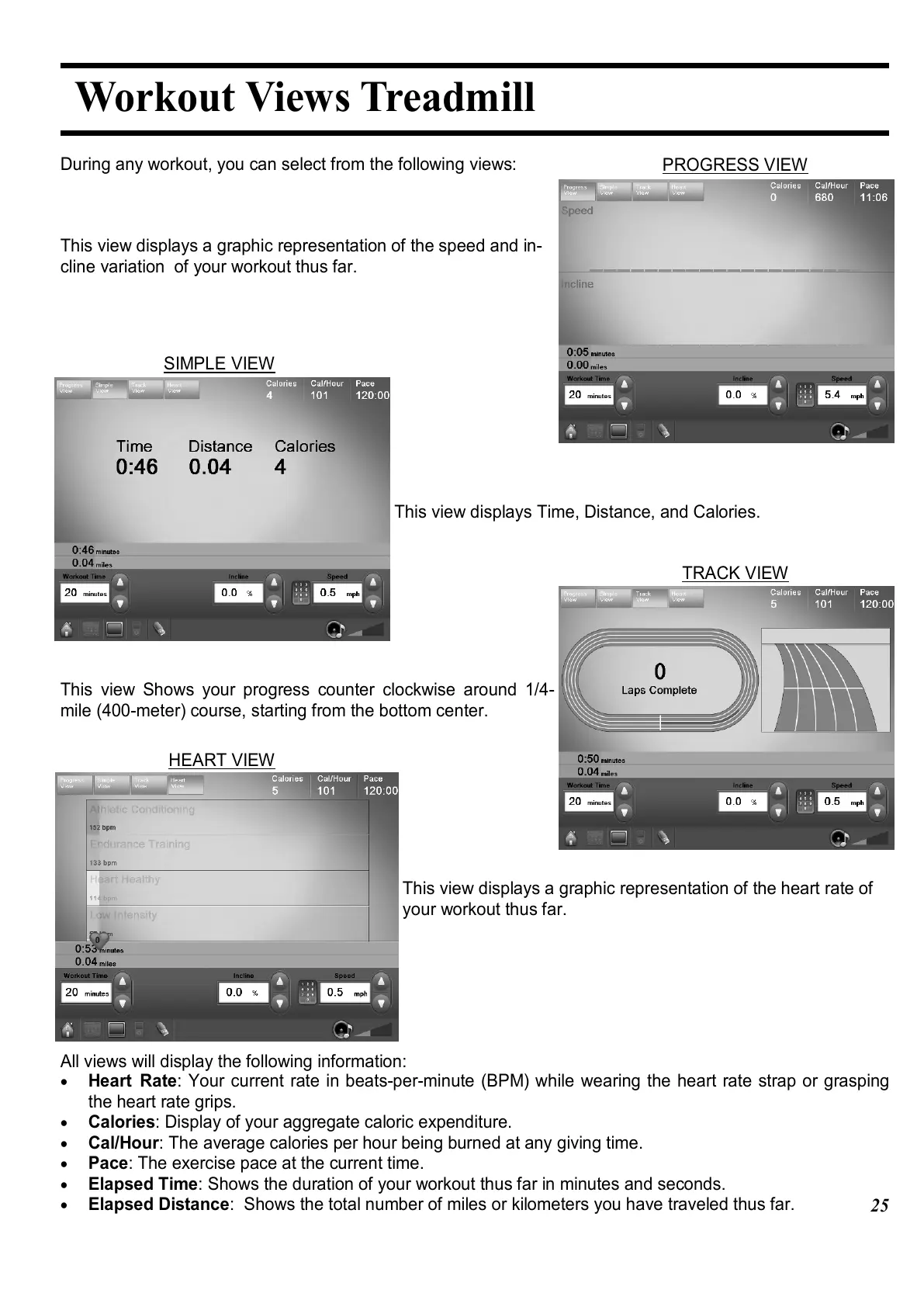
This view displays a graphic representation of the speed and in-
cline variation of your workout thus far.
This view displays Time, Distance, and Calories.
This view Shows your progress counter clockwise around 1/4-
mile (400-meter) course, starting from the bottom center.
This view displays a graphic representation of the heart rate of
your workout thus far.
All views will display the following information:
•
Heart Rate: Your current rate in beats-per-minute (BPM) while wearing the heart rate strap or grasping
the heart rate grips.
•
Calories: Display of your aggregate caloric expenditure.
•
Cal/Hour: The average calories per hour being burned at any giving time.
•
Pace: The exercise pace at the current time.
•
Elapsed Time: Shows the duration of your workout thus far in minutes and seconds.
•
Elapsed Distance: Shows the total number of miles or kilometers you have traveled thus far.
PROGRESS VIEW
SIMPLE VIEW
TRACK VIEW
HEART VIEW















 To Next Page