20
To operate a P
RESET
P
ROGRAM
:
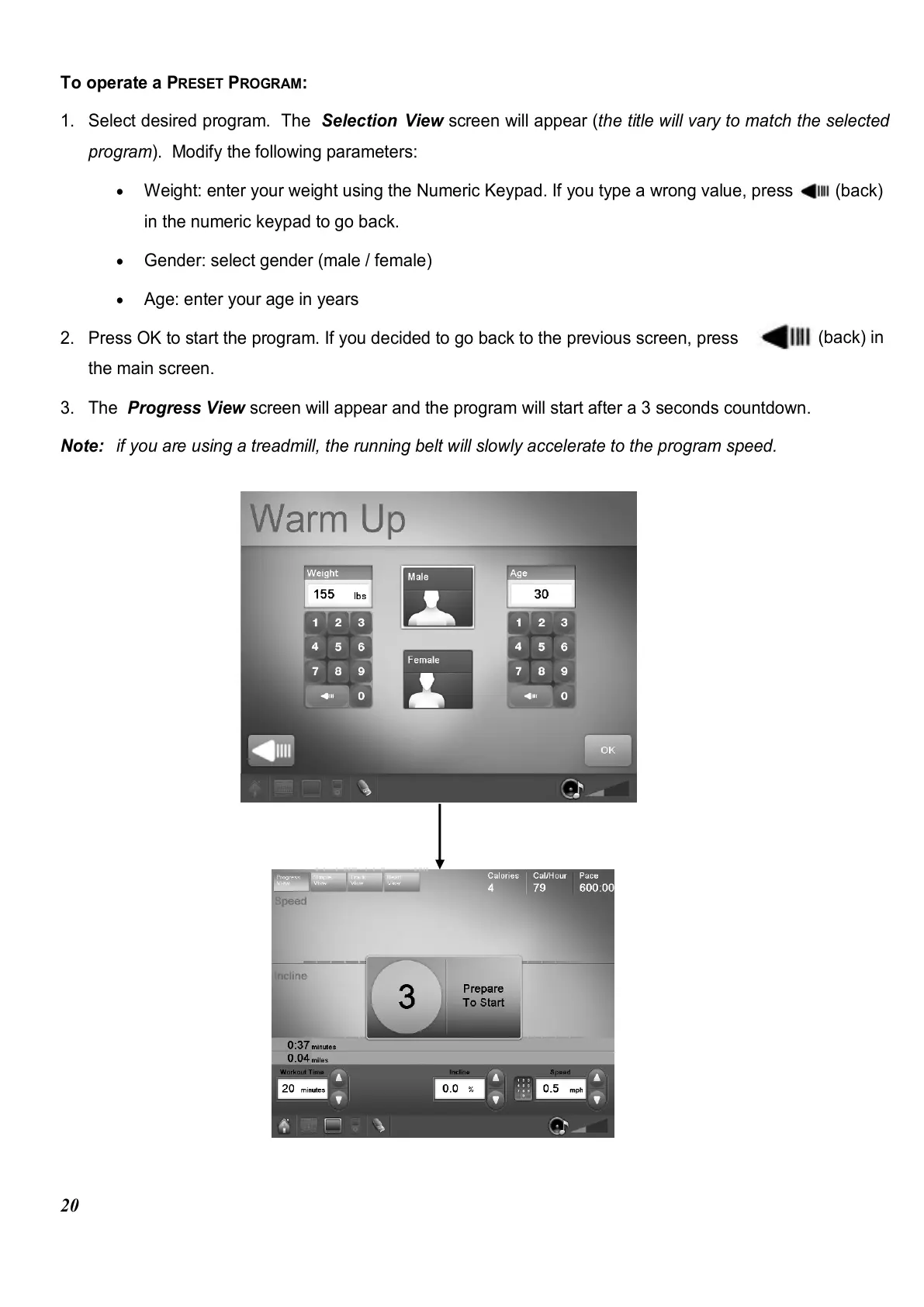
1. Select desired program. The Selection View screen will appear (the title will vary to match the selected
program). Modify the following parameters:
•
Weight: enter your weight using the Numeric Keypad. If you type a wrong value, press (back)
in the numeric keypad to go back.
•
Gender: select gender (male / female)
•
Age: enter your age in years
2. Press OK to start the program. If you decided to go back to the previous screen, press
(back) in
the main screen.
3. The Progress View screen will appear and the program will start after a 3 seconds countdown.
Note: if you are using a treadmill, the running belt will slowly accelerate to the program speed.















 To Next Page