53
QUICK DRIVE PROGRAMMING
FUNCTION DESCRIPTION
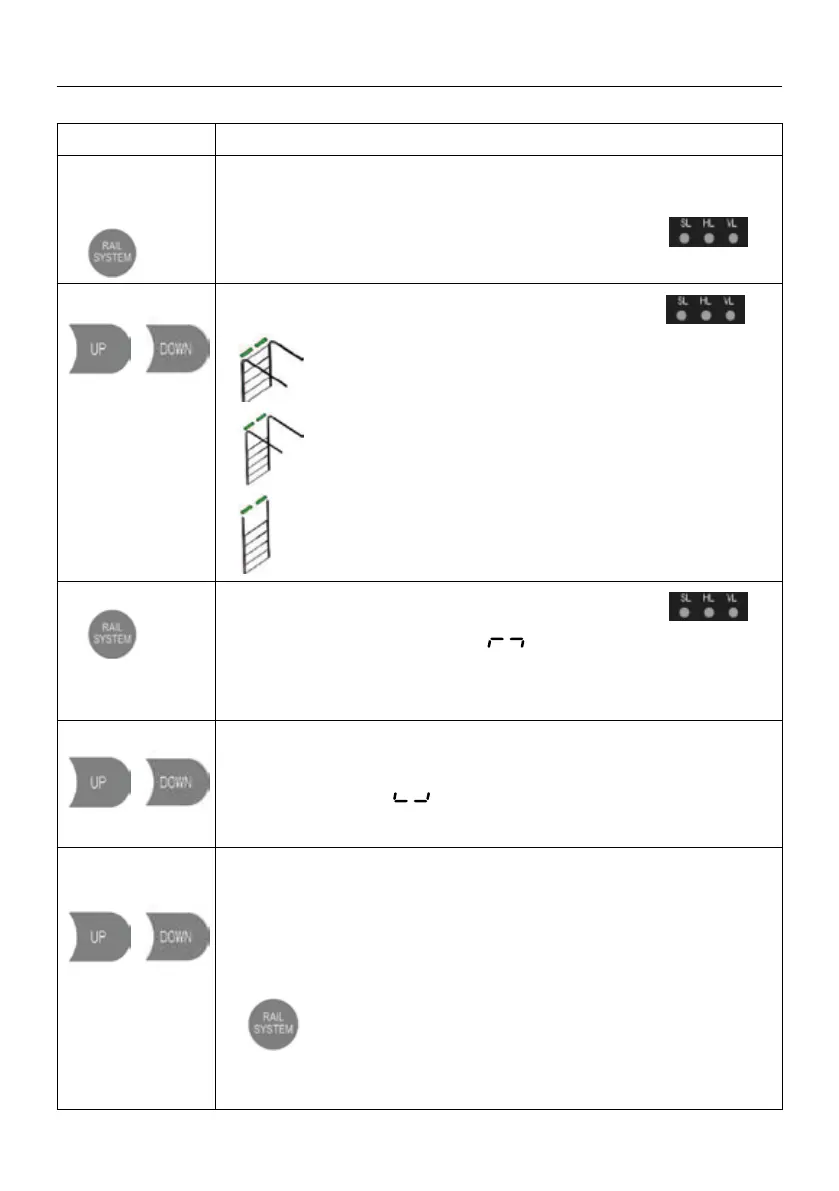
1. Press and hold
the RAIL SYSTEM
button for 3 sec.
All of the indicator lights are light up constantly for “SL,HL,VL” and
then o.
Then release the button until one
of the indicator lights ashes.
2. Short press of
/
helps to select
the track system
of your choice.
The corresponding LED will ash under the selected
SL, HL, VL type.
SL: Standard lift sectional doors with cylindrical cable
drum.
HL: High lift sectional doors with cylindrical-conical
cable
VL: Vertical lift sectional doors with conical cable
drum
3. Short press of
conrms the
track system
selection
The corresponded indicator light is constant
on for “SL,HL,VL”
Then, the digital display shows to start the OPEN travel limit
setting.
4. Long press
/
Long press the button UP/DOWN to set the door to the target
OPEN limit position, then release the buttons.
Short Press the SET button once to store the open limit position,
the digital displays to start the CLOSE travel limit setting.
5. Long press
/
Long press the button UP/DOWN to set the door to the target CLOSE limit
position then release the buttons.
Short press the SET button once to store the CLOSE limit position, then the
door drive will automatically open and close the door to store the door weight
and spring balance conditions.
a. If a system selection error occurs during the setting process, please click
Execute enter to exit the setting, and then execute the rst
operation again.
b. Active or change any stand alone function, refer to the below "FUNCTION
TABLE MENU".


 To Next Page
 Loading...