74
MENU 9 9. —
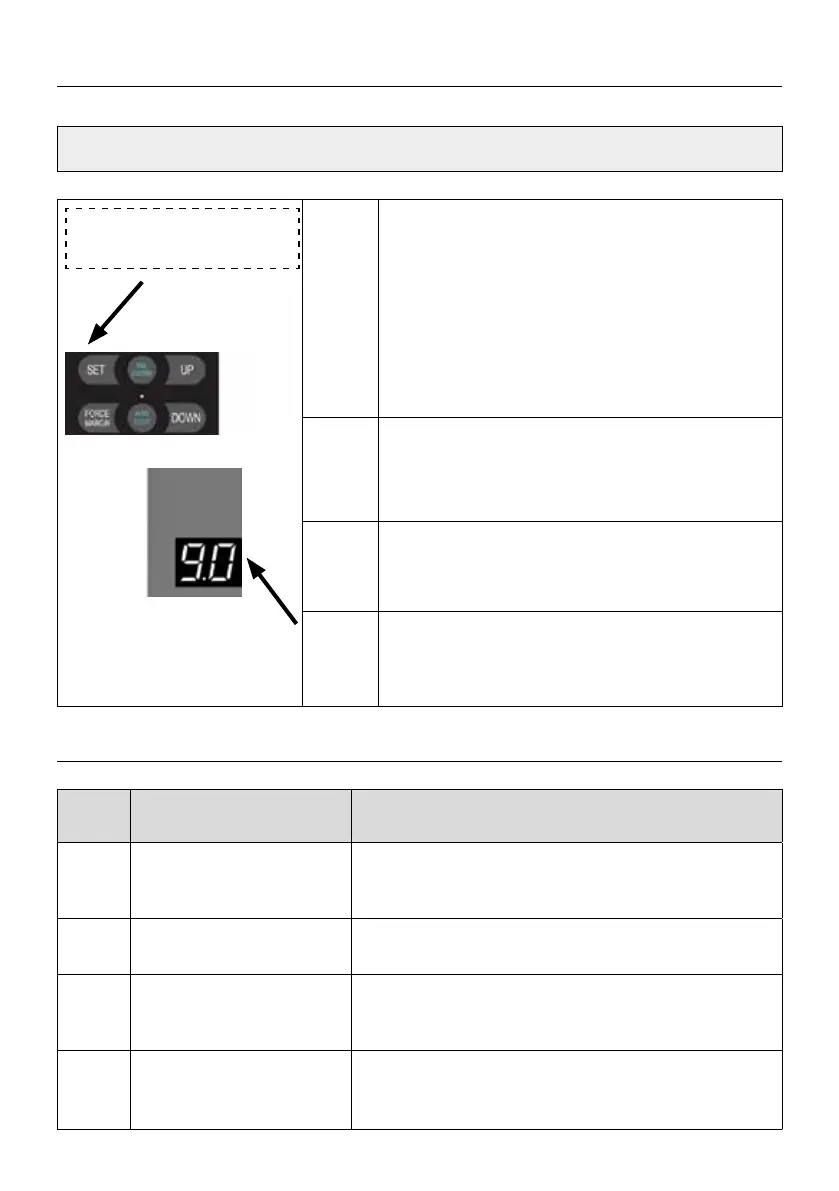
9.- Door drive output
rotating direction setting
9.-
Press and hold SET button for about 6 seconds
to enter main menu until “0.-” appears on the
display then release the button.
Press UP till “9.-” appears on the display.
Press SET to enter the Door drive output rota-
ting direction setting.
9.1 9.1 Door drive rotating direction is forward.
(Default)
9.0 9.0 Door drive rotating direction is reverse.
Note
After adjusting the rotating direction of the
door drive, it is necessary to relearn the travel
limit.
SETTINGS OF FUNCTION PARAMETERS IN MENU
E 0.
Encoder failure, the
encoder cannot write and
read data.
1. Replace the encoder.
2. Replace the encoder cable.
E 1.
No motor motion signal is
Detected.
1. Check whether the wiring between the limiter and
the control board is loose.
E 2.
The positive and negative
poles of the motor wire
are reversed.
1. Exchange the positive and negative poles
of the motor.
E 3.
Motor current is too high. 1. Choose matching control system and motor.
2. Check the door body.
3. Replace the high-power door drive.
ERROR CODES



 To Next Page
 Loading...