75
ERROR CODES
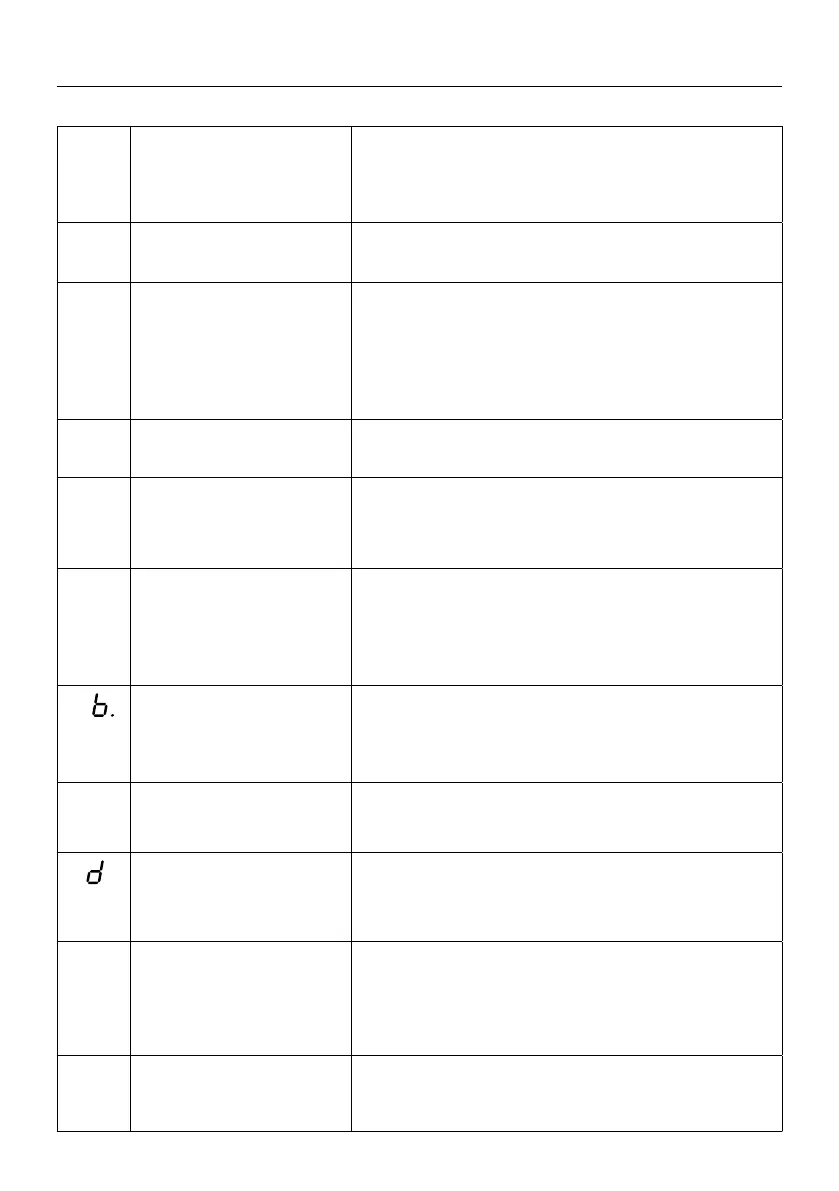
E 4.
Door drive overload alarm,
current overrun.
1. The door is stuck, or the door is too heavy.
2. The door size is too large.
3. Check the door body.
4. Replace for the high-power door drive.
E 5.
Optical safety edge
sensor kit fault.
1. 8.2K resistor is open circuit, missing installation.
2. The conductive tape edge is aging or broken.
E 6.
Infrared/infrared light
curtain function port is
triggered.
1. Check whether the infrared function is turned on.
2. Turn on the infrared function to detect whether the
infrared device is blocked.
3. Check whether the NO/NC wiring of the infrared de-
vice output port is wrong. The NO port is connected by
default, and the port is closed after the shot.
E 7.
SD (Pass door/wicket
door) switch triggered.
1. Check whether the SD function port of the secure
port is not connected.
E 8.
The maintenance alarm
reaches the cycle thre-
shold set.
1. Notify maintenance personnel to maintain the door
and drive.
E 9.
Input error, OSE edge
protection.
1. The beam of the OSE optical edge protection is
interrupted.
2. Damaged cable connection or the device itself.
3. Check the selected type of connected protection in
MENU 6.8 (activate 2).
E
Communication failure
between door drive and
control panel.
1. Pull out and reinsert the RJ45 plugs.
2. Disconnect the power and turn it on again after 10s.
3. Replace the cable between the control board and the
8P drive (with RJ45 plugs).
E c.
Travel limit position not
reached.
1. Perform reprogramming of limit positions.
2. Replace the encoder.
E .
Pneumatic rail (DW)
- self-test error.
1. Check NC operation of the pneumatic bar (DW).
2. Check the possibility of air leakage from the
installation.
E e.
During position learning,
the drive is blocked, or the
encoder is defective.
1. Carry out programming of the travel limit
positions again.
2. Check the encoder connection.
3. Replace the encoder.
E f.
The safety circuit
is interrupted.
1. Make sure STOP is not pressed.
2. Check cable connections.
3. Make sure that the safety circuit is closed with the NC.


 To Next Page
 Loading...