76
TX/RX FUNCTION MODULE DESCRIPTION (optional)
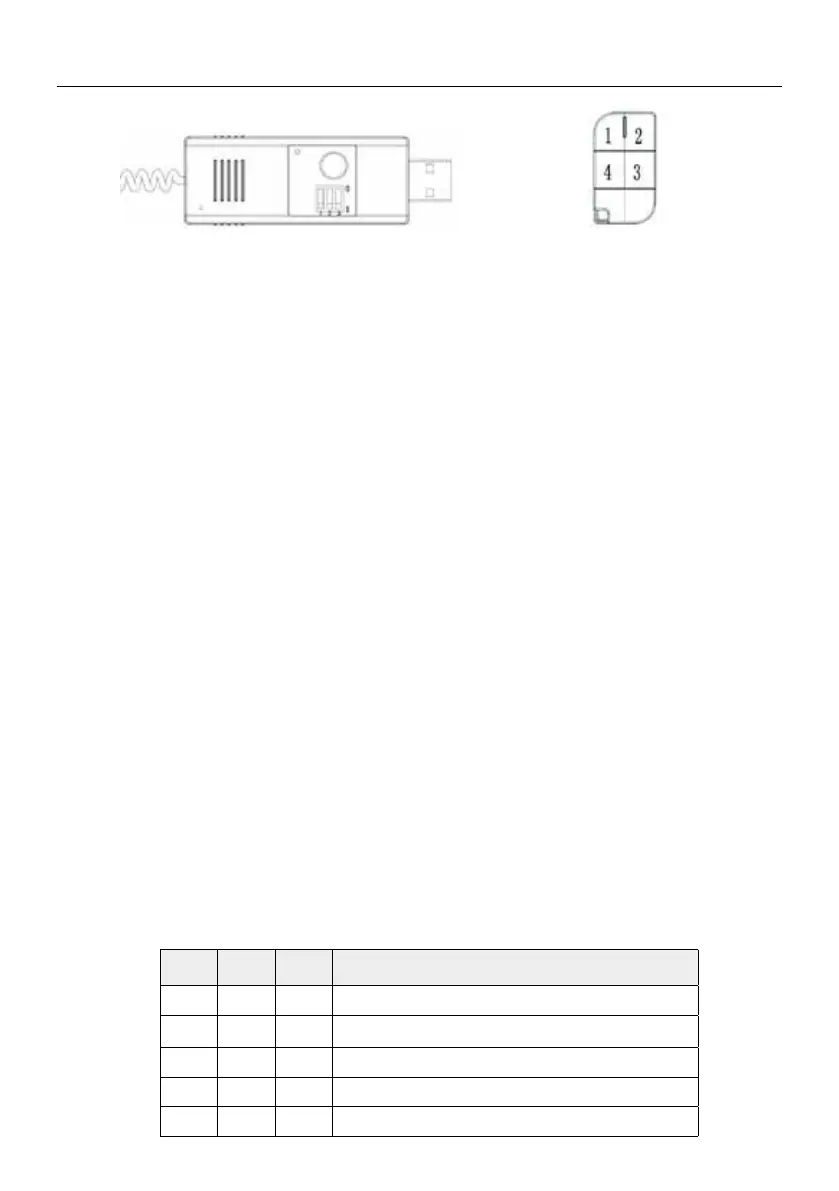
1. Radio receiver operating in the HCS301 open system within the 433 MHz
or optionally 868 MHz frequency range.
2. Support for 4-channel remotes with dynamically changing code.
3. The radio receiver has a USB connector for connection to the device.
4. Briey press the LEARN button until the LED on the receiver lights up. Then press the
remote-control button to transmit the code, in order to remove the remembered remotes
from the receiver. Press and hold the LEARN button for 6 seconds, the LED will quickly
blink 5 times.
5. The receiver has a memory for 50 remote controls; memorizing 51. remote control dele
-
tes the rst one.
6. Remote control operation modes:
- standard mode:
- impulse operation step by step OPEN / STOP / CLOSE of a given button
- multifunctional mode:
- mode 1
- button 1 performs step-by-step OPEN / STOP / CLOSE
- button 2 performs PARTIAL OPENING
- button 3 turns on/o the courtesy lighting function
- button 4 disables the operation of other buttons of the remote control
- mode 2
- button 1 for the OPEN command
- button 2 for the STOP command
- button 3 for the CLOSE command
- button 4 disables the operation of the other buttons on the remote control
- mode 3
- button 1 for the OPEN command
- button 2 for the STOP command
- button 3 for the CLOSE command
- button 4 performs the CF function - only OPEN - without indirect STOP opera
tion or if the door is closed, it will reverse the direction and open the door completely
To select the multifunctional mode, select the appropriate mode on the receiver's DIP
switches according to the setting diagram below.
The correct operation of the receiver's multifunctional mode only with original
remotes.
S1 S2 S3
1 1 1 Standard mode (by default)
0 1 1
Switch o mode
1 0 1 Mode 1 - multifunctional
1 1 0 Mode 2 - multifunctional
0 0 1 Mode 3 - multifunctional


 To Next Page
 Loading...