73
SETTINGS OF FUNCTION PARAMETERS IN MENU
8. 1 Query the rema-
ining cycles of mainte-
nance alarm
8.1
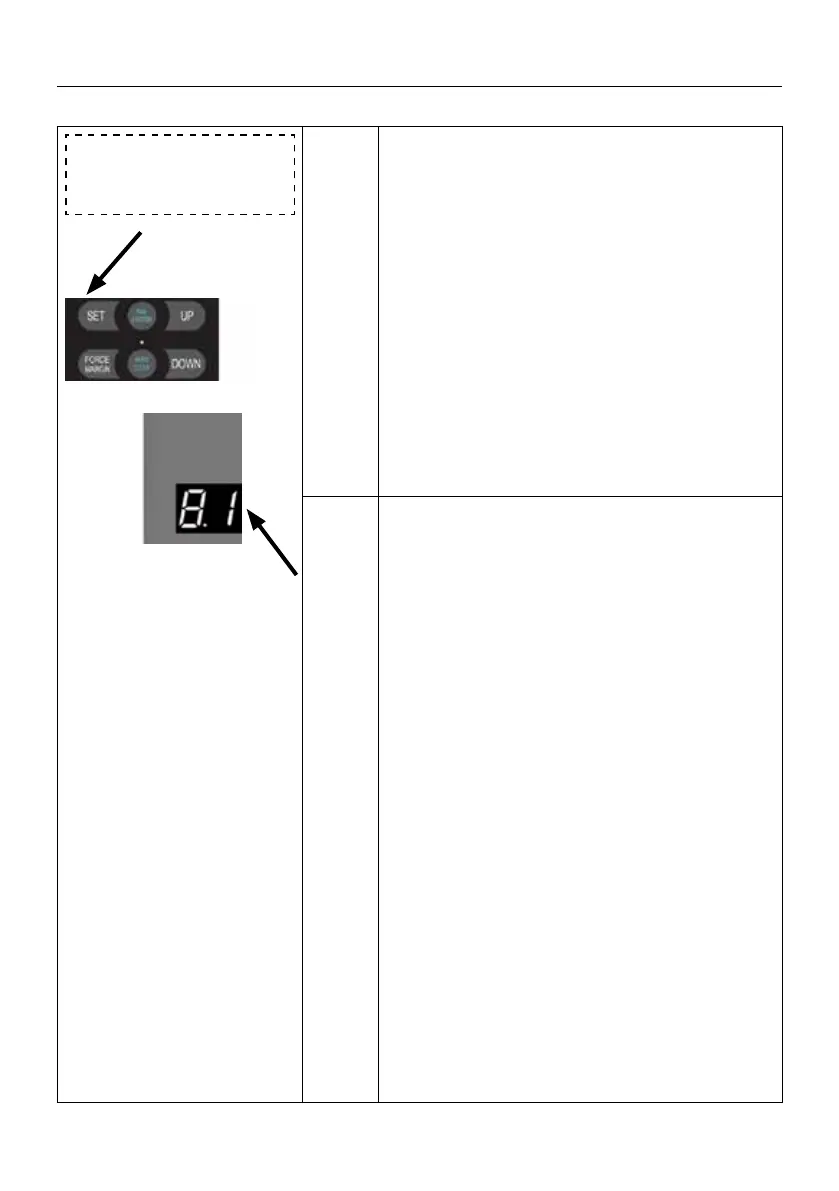
Press and hold SET button for about 6 seconds
to enter main menu until “0.-” appears on the
display then release the button.
Press UP till “8.-” appears on the display.Press
SET then “8.0” appears on the display.
Press UP till “8.1” appears on the display , Press
SET to enter the Query the remaining cycles of
maintenance alarm.
Press SET to enter the function query, the digital
will circulated display
- 10 00 -
then after the cumulative loop display 3 times,
the query display will exit.
Note
a. Running cycles counter will not be cleared
even after the door drive is restored to factory
settings.
b. Maintenance alarm description (Running
cycles will minus 1 cycle, after the door drive
reaching the close limit position each time)
c. When the maintenance alarm count shows
0, when the door drive runs to the open and
close limit positions each time, the courtesy
light will ash quickly, the buzzer will sound
continuously to remind the customer that the
door and the drive unit need maintenance, and
the digital tube will display fault
E 8.
d. After the maintenance of the door or drive
unit is completed, the maintenance personnel
need to re-enter the menu to set the mainte-
nance alarm cycles, and the cycles of mainte-
nance alarms will restart to count.


 To Next Page
 Loading...