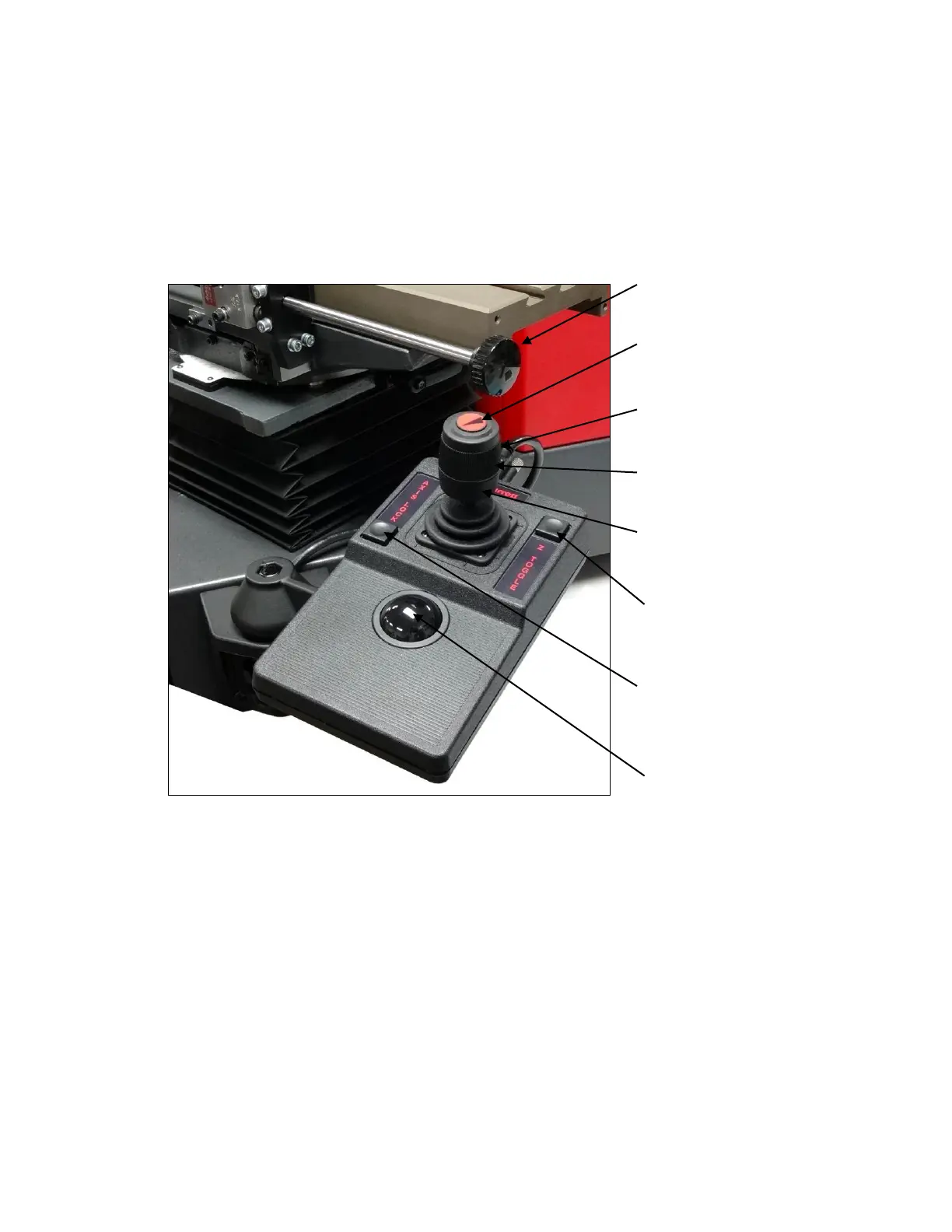
illustrated below.
servo-motors. Do not attempt to turn the knob while the X-axis motor is under power.
Knob to manually rotate X-axis
drive shaft. First press E-Stop
button at back of joystick unit.
Button to toggle between slow and
fast control. Applies to X, Y and Z
axes.
Rotate joystick to move stage in
and out (for Z-axis focus control).
Move joystick from right to left to
move stage from right to left (for X-
axis control).
Move joystick from front to back to
move stage up or down (for Y-axis
control).
Z Toggle button. Press to toggle
between trackball control X-Y axes
or Z-axis,
Axis Lock button. Press to toggle
between axis lock, where only one
axis can be moved at a time, and
no axis lock.
Trackball for X-Y or Z fine control,
as selected by Z Toggle button.












 To Next Page