WARNING:
Never pour fluid on the system when cleaning. Do not over-wet cleaning
cloth. Excessive moisture can seep into mechanical or electrical parts, damage the
equipment and possibly cause an electrical short circuit and physical injury
.
As a
precaution, unplug the system before cleaning. Always unplug the system before
using any flammable cleaning fluid.
Cleaning External Surfaces
Wipe down with a clean, lint-free cloth moistened (not wet) with plain water or Simple Green
®
.
Never wipe down with acetone or other harsh solvents, which may damage painted or plastic
surfaces. Isopropyl alcohol may be used to clean surface contaminants where Simple Green
proves ineffective.
Cleaning Optics
WARNING:
Do not touch lens surfaces with your fingertips, since the resulting
fingerprints will destroy optical coatings over time. Only clean optical surfaces with
proper cleaning supplies, and then only when necessary.
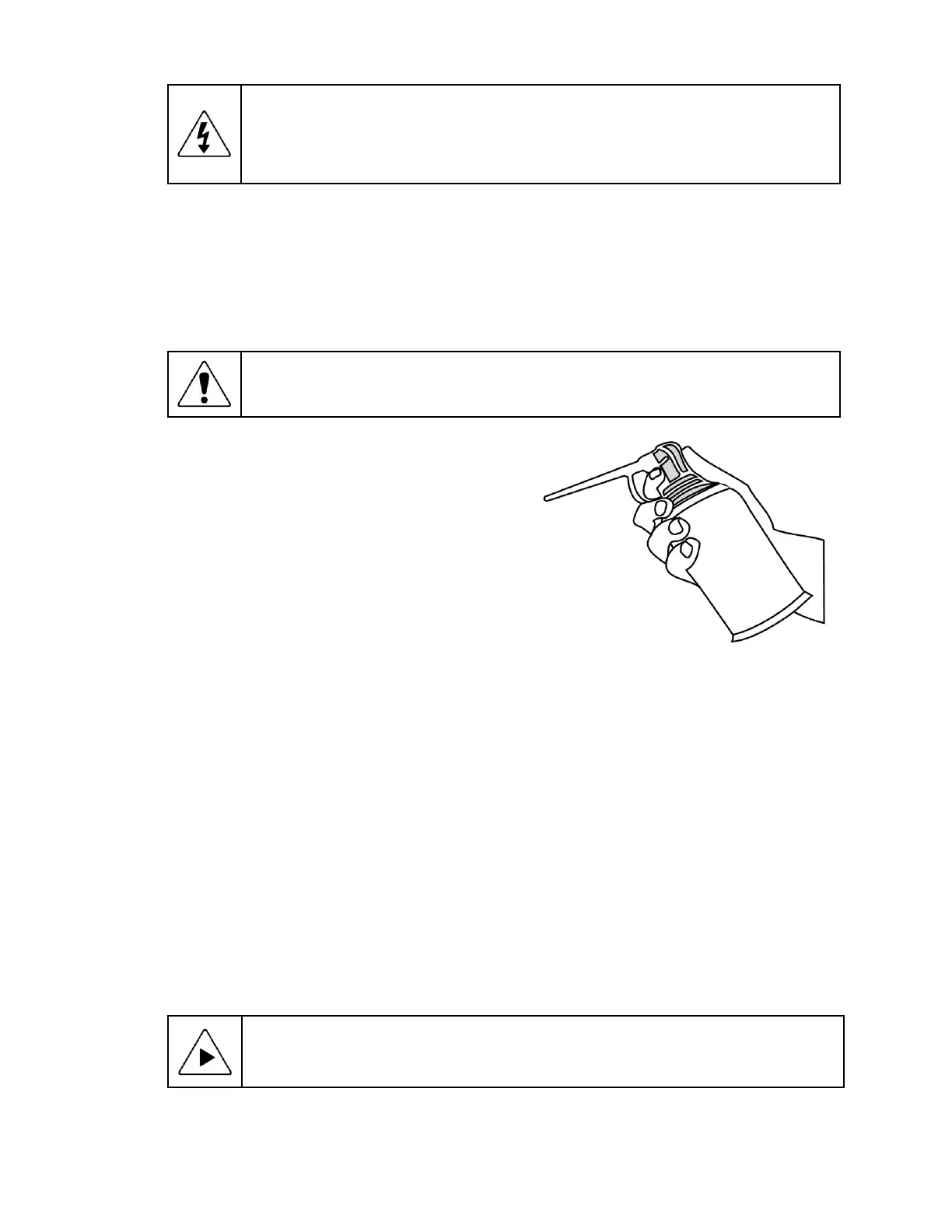
If a lens is covered with loose dust, first try blowing
off this dust using a can of optical grade (oil-free)
canned compressed air. Be careful not to shake
the lens, or propellant may blow onto the lens. As
alternative, use a lens brush to gently wipe off the
dust.
If the lens is soiled with greasy deposits which
cannot be blown or brushed off, use an alcohol-
based commercial lens cleaner and a lens tissue
or a lens cloth. These items are available from
camera stores. Apply the lens cleaner generously
to dissolve the grease, then blot off the lens clean-
er and dissolved grease using minimum motion.
Avoid rubbing the lens, since hard particles from
the deposit or the lens cloth could scratch the optical coatings.
If the greasy deposits do not come off with the lens cleaner, use a stronger solvent such as
reagent-grade acetone as a last resort. Gently wipe the lens surface while moving the lens cloth to
always present a clean surface to the lens. Wipe in a circular manner moving from the center of
the lens toward the outer edge. Do not reuse the lens cloth to avoid redepositing contaminants.
Cleaning Mechanical Parts
To ensure a long, trouble-free service life, wipe down the system regularly to remove any dust or
dirt from the system. Most critical components are covered and require no user service. Should
the stage mechanics require service, please contact your Starrett representative.
6.8 Lubrication
Every 6 months, lead-screws may be lubricated with a small amount of Tri-Flow®. Apply to each
screw and traverse the stage or column through the entire range of travel several times to distri-
bute the lubricant. Use a clean soft cloth or paper towel to wipe up any excess.
NOTE:
Use only approved lubricants, as inappropriate lubricants can damage
system components. Approved lubricants may be obtained by contacting Starrett or
an authorized Starrett representative.












 To Next Page