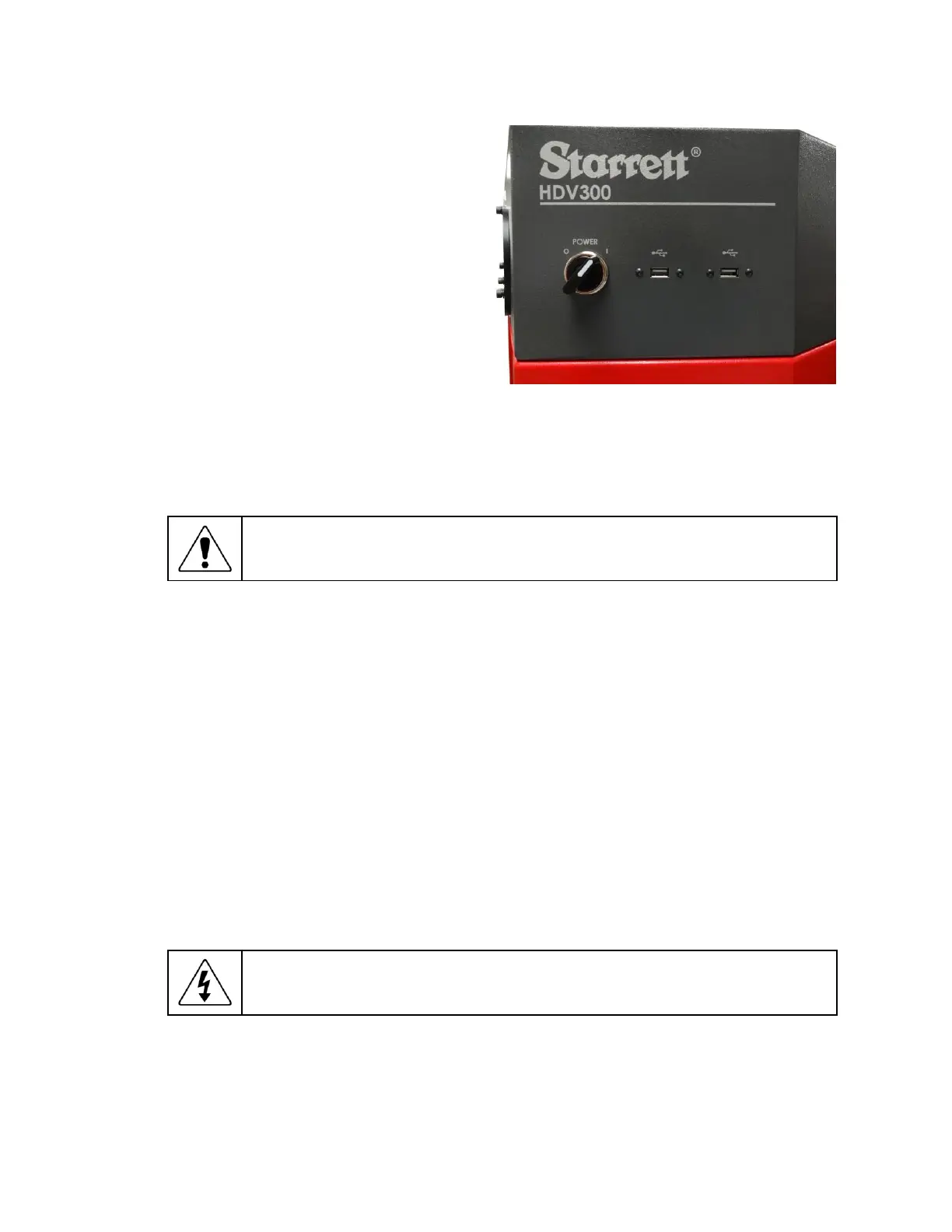
3.11 Equipment On/Off Control
HDV300 and HDV400 systems have an
On/Off rotary selector switch on the right
side of the housing, and a rocker switch in
the back just above the 115/230V power
connector (as required by for CE certifica-
tion). During normal operation, the toggle
switch at the back should always be in the
On position, and the rotary switch should
be used to apply and remove power.
Turn the rotary power switch clockwise to
the position marked “
|
” to apply power. The
system’s built-in PC will self-boot and come
up in Windows. Launch the MetLogix M3
software by clicking on the M3 icon.
Before removing power, first close all com-
puter files and applications, then shut down
the computer using the Windows “Shut
down” button. Otherwise computer files could be corrupted by the sudden loss of power. After the
computer has been properly shut down, turn the rotary power switch counterclockwise to the
position marked “
O
”.
Turn-Off Sequence:
Before removing power, first shut down the computer in
software. This will ensure that all files are properly closed.
3.12
Fuse Replacement
The toggle switch at the back is part of a power entry module, which includes an EMI/RFI filter
and a holder for two fuses. If power is properly applied to the system but the electronics are not
energized, the problem could be due to a blown use. To check and replace fuses, follow these
steps:
1) Unplug the power cable from the power entry module.
2) Pry open the cover above the power switch by inserting a small flat-blade screwdriver from
the top.
3) Pry out the red fuse holder module by using the small flat-blade screwdriver from the side.
4) Check the existing fuses for electrical continuity.
5) Replace any blown fuse with a fresh fuse of the same size. The recommended fuse rating is
5A, 250 Vac for 115V or 230V AC power.
6) Press in the red fuse holder.
7) Press in the cover above the power switch.
8) Plug in the power cable.
Hazardous Voltages:
If work is to be done inside of the metrology unit or on the
power entry module, always first unplug the 115V or 230V power cable to remove
dangerous line voltages.
Figure 8: On/Off power switch













 To Next Page