5.2 General operating functions
n Hidden content is shown using the r and s buttons.
n Repeated button presses: If rs need to be pressed repeatedly,
you can alternatively hold these buttons pressed for a long
time. The rate of repetition increases the longer the button is
held.
n Pressing any button switches on the display backlighting
5.3 Important operating functions
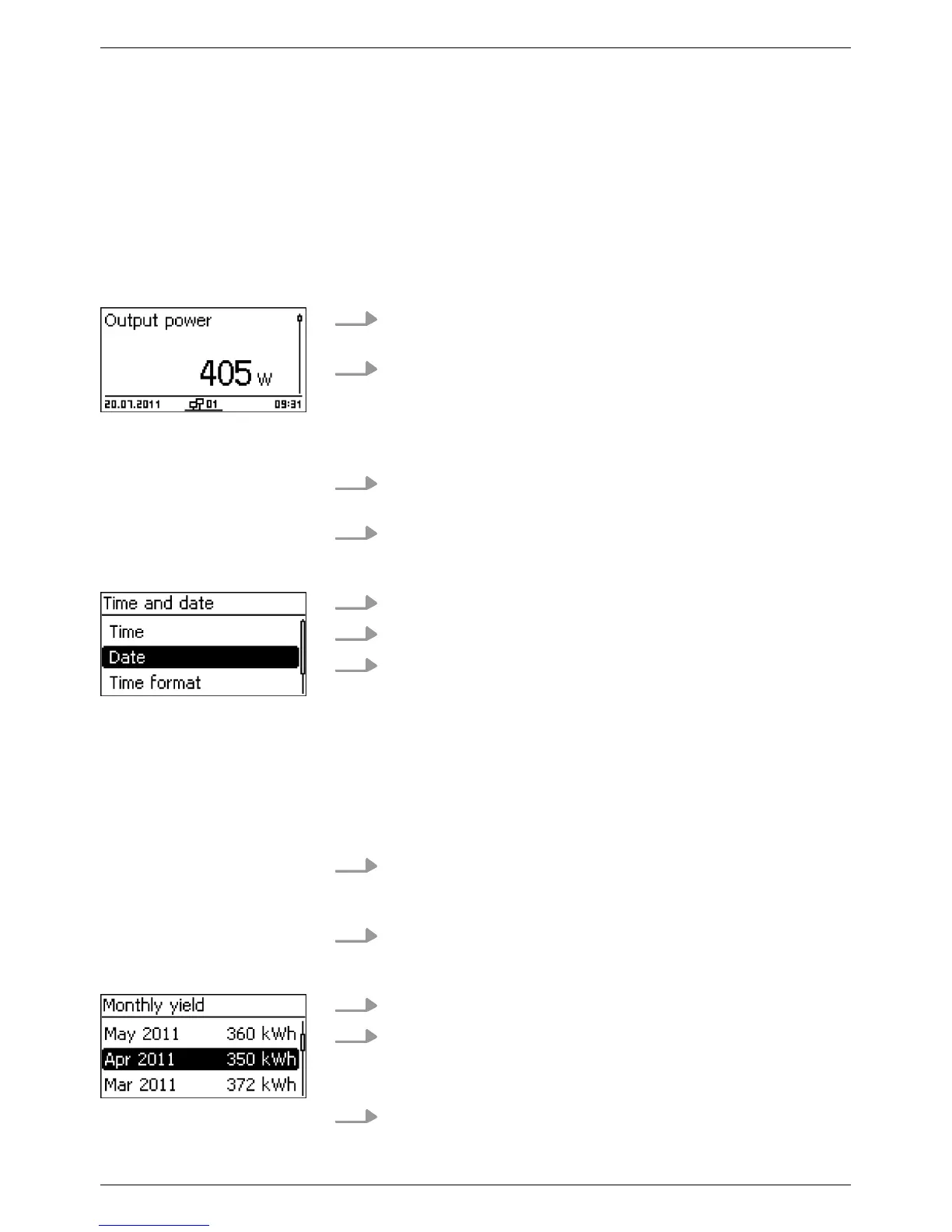
The figures in this section show examples.
1. If necessary
, press ESC for 1 second to call up the status dis-
play (Fig. left).
2.
Press rs to display a different parameter
.
1. Press ESC for 1 second to call up the status display as
required.
2. Press SET.
ð
The main menu is displayed with the top item selected.
3.
Press rs to select a menu item.
4. Press SET to call up the submenu (Fig. left).
5. Repeat steps 3 and 4 for further submenus as required.
See
Ä
„Event messages“ on page 51.
The status display is shown.
1. Press SET.
ð
The main menu is displayed with Yield selected.
2. Press SET.
ð
The list with yield time periods is shown.
3.
Press rs to select a yield time period.
4. Press SET.
ð
The individual yields for the yield time period are shown
in a list (Fig. left).
5.
Press rs to select an individual yield value.
Status display
Menu navigation
Event messages
Displaying entries numer-
ically (list) and graphi-
cally (diagram)
EN
750.661 | Z03 | 2016-09-12
47









 To Next Page