3. Press SET.
ð
The change is adopted (value no longer flashes) or Press
ESC to cancel the change (value no longer flashes).
4.
Press s.
ð
The next value is selected.
5. Repeat steps 1 to 4 for the remaining values.
6. Press ESC.
✓ The next higher menu level is displayed.
NOTICE!
Risk of yield losses and contravention of regula-
tions and standards. Inverter and grid parame-
ters can be changed in the service menu. The ser
-
vice menu must therefore only be used by
technical professionals who know the applicable
regulations and standards.
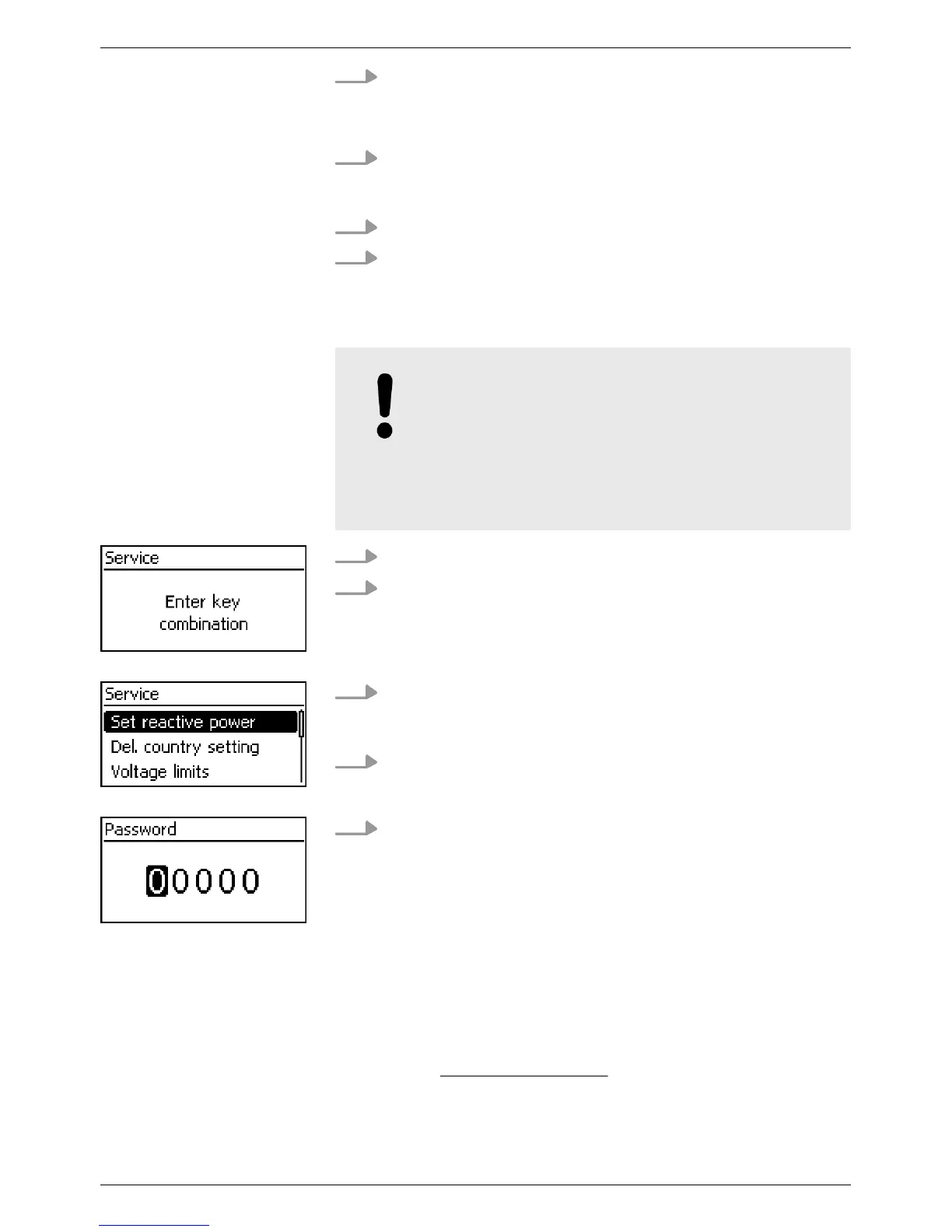
1. Select the Service
menu item.
2. Press SET.
ð
The fig. shown at the left appears.
3.
Press rs simultaneously for 3 seconds.
ð
The service menu is displayed (Fig. left).
4.
Press rs to select a menu item.
5. Press SET to edit the menu item. The following applies:
n Enter the password if required (Fig. left); see
Ä
Chapter
3.3.4 „Service menu“ on page 18.
n If necessary, press rs within a menu item to display
and edit other settings (e.g. Voltage limits).
n The menu items are described in
Ä
Chapter 3.3.4 „Ser-
vice menu“ on page 18.
5.4 Internet portal
F
or a StecaGrid portal description and the registration page of your
system, go to
www.steca.com/portal.
Calling up the service
menu and editing the
values
EN
750.661 | Z03 | 2016-09-12
49









 To Next Page