137
Global Effects
Effects Reference
Feedback L/R
This parameter is only available in Stereo Delay mode. Use this to offset the amount of
feedback of the left or right delay from the overall feedback. The offset value is a
factor. A factor of 1 means that the amount of feedback corresponds to the overall
feedback. A factor of 0.5 means that the amount is half the overall feedback. To offset
the left feedback, turn the control to the left. To offset the right feedback, turn the
control to the right. The letter before the factor changes accordingly to “L” or “R”. The
mid position of the control sets a factor of 1.0, which is the neutral setting.
Filter Low
This allows you to attenuate the low frequencies of the delays.
Filter High
This allows you to attenuate the high frequencies of the delays.
Mix
This sets the ratio between the dry and the wet signal.
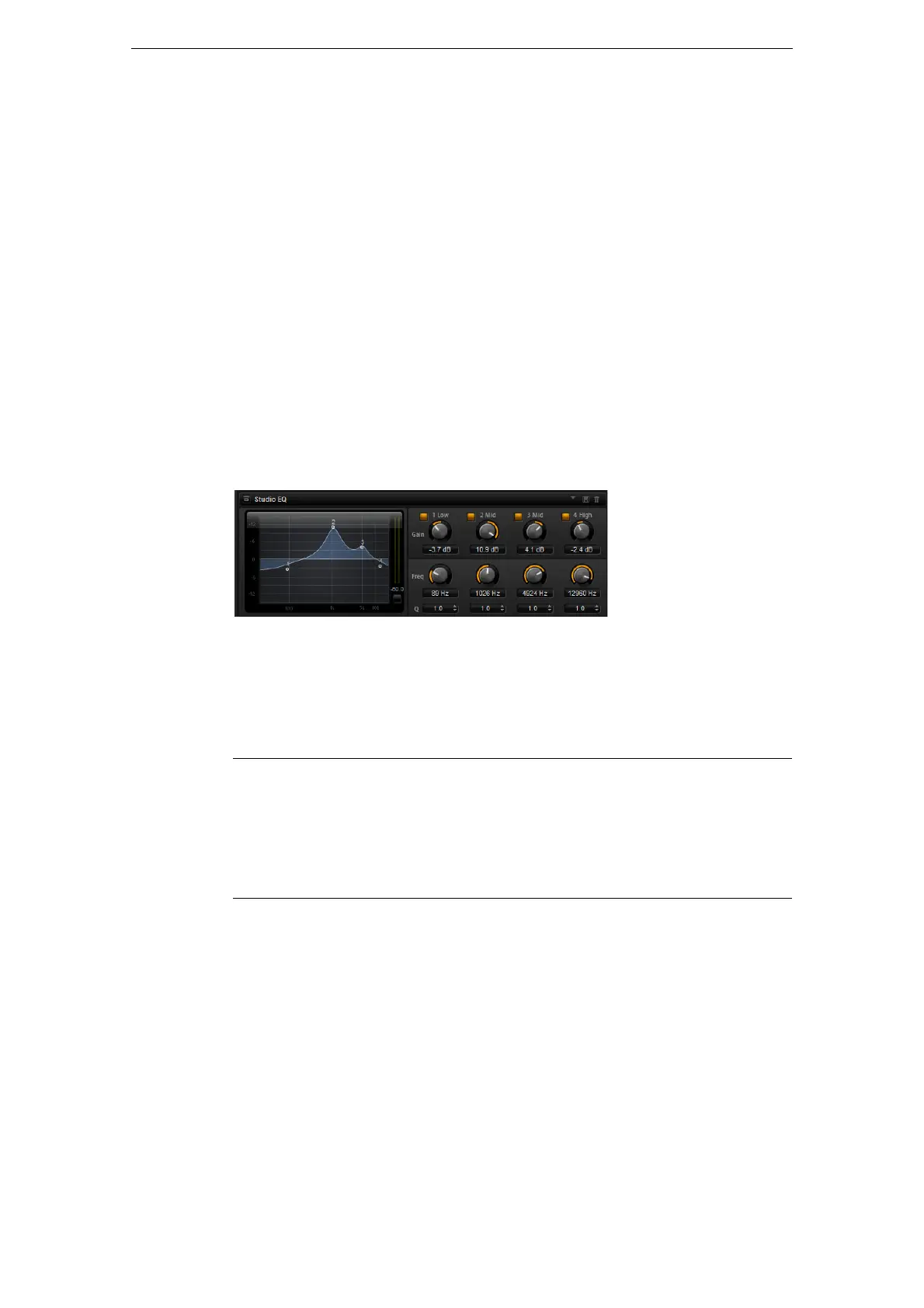
Studio EQ
This is a high-quality 4-band parametric equalizer. With the four frequency bands 1
Low, 2 Mid, 3 Mid, and 4 High, you can shape the tone color, to create a brighter or
darker sound, for example. The two mid-range bands act as peak filters and the low
and high bands act as shelving filters. All bands are fully parametric with adjustable
gain, frequency, and Q factor.
Each frequency band offers the following controls:
• To adjust the parameters Gain and Freq simultaneously, drag the points in the EQ
curve display.
Control Description
Gain Sets the amount of cut or boost for the corresponding band.
Freq Sets the frequency that is cut or boosted with the Gain parameter.
Q (Quality) Use this to adjust the bandwidth of the mid-range peak filters from
wide to narrow. By increasing the Q on the low and high shelving
filters you can add a dip to their shape.



 To Next Page