33
Editing
Editing Layers
Ö If you use Cutoff, Amplitude and Pan Key Follow, the cutoff, amplitude and pan also
change with the Glide effect.
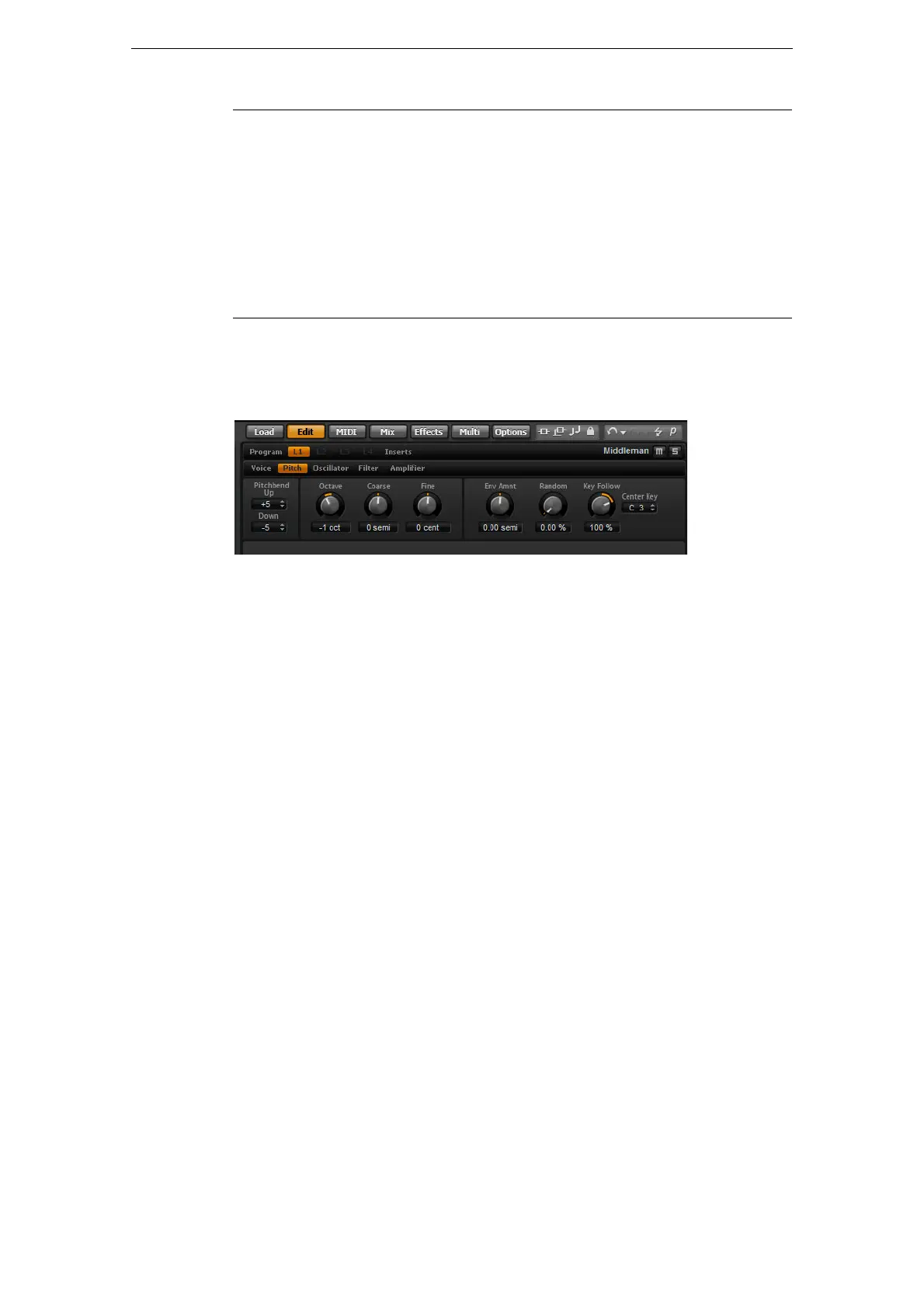
The Pitch Subpage
The Pitch subpage of synth and sample layers gives you access to the tuning of the
layer. With the Octave, Coarse and Fine parameters, you can adjust the tuning in
steps of octaves, semitones and cents. In addition, you can adjust the amount of pitch
modulation from the Pitch Envelope, the keyboard or randomly with each keystroke.
Furthermore, you can set the pitchbend range for the up and down direction of the
pitchbend wheel separately.
The Pitch subpage contains the following parameters:
Pitchbend
Here you can set the range of the pitch modulation when moving the pitchbend wheel
up or down.
Octave
Here you can adjust the pitch in octave steps.
Coarse
Here you can adjust the pitch in semitone steps.
Fine
This parameter tunes the pitch in hundredths of a semitone (cents).
Env Amnt (Envelope Amount)
This parameter determines how much the pitch is affected by the Pitch Envelope.
Random
This parameter allows you to offset the pitch with each played note randomly. Higher
values cause stronger variations. At a setting of 100
%, the random offsets can vary
from -6 to +6 semitones.
Curve You can select one of three curves to define the glide behavior:
With the Linear curve, the pitch glides at continuous speed from the
start to the end pitch. With the Exponential curve, the pitch starts
gliding at higher speed and decelerates towards the end pitch. For
example, this behavior is more similar to the natural pitch glide
produced by a singer. With the Quantized curve, the pitch glides in
semitones from the start to the end pitch.
Fingered Activate Fingered to glide the pitch only between notes played
legato.
Option Description



 To Next Page