34
Editing
Editing Layers
Key Follow
Here you can adjust the pitch modulation from MIDI note number. Set this parameter
to positive values in order to raise the pitch the higher you play. Use negative values to
lower the pitch the higher you play. At a setting of +100
%, the pitch follows the
played note exactly.
Center Key
This parameter determines the MIDI note that is used as the central position for the
Key Follow function.
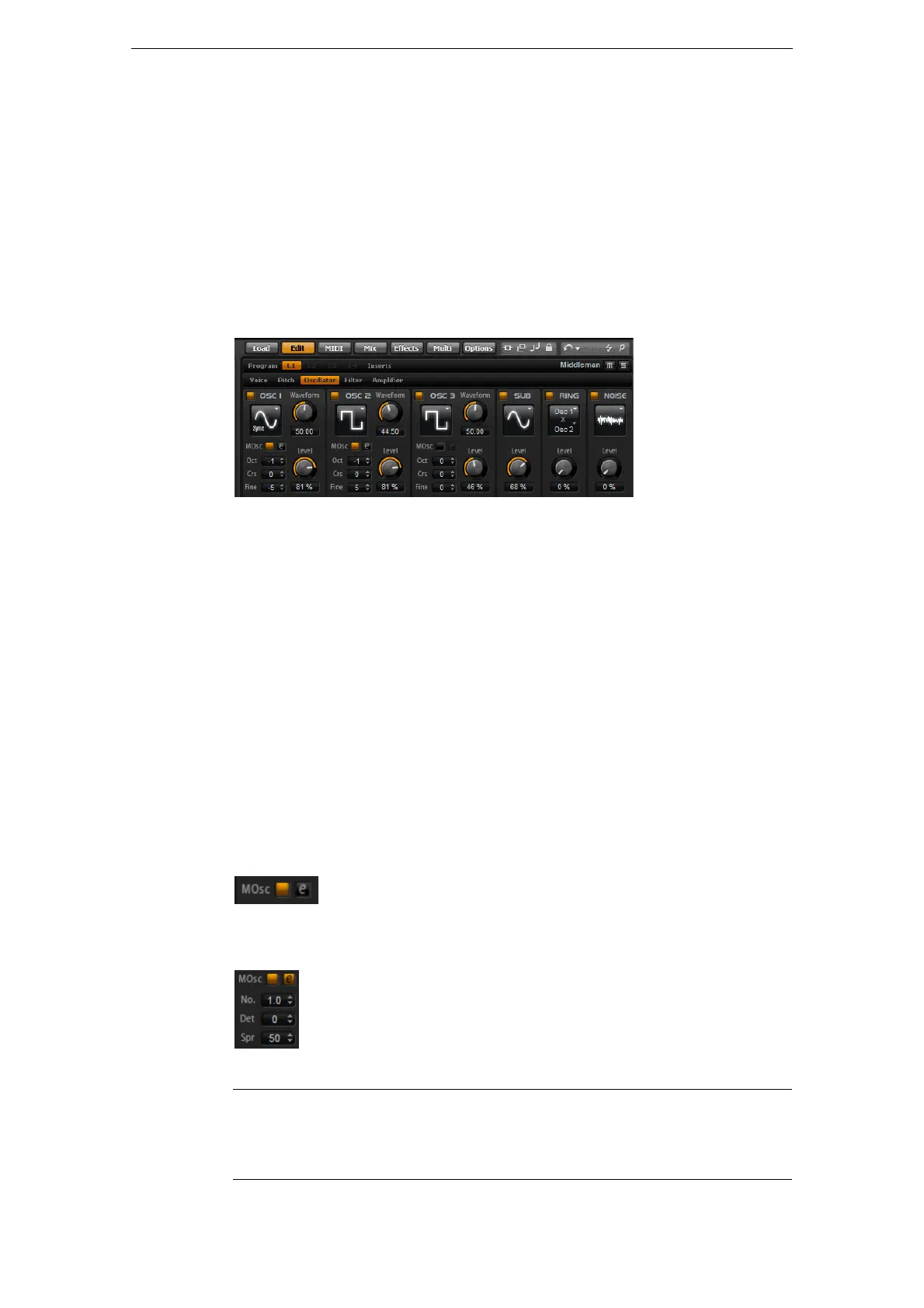
The Oscillator Subpage
The Oscillator subpage of the synth layer offers six sound sources: three main
oscillators, the sub oscillator, the ring modulation and the noise generator. To create
interesting electronic spectra, you can mix any of these sound sources. The resulting
signal is sent to the Filter and Amplifier sections for further sound shaping.
The three main oscillators (OSC 1, OSC 2 and OSC 3) offer different wave shapes and
algorithms. Select the wave shape and algorithm with the oscillator type (see below).
• Activate the oscillators by clicking their On/Off buttons.
Ö Make sure to switch off the oscillators when the function is not needed. When
activated, they use CPU cycles even if they are not heard, such as in a situation where
the level is set to 0
%.
Multi-Oscillator Mode
For the three main synth oscillators, you can activate the Multi-Oscillator mode. This
mode allows you to create a richer sound by producing up to 8 oscillators
simultaneously. The effect is similar to the Unison mode for the zone, but it requires
less performance.
• To activate Multi-Oscillator mode, activate the MOsc button.
When Multi-Oscillator mode is activated, you can click the edit button to show the
corresponding parameters.
The following parameters are available:
Parameter Description
No. Determines the number of oscillators that play back simultaneously.
You can also set fractions of numbers. For example, with a setting of
2.5, you hear two oscillators at full level and a third one at half level.



 To Next Page