38
Editing
Editing Layers
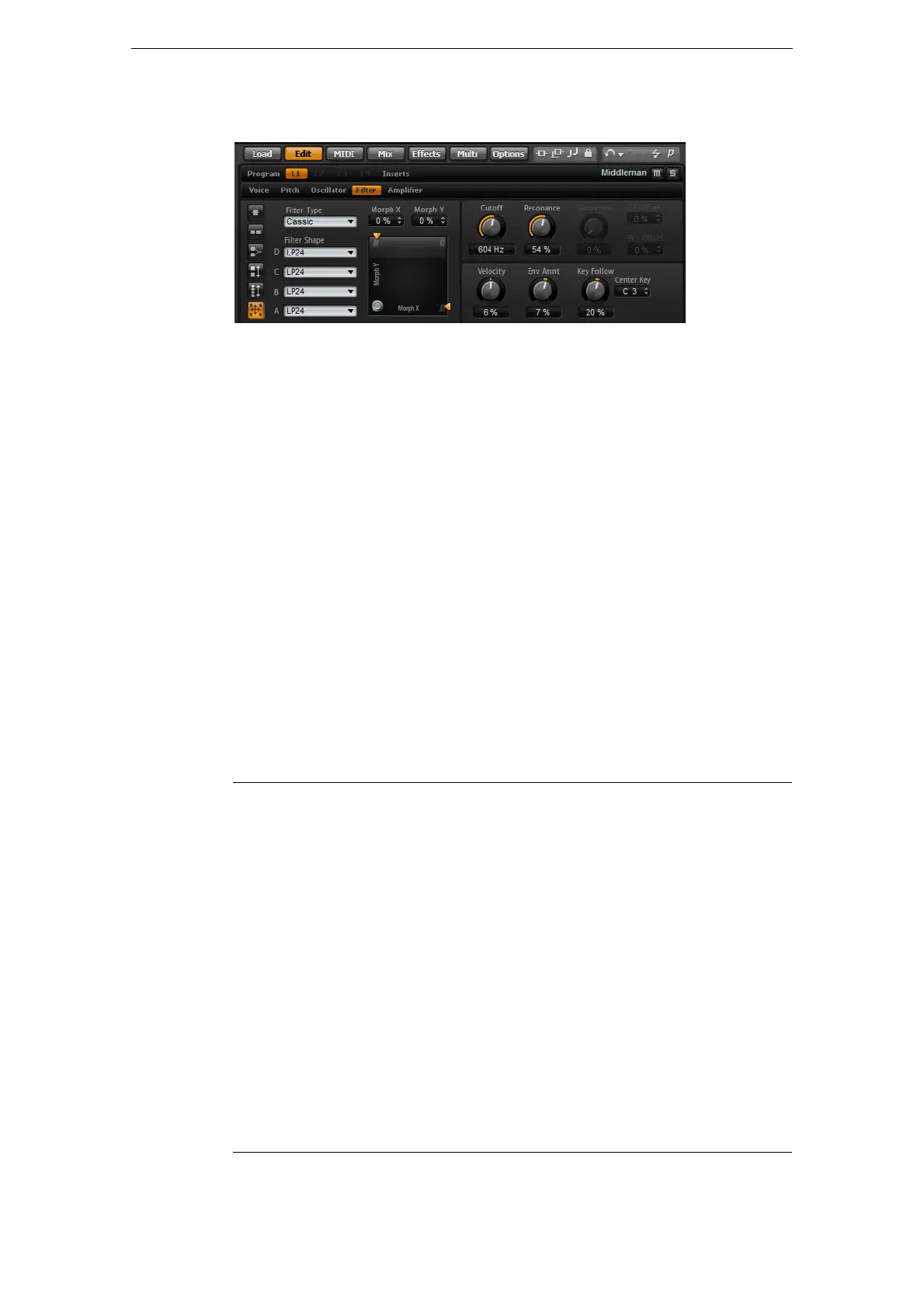
The Filter Subpage
The Filter subpage of synth and sample layers offers settings to adjust the tone color
of the sound. Filters shape the harmonic content of a sound by removing or accenting
frequencies in the spectrum. HALion Sonic’s filter section is extremely versatile and
powerful. With the filter type you can select the basic sound character of the filter,
either with or without distortion. This feature is also useful to scale the CPU
consumption because filters without distortion use less CPU cycles. With the filter
mode buttons you can configure the filter section as a single filter, two filters in parallel
or serial connection, or as a morphing filter that allows you to blend between up to
four different filter shapes.
In general, filters are identified by their pass-band and amount of attenuation. The
cutoff frequency separates the pass-band from the stop-band. Frequencies in the
pass-band stay unprocessed, while frequencies in the stop-band will be attenuated or
removed. The amount of attenuation is specified in decibels per octave (dB/oct). For
example, a 12
dB/oct low-pass filter attenuates the high frequencies at 12 dB for each
octave above the cutoff frequency. Other typical filter types are high-pass, band-pass
and band-reject. Another type of filter is called all-pass. As its name suggests, it does
not attenuate frequencies. Instead, it shifts the phase of the signal. When mixed with
the original signal, certain frequencies will be attenuated again. For example, the
phase shifter would use this.
Filter Type
By selecting the filter type you specify the basic sound character of the filter. HALion
Sonic offers up to 24 filter shapes (for details on filter shapes, see below).
Filter type Description
Off The filter section is switched off. Use this when no filter is needed
for your sound and/or when you want to save CPU cycles.
Classic This filter type offers 24 filter shapes with resonance.
Tube Drive This filter type offers a lot of character by adding warm, tube-like
distortion. You can set the amount of tube drive with the Distortion
parameter.
Hard Clip This filter type adds bright, transistor-like distortion. You can set the
amount of hard clipping with the Distortion parameter.
Bit Red This filter type adds digital distortion by means of quantization noise.
You can adjust the bit reduction with the Distortion parameter.
Rate Red This filter type adds digital distortion by means of aliasing. You can
adjust the rate reduction with the Distortion parameter.
Rate Red KF This filter type adds digital distortion by means of aliasing. You can
adjust the rate reduction with the Distortion parameter. In addition,
the rate reduction follows the keyboard, i.
e., the higher you play the
higher the sample rate will be and vice versa.



 To Next Page