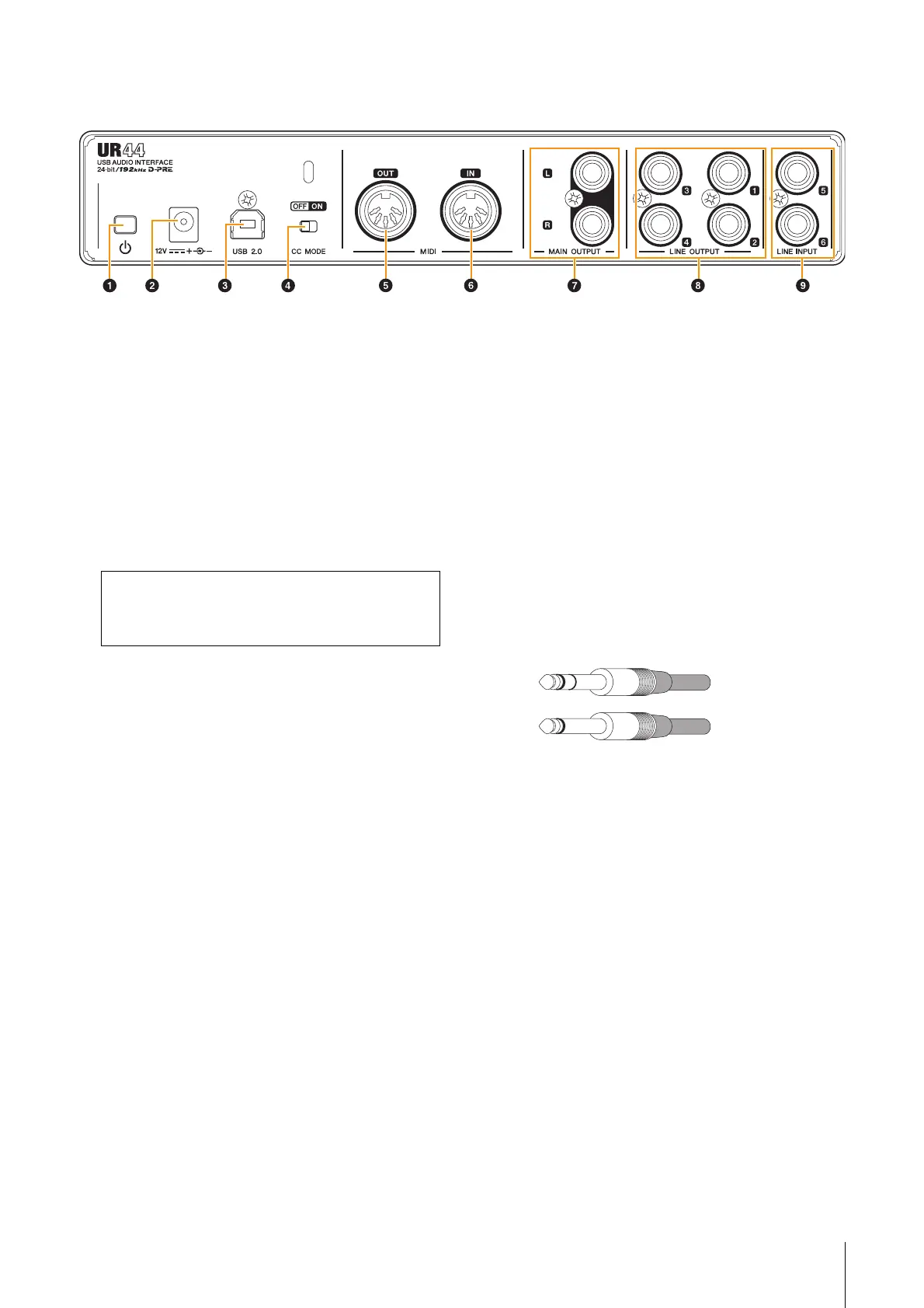
Description of the Device
UR44 Operation Manual 8
5 [MIDI OUT] jack
For connection to the MIDI IN jack of a MIDI device.
This transmits MIDI signals from the computer.
6 [MIDI IN] jack
For connection to the MIDI OUT jack of the MIDI
device. This receives and inputs MIDI signals to the
computer.
7 [MAIN OUTPUT] jacks
For connection to monitor speakers. These jacks can
be connected to phone-type (balanced/unbalanced)
plugs
*2
. This outputs the MIX 1 signals. To adjust the
output signal level, use the [OUTPUT] knob on the
front panel.
8 [LINE OUTPUT 1 to 4] jacks
For connection to external devices with line level
signals. These jacks can be connected to phone-type
(balanced/unbalanced) plugs
*2
. The [LINE OUTPUT
1/2] jack outputs the MIX 1 signal and the [LINE
OUTPUT 3/4] jack outputs the MIX 2 signal.
9 [LINE INPUT 5/6] jacks
For connection to digital instrument. These jacks can
be connected to phone-type (balanced/unbalanced)
plugs
*2
. You can select the input signal level of the
[LINE INPUT 5/6] jacks between “+4 dBu” and
“-10 dBV.” Select “+4 dBu” when connecting a
professional audio device, and select “-10 dBV” when
connecting a consumer device. The default initial
setting is “-10 dBu.” To select the input signal level,
use the “Setup Window” (page 14) in the section
“dspMixFx UR44” or the “Settings Window” (page 17)
in the “Dedicated Windows for Cubase Series.”
*2 Plug types
Select [Steinberg UR44-1] for the MIDI port when
using a MIDI jack with an iPad application. Please
note that [Steinberg UR44-2] is not available.
Phone-type
(balanced)
Phone-type
(unbalanced)



 To Next Page