Stellar
®
7630 Telescopic Crane Owner’s Manual PN: 106864| Page 25
Denition of Stability for the Stellar Telescopic Crane Products:
A truck is stable until the load cannot be lifted o the ground with the winch, without tipping over the truck.
Every Stellar crane installed must be tested for stability to determine the actual load capacity of the nal
truck package. The actual test data must be recorded and supplied with the truck at the time of in-service
and should be kept with the truck at all times. The following procedure will test the truck package for
stability and will provide a stability capacity chart. The load limit information shown on the stability capacity
chart is formulated on 85% tipping.
Set Up:
1. Locate the truck on a test course in position for loading and engage travel brakes.
2. Set stabilizers so that they make contact with rm, level footing.
3. Operate the crane under partial load to assure operator prociency and proper machine function.
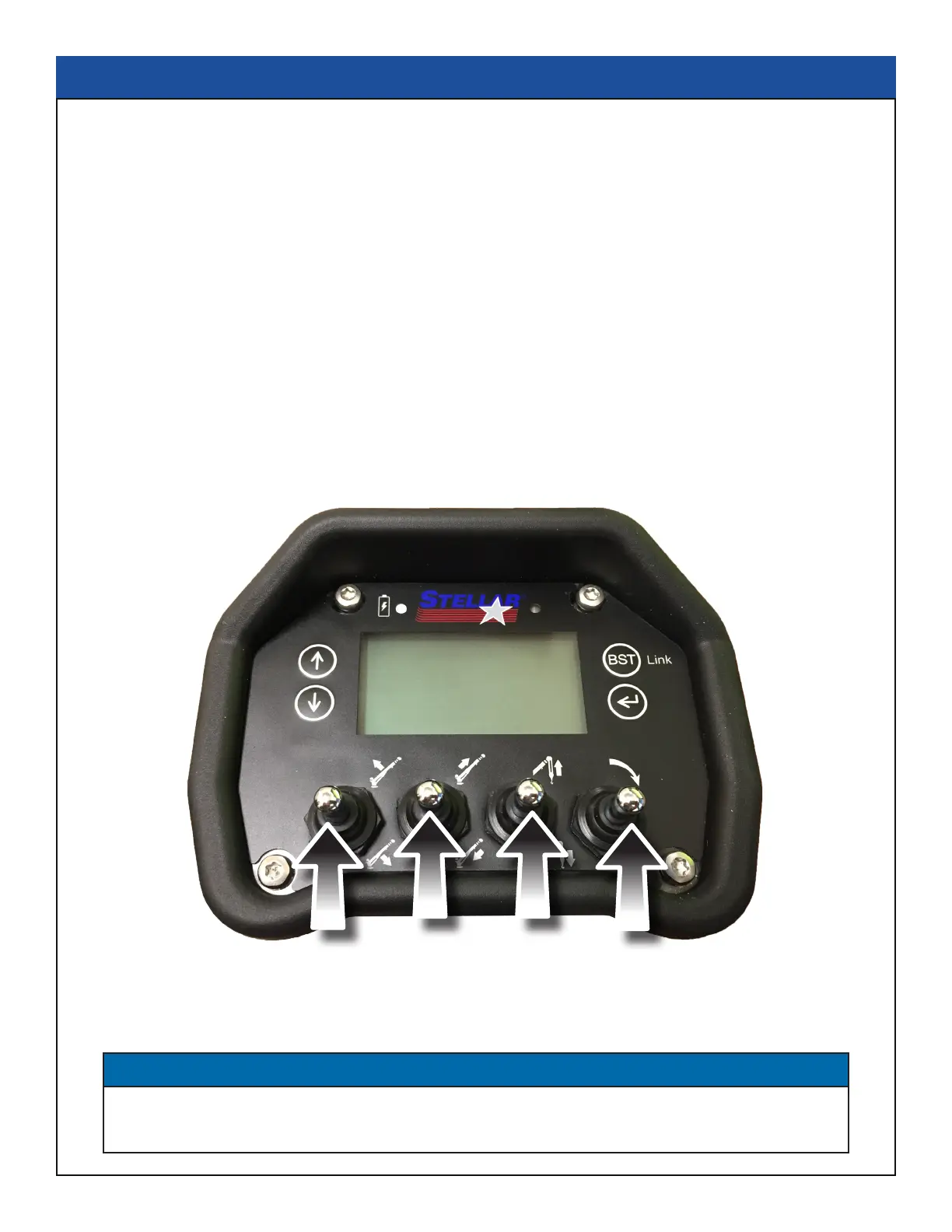
4. Put the radio into Stability Test Mode:
A. Push the four crane function switches up and hold until the screen reads “STB” in the upper right
corner (approximately 5 seconds.)
B. At this point,the crane will have enough capacity to handle the weight for the stability test.
C. The radio will timeout of stability mode after 30 minutes or when the E-Stop button is pushed.
Stability Procedure
NOTICE
The radio can only be put into stability mode ve times. After that, the radio would have to be
returned to Stellar to be reprogrammed to allow additional stability testing. All other radio functions
will work properly even if stability mode is not available.



 To Next Page