Speed switch
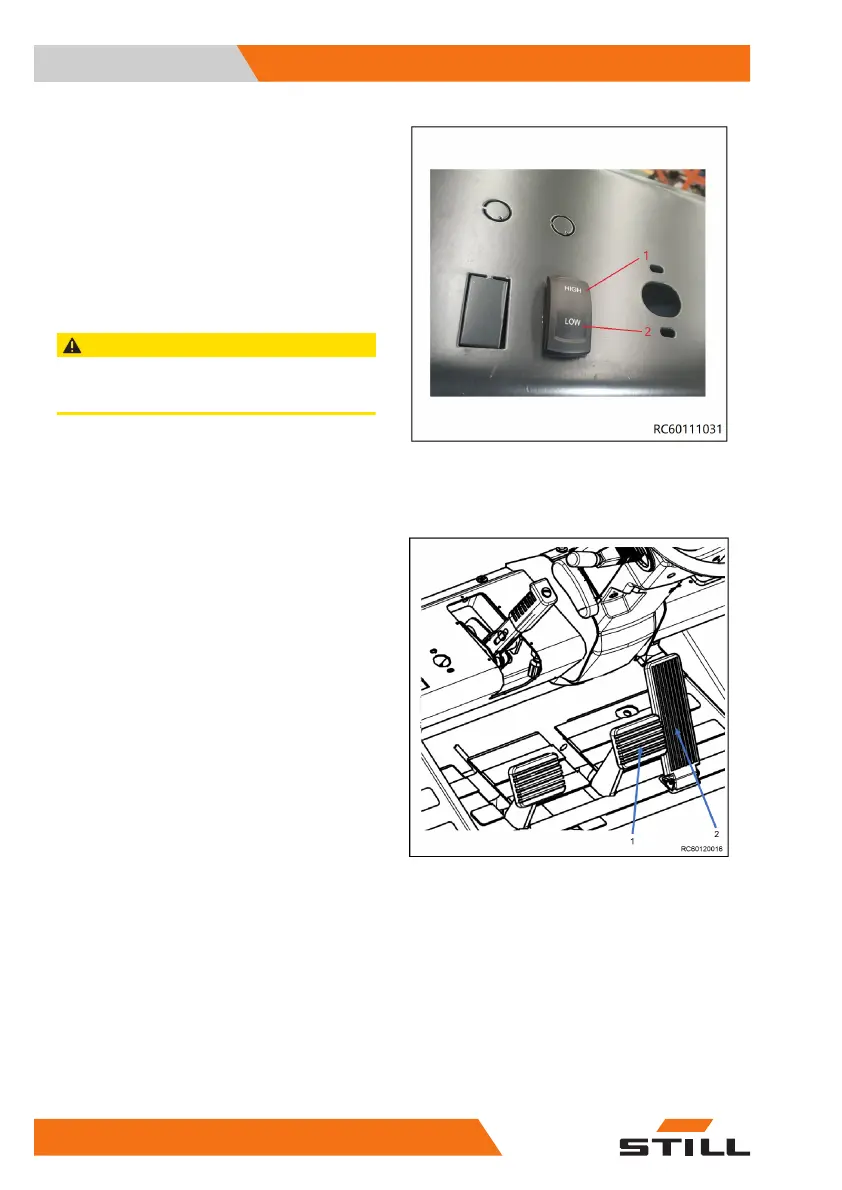
Travel speed can be changed by pressing the
speed switch on the control panel when the
truck stops.
If need to drive for a long distance , please
press the
HIGH
gear(1).
If need to drive with load, please choose the
low speed, and press the
LOW
gear(2).
CAUTION
Please choose the gear depends on your drive con-
dition. Change the gear when the truck stops.
Changing direction of travel
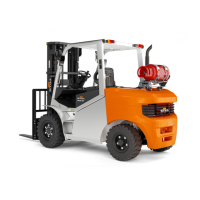
– To change direction, release the accelerator
pedal (2) .
– Press the service brake pedal (1) until the
truck comes to a complete stop.
Use and Operation
4
Using the truck
78 60118011601 EN - 09/2020


 To Next Page