6210_003-033
4
5
6
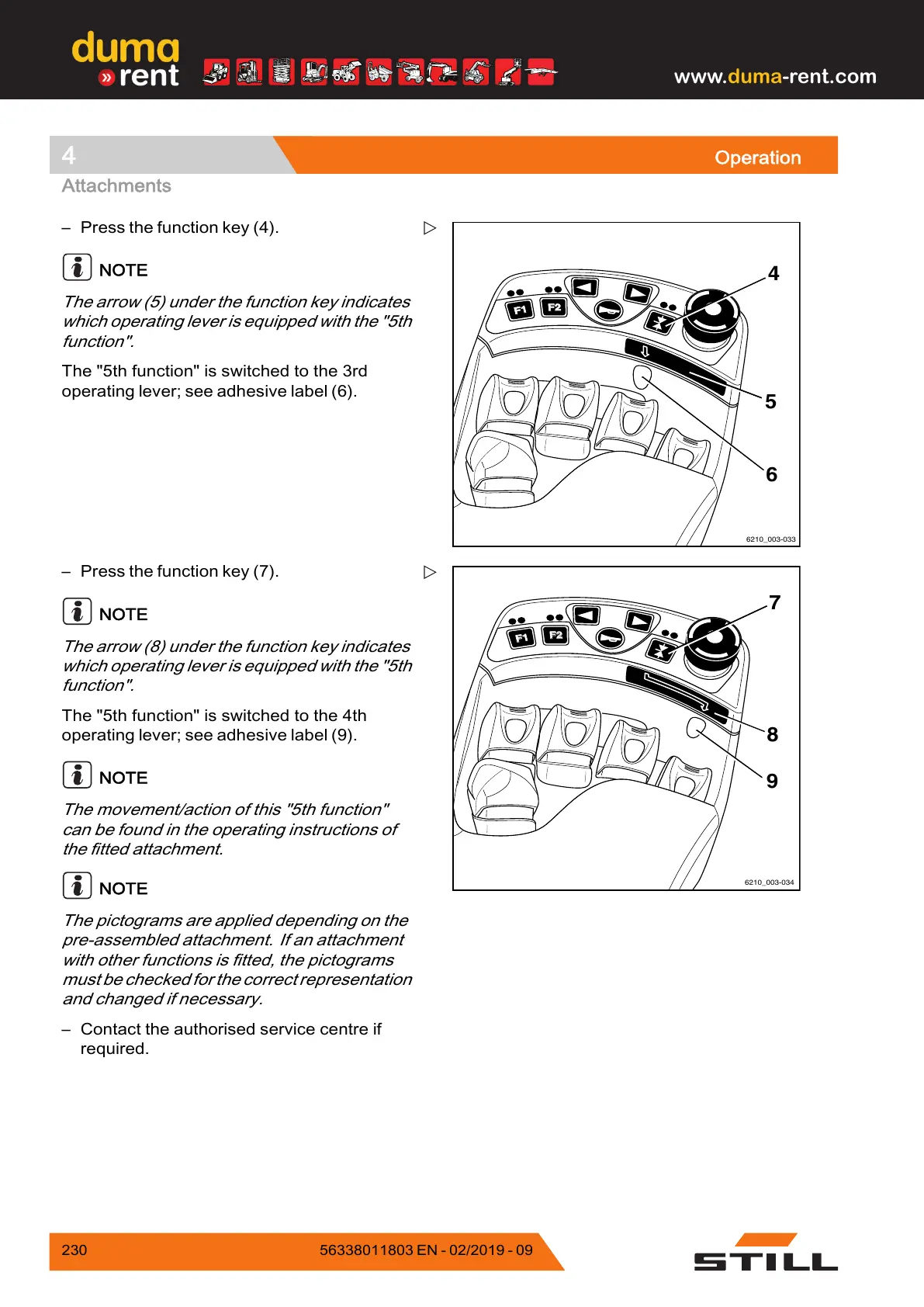
– Press the function key (4).
NOTE
The arrow (5) under the function key indicates
which operating lever is equipped with the "5th
function".
The "5th function" is switched to the 3rd
operating lever; see adhesive label (6).
F1
6210_003-034
7
8
9
– Press the function
key (7).
NOTE
The arrow (8) under the function key indicates
which operating lever is equipped with the "5th
function".
The "5th function" is switched to the 4th
operating lever; see adhesive label (9).
NOTE
The movement/action of this "5th function"
can be found in the operating instructions of
the fitted attachment.
NOTE
The pictograms are applied depending on the
pre-assembled attachment. If an attachment
with other functions is fitted, the pictograms
must be checked for the correct representation
and changed if necessary.
– Contact the authorised service centre if
required.
230
56338011803 EN - 02/2019 - 09



 To Next Page