Maintenance 5
Providing access to maintenance po
ints
Providing access to maintenance points
Removing and installing the valve
cover
2
2
2
3
6210_762-002
Removing the valve cover
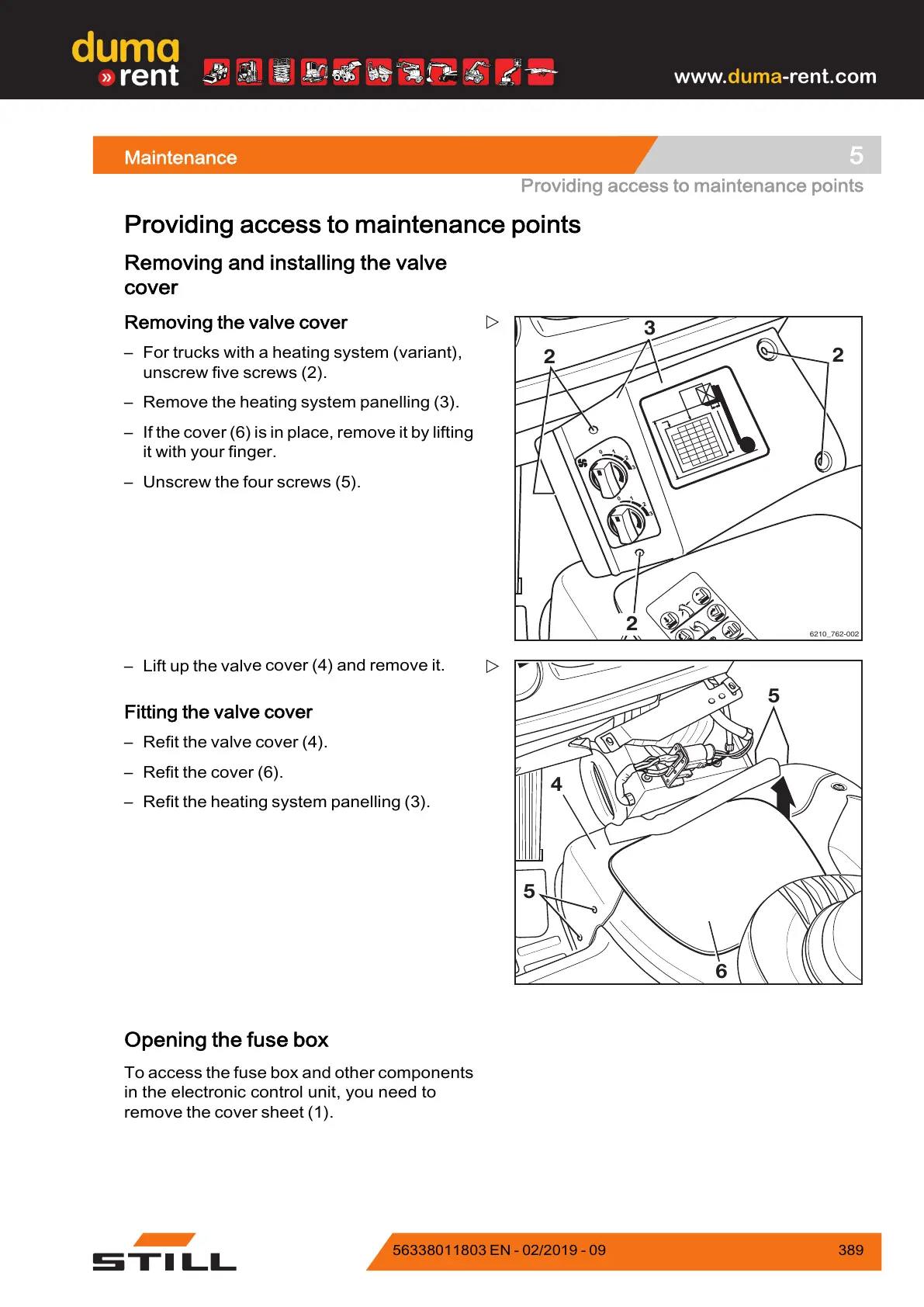
– For trucks with a heating system (variant),
unscrew five screws (2).
– Remove the heating system
panelling (3).
– If the cover (6) is in place, remove it by lifting
it with your finger.
– Unscrew the four screws (5).
5
5
6
4
– Lift up the valv
e cover (4) and remove it.
Fitting the va
lve cover
– Refit the valve cover (4).
– Refit the cover (6).
– Refit the hea
ting system panelling (3).
Opening the fuse box
To access the fuse box and other components
in the electronic control unit, you need to
remove the cover sheet (1).
563
38011803 EN - 02/2019 - 09 389



 To Next Page