3 Overviews
Operating devices and display elem
ents
Operating devices and display elements
Display operating unit
4
1
2
3
4
56
7
8
9
10
11
12
13
14
15
16
17
18
19
20
21
22
23
24
26
25
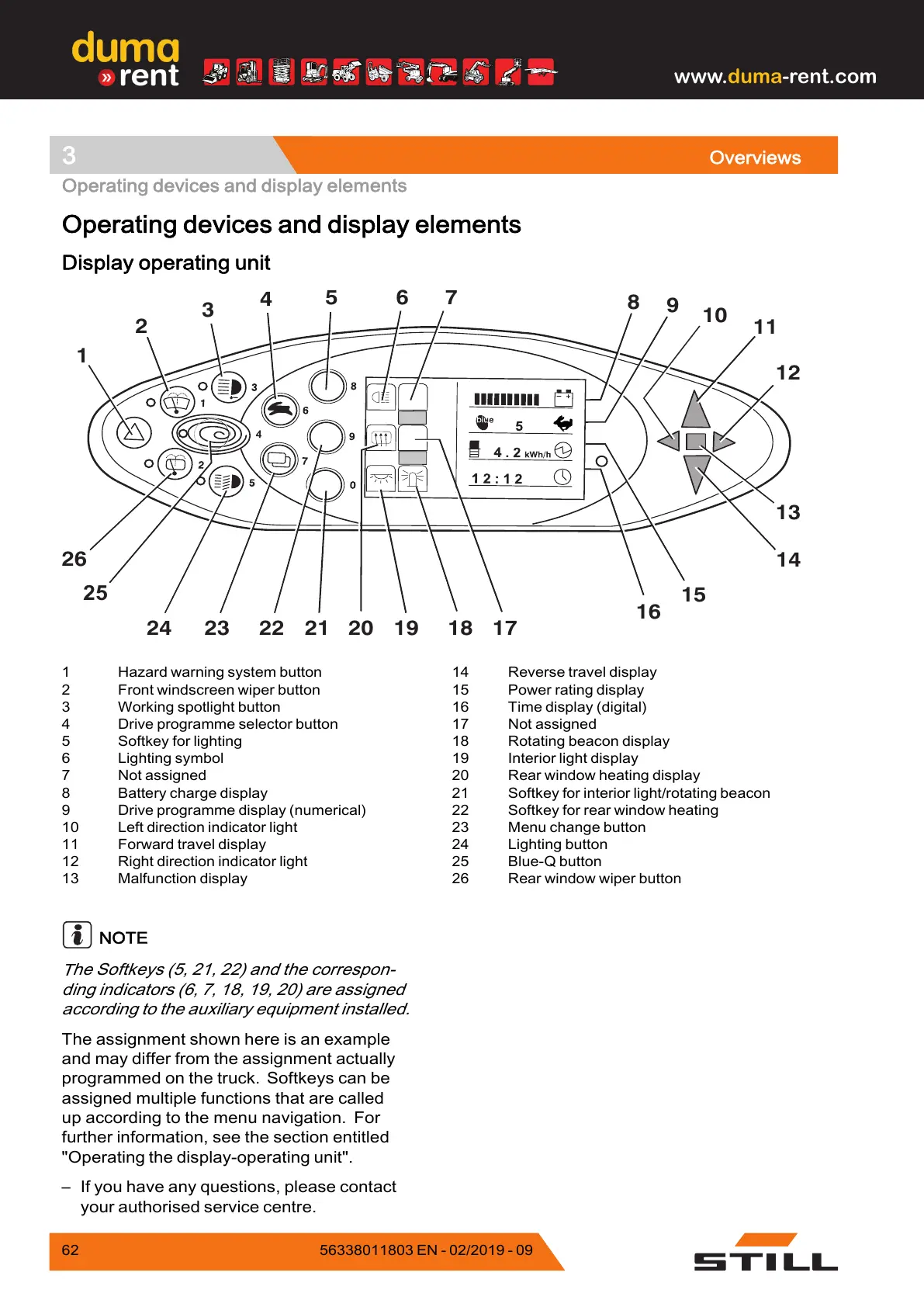
1 Hazard warning system button
2 Front windscreen wiper button
3 Working spotlight button
4 Drive programme selector button
5 Softkey for lighting
6 Lighting symbol
7 Not assigned
8 Battery charge display
9 Drive programme display (numerical)
10 Left direction indicator light
11 Forward travel display
12 Right direction indicator light
13 Malfunction display
14 Reverse travel display
15 Power rating display
16 Time display (digital)
17 Not assigned
18 Rotating beacon display
19 Interior light display
20 Rear window heating display
21 Softkey for interior light/rotating beacon
22 Softkey for rear window heating
23 Menu change button
24 Lighting button
25 Blue-Q button
26 Rear window wiper button
N
OTE
T
he Softkeys (5, 21, 22) and the correspon-
d
ing indicators (6, 7, 18, 19, 20) are assigned
a
ccording to the auxiliary equipment installed.
The assignment shown here is an example
and may differ from the assignment actually
programmed on the truck. Softkeys can be
assigned multiple functions that are called
up according to the menu navigation. For
further information, see the section entitled
"Operating the display-operating unit".
– If you have any questions, please contact
your authorised service centre.
62 5
6338011803 EN - 02/2019 - 09



 To Next Page