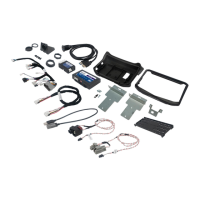
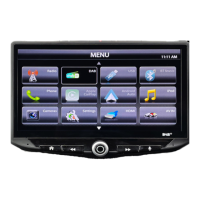
The Stinger IE268 is a 6.8-inch infotainment system designed for in-vehicle use, offering a range of multimedia, connectivity, and audio control features. It supports both wired and wireless Apple CarPlay and Android Auto, providing seamless integration with smartphones for navigation, communication, and entertainment. The device is SiriusXM Ready, allowing access to satellite radio with an optional tuner and subscription, and features Bluetooth® connectivity for hands-free calling and audio streaming.
Key Features and Functions:
- Infotainment System: The core of the device is a 6.8-inch display with a 16:9 aspect ratio and a resolution of 1024 x 600 pixels (614,400 pixels total). It features a capacitive touchscreen for intuitive control.
- Smartphone Integration:
- Apple CarPlay: Supports iPhone 5 or later. Connects via USB-C or wirelessly. Allows users to get directions, make calls, send/receive messages, and use compatible apps. Siri voice control is integrated.
- Android Auto: Supports Android 5.0 (Lollipop) or later. Connects via USB-C or wirelessly. Provides navigation, communication, and app access.
- Media Sources:
- AM/FM Radio: Features an AM/FM tuner with a frequency range of 87.9MHz to 107.9MHz (FM) and 530KHz to 1710KHz (AM). It includes features like station presets (15 FM, 10 AM), DX/LOC sensitivity, auto presets, direct tune, and scan by genre. Displays station information such as show/artist/track name.
- SiriusXM Satellite Radio (Optional): Requires a SiriusXM Vehicle Tuner and subscription. Offers access to a wide variety of music, sports, and ad-free content. Features include channel presets, channel categories, direct tune, rewind/track down, pause/play, fast forward/track up, and live broadcast return. SiriusXM Replay™ allows pausing, rewinding, and replaying up to 1 hour of live content. Parental control features allow locking mature content channels with a passcode.
- Bluetooth Music: Streams audio from paired Bluetooth devices. Displays playback progress, song/program information, and offers controls for previous/next track and play/pause.
- USB Media: Supports USB 2.0ax and USB 3.0 ports (one USB 3.0 port). Max current supply is 1.5A (USB 2.0ax) and 3A (USB 3.0). Max storage size for both is 128GB. Supports various audio (FLAC, Wave, MP3, AAC, M4A, OGG, APE), video (MP4, AVI, MPG, Mov, FLV, Mkv), and image (JPG, PNG, BMP) file formats. Features a file browser, search function, and playback controls for audio, video, and images.
- Bluetooth Phone: Enables hands-free calling with features like direct dial, contacts list, call log, favorites, and number pad. Allows switching call audio between car speakers and phone handset. Autoconnect feature automatically connects paired devices when the system powers on, which can be disabled.
- Camera Support: Supports up to four camera inputs (NTSC, PAL, AHD PAL 25Hz & AHD NTSC 30 Hz). Users can assign labels and triggers to custom cameras. Features include mute audio in reverse and switch to front camera after reverse.
- Audio Settings:
- Balance & Fade: Adjusts speaker balance (left/right) and fader (front/rear).
- Equalizer: 13-band graphic equalizer with multiple customizable preset slots.
- Crossover: Internal electronic variable crossover with 2 customizable preset slots, allowing adjustment of slope, frequency, and level for front, rear, and subwoofer channels.
- Time Delay: Compensates for uneven distances between speakers and listener, with settings in milliseconds or inches.
- Factory EQ: Preset equalizer settings for various genres (Rock, Hip-Hop, Electronic, Jazz, Pop, Flat).
- Advanced Audio Settings: Includes Loudness (boosts +3dB for frequencies between 100Hz & 2000Hz), Subwoofer control (ON/OFF, phase, level), Source Gain (adjusts gain/volume for individual sources), and Reset Audio Settings.
- System Settings:
- Display Settings: Adjusts overall display brightness, auto brightness (if illumination wire is connected), face button color, and face button brightness. Allows selection of nine available backgrounds or uploading a custom image (1024 x 600 Jpg/Png).
- Device Settings: Manages paired Bluetooth devices and Apple CarPlay/Android Auto options.
- Camera Settings: Configures camera inputs, including video format and trigger settings.
- System Options: Adjusts clock (GPS time zone, time display format 12/24 HR), microphone (internal/external, gain), system beep volume, language (English, Spanish, French), and compass display.
- Installer Settings:
- System Info: Displays application build numbers for support.
- Update Firmware: Allows firmware updates via USB thumbdrive.
- Steering Wheel Controls: Reassigns steering wheel buttons to head unit functions.
- Factory Reset: Restores head unit to factory settings.
- Amp Remote Out: Controls external amplifier turn-on (ACC or Power Off).
Technical Specifications:
- General:
- Operating Voltage: 10.5VDC to 16VDC
- Grounding System: Negative Ground
- Max Current Consumption: 15A (fused)
- Dimensions:
- Display: 178 mm (W) x 87.8 mm (H) x 100mm (D)
- Display:
- 6.8-inch Diagonal
- 16:9 Aspect Ratio
- 1024 x 600 Pixels (614,400)
- Active Area: 151.76 (W) x 79.8 (H) mm
- Operating Temperature: -20° to 70° C
- Audio:
- Load Impedance: 4Ω nominal / 2Ω allowable
- Continuous Power Output: 18W x 4ch/4Ω (20Hz to 20KHz, 1%THD at 14.4V)
- Speaker Level Adjustment: 0-40 steps
- Audio Preamp Output Level: 3 Vrms typical
- Audio Preamp 6 Channels: Front Left, Front Right, Rear Left, Rear Right, Subwoofer Left, Subwoofer Right
- Equalizer (13-band): 63Hz, 100Hz, 160Hz, 250Hz, 400Hz, 630Hz, 1KHz, 1.6KHz, 2.5KHz, 4KHz, 6.3KHz, 10KHz, 16KHz
- Gain: ±6dB (0.5dB/step)
- Crossover Level: 13 steps
- Front Output HPF: 25Hz, 40Hz, 63Hz, 80Hz, 100Hz, 160Hz, 250Hz, 500Hz, 1kHz, 3.5kHz, 5kHz/bypass
- Slope: 6dB, 12dB, 18dB
- Level: 0-12
- Rear Output HPF: 25Hz, 40Hz, 63Hz, 100Hz, 250Hz/bypass
- Slope: 6dB, 12dB, 18dB
- Level: 0-12
- Subwoofer Pre-lineout: 3Vrms typical
- LPF: 25Hz, 40Hz, 63Hz, 100Hz, 250Hz/bypass
- Slope: 6dB, 12dB, 18dB
- Subwoofer Level: 0-15
- Phase: 0 or 180
- Time Alignment: 0 to 133 steps for inches and 0-99 steps for 9.9ms/133inches
- User Preset EQ: Rock, Hip-Hop, Electronics, Jazz, Pop, Flat
- Source Gain: default 0dB, -10 to 10 adjustable, 0.35dB/Step
- Volume Settings: Main Volume, Phone Volume, Navigation Volume, Voice Volume, Ringtone Volume adjustable separately.
- USB:
- USB 2.0ax: Max current supply 1.5A, Max storage size 128GB, USB Class A
- USB 3.0 (one): Max current supply 3A, Max storage size 128GB, USB Class C
- File System: FAT32, NTFS
- Radio FM Tuner:
- 87.9MHz to 107.9MHz
- Usable Sensitive: 3dBuV (mono S/N: 30dB)
- SNR: 65dB
- AM Tuner:
- 530KHz to 1710KHz
- Usable Sensitive: 25dBuV (mono S/N: 30dB)
- SNR: 55dB
- 4 Camera Video Inputs:
- NTSC, PAL, AHD PAL 25Hz & AHD NTSC 30 Hz
- Support Mirror Camera Image ON/OFF
- Bluetooth:
- V5.1
- 4dBm Class2
- 2.402GHz to 2.48GHz
- Wifi:
- Support IEEE 802.11 a/b/g/n/ac
- Supports 802.11ac 1x1, Wave-2 compliant with MU-MIMO STA mode
- Complete 802.11n MIMO solution for 2.4GHz and 5GHz band
Usage Features:
- Intuitive Interface: The device features a user-friendly graphical interface with clear icons and menus.
- Home Menu: A central home menu provides quick access to all major functions like Radio, SiriusXM Radio, Audio Settings, Android Auto, Apple CarPlay, and Settings.
- Information Bar: Displays time, phone info, and Android Auto/CarPlay connection status at the top of the screen.
- Voice Control: A dedicated voice button launches voice control for hands-free operation.
- Power Management: Long press the power button to turn the unit off. Short press to turn off the display.
- Display Off: A useful feature for night driving to prevent eye fatigue, allowing the user to turn off the display while audio continues. Tapping anywhere on the screen turns the display back on.
- Autoconnect: Automatically connects previously paired devices, with an option to disable this feature.
- Customization: Users can customize display brightness, face button color, and background images.
- Audio Customization: Extensive audio settings allow users to fine-tune sound output with equalizer, crossover, time delay, and source gain controls.
- Firmware Updates: The system supports firmware updates via USB to ensure optimal performance and access to new features.
Maintenance Features:
- Firmware Updates: Regular firmware updates are recommended to maintain optimal performance and address any software issues. Updates are performed via a USB drive formatted to FAT32/MS-DOS(FAT). All settings will be reset to factory defaults after an update.
- Factory Reset: A factory reset option is available in the installer settings to restore the head unit to its original settings, which can be useful for troubleshooting or after a firmware update.
- Clear User Data: For SiriusXM, there's an option to clear all saved user data, including presets.
- Troubleshooting Guide: The user guide includes a comprehensive troubleshooting section for common issues such as black screen, Bluetooth pairing problems, low music/phone volume, camera display issues, and image retention on the LCD panel.
- USB Cable Check: For connectivity issues with Apple CarPlay or Android Auto, checking the USB cable for damage and using a high-quality cable is recommended.
- Software Updates: Keeping the connected smartphone's operating system (iOS or Android) up to date is crucial for optimal CarPlay/Android Auto performance.
- Antenna Check: For SiriusXM issues, verifying the antenna connection, placement, and condition is advised.
The Stinger IE268 is designed for off-road and passenger use, providing a robust and feature-rich infotainment experience.

 Need help?
 General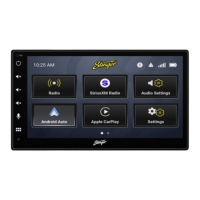

 To Next Page