®
stingersolutions.com
38
Press the HOME BUTTON > Audio Settings to access iE268 Audio Settings.
1. Balance & General Settings
Adjust Fade, Balance, defeat, and
Subwoofer settings quickly from
this menu.
2. Equalizer
13 band graphic equalizer with
multiple customizable preset slots.
3. Crossover
Internal electronic variable
crossover with 2 customizable
preset slots.
4. Time Delay
Compensate for uneven distances
between speakers and listener.
5. Factory EQ
Quickly set popular equalizer
settings for a variety of Genres.
6. Advanced Audio Settings
Loudness, Volume Settings, Source
Gain, and Reset Audio Settings.
AUDIO SETTINGS
1
2
3
4
5
6
®
stingersolutions.com
39
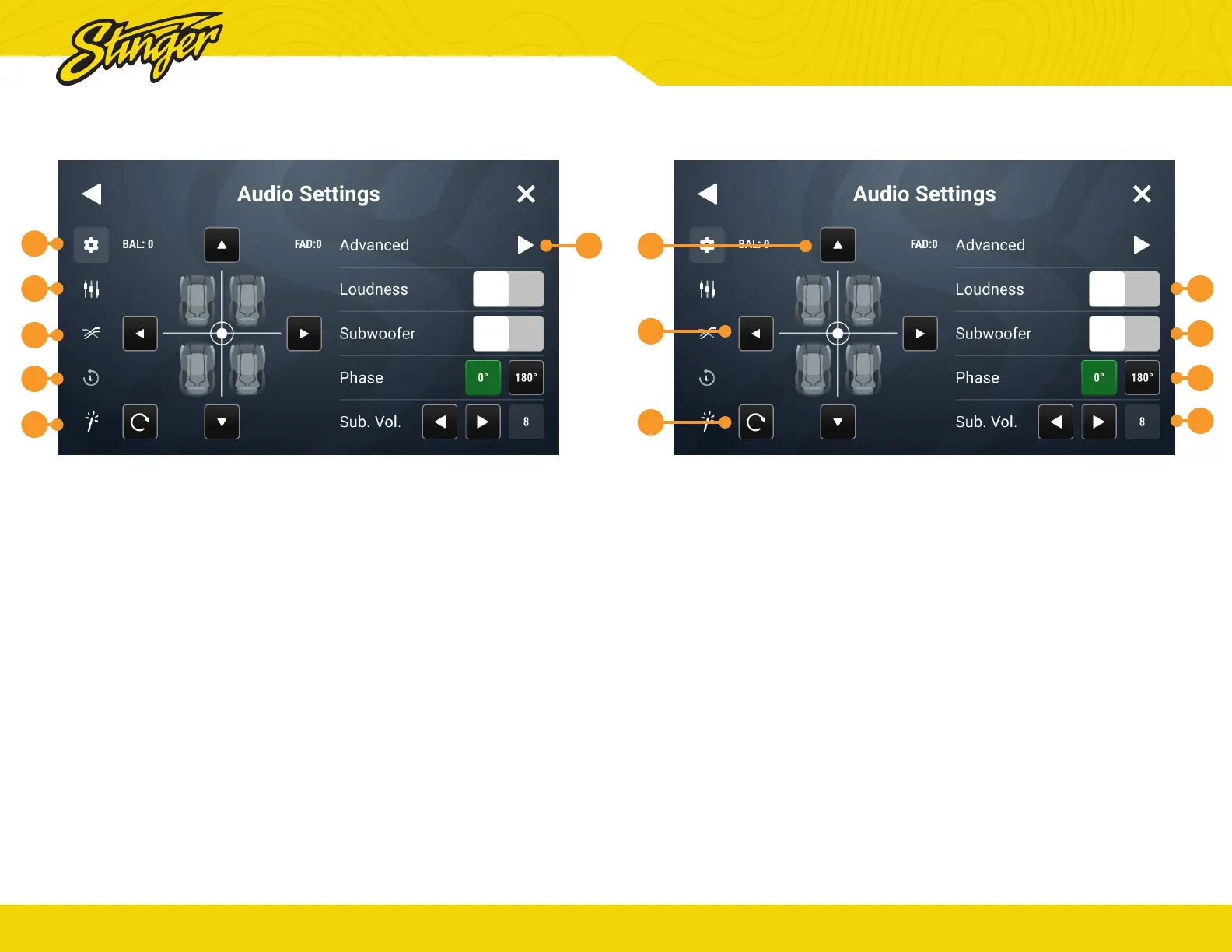
1. Reset
Press to set balance and fade to
zero.
2. Balance
Using left/right arrows, adjust
speaker balance left/right. You
can also drag the set point to the
desired fade & balance.
3. Fader
Using up/down arrows, adjust
speaker fade front/rear
4. Loudness
When ON, boosts +3db for
frequencies between 100Hz &
2000Hz
5. Subwoofer
Turns subwoofer output ON/OFF.
6. Phase
Changes phase of subwoofer
signal.
7. Subwoofer Level
Use left/right arrows or drag slider
to adjust volume level of subwoofer.
Press the HOME BUTTON > Audio Settings > Balance to select the Balance/
General Audio Settings
BALANCE / GENERAL AUDIO SETTINGS
1
2
3
5
6
7
8


 To Next Page