®
stingersolutions.com
32
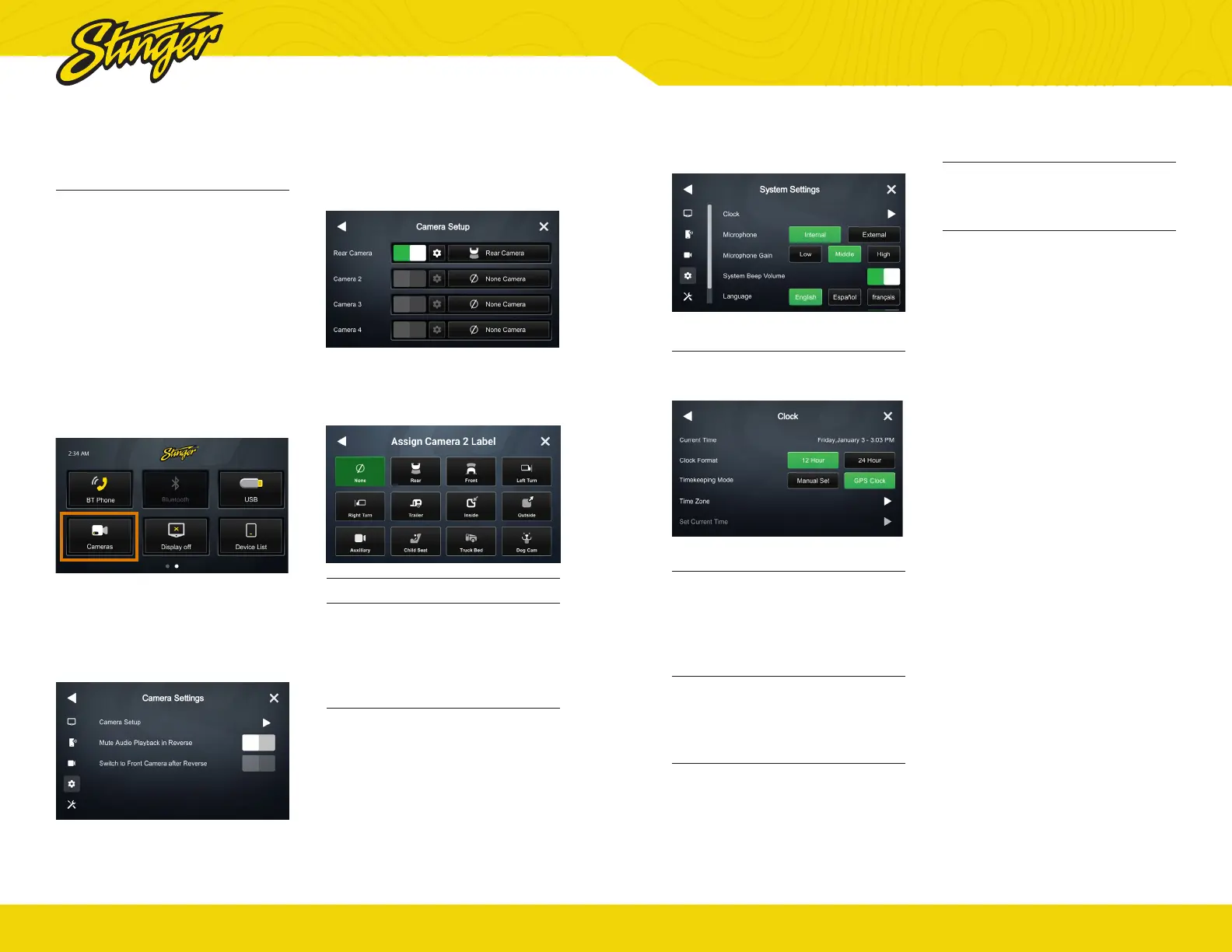
3. CAMERAS
Camera Setup
Your iE268 Head Unit supports up
to four cameras, each with their
own trigger.
Your Head Unit comes with a
preset reverse camera slot, and
three more customizable slots
that are activated in the Cameras
application once they are labeled
and their video format set up.
1. Tap Cameras
This is located on the second page of
the home screen.
2. Tap Settings
Gear icon located on the top left side
of the screen.
3. Tap Camera Setup
3. Assign Label
Tap one of the assign a Camera
icons to assign a label.
4. Select Icon
Tap the icon you want to display
for your camera.
Mute Audio In Reverse
When set to ON the system will
mute source audio playback while
in reverse: camera audio still plays.
Switch to Front Camera after
Reverse
When set to ON the front camera
will turn on after shifting from
Reverse gear and remain On until
the speed reaches above 5MPH or
the display is touched.
®
stingersolutions.com
33
4. SYSTEM OPTIONS
Clock
Change GPS Time Zone and Time
Display Format (12/24 HR).
Microphone
Set control to external if an external
microphone is installed. Set to
Internal to use the microphone
located on the front of the display.
Microphone Gain
Adjusts the volume (sensitivity)
of the microphone when using
hands-free phone.
System Beep Volume
Your iE268 Head Unit plays a
feedback sound when you touch
the unit. This controls feedback
sound volume.
System Language
Change display language (English/
Spanish/French).
Compass
Toggle Compass display on/off.


 To Next Page