®
stingersolutions.com
34
5. INSTALLER SETTINGS
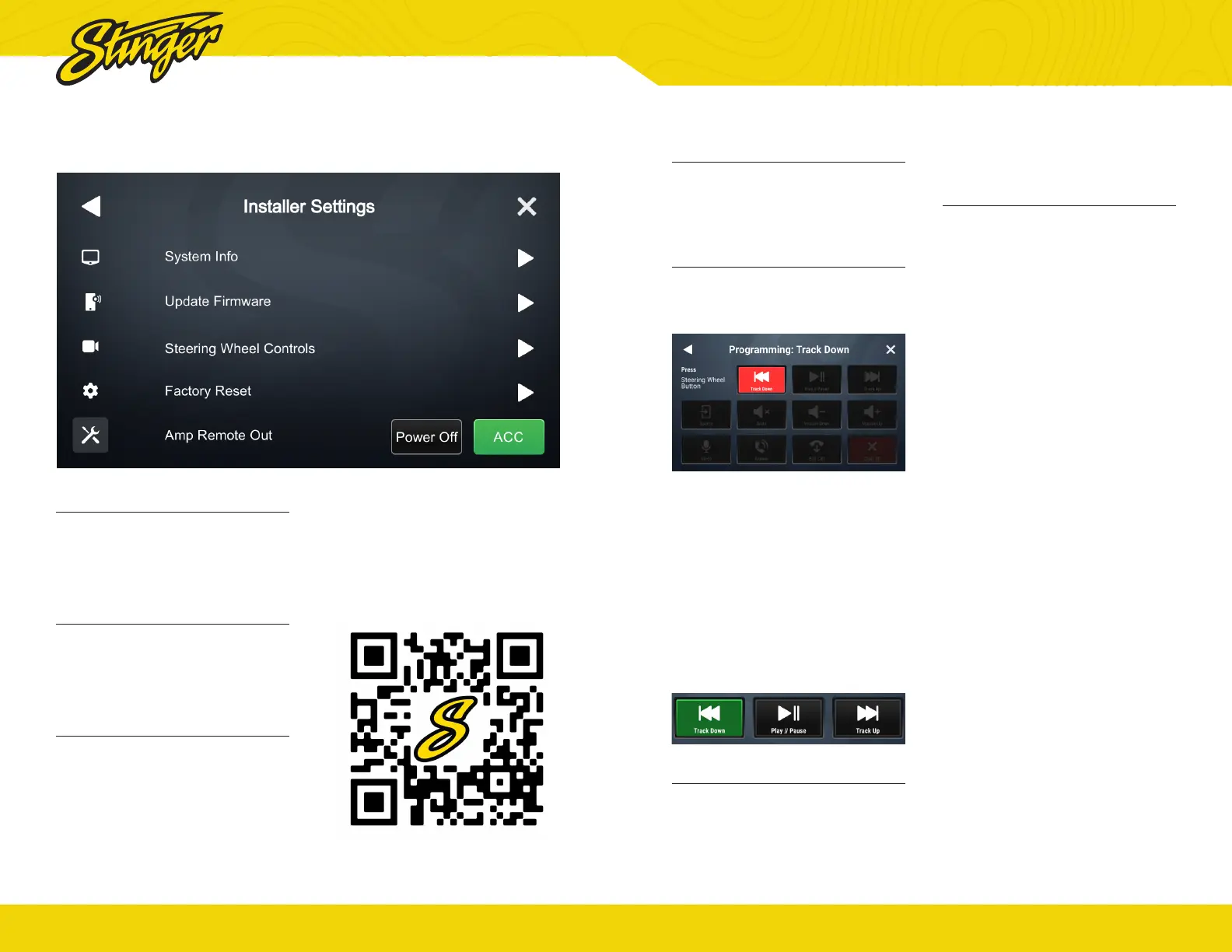
System Info
Touch System Information to
access application build numbers
for support.
Update Firmware
Your iE268 can receive Firmware
updates through a USB thumbdrive.
See page 36.
System Firmware Updates
Checking and updating the System
Firmware is an important step
for proper operation. This should
be done rst before setting any
system and vehicle settings as
those settings may be lost after
an update.
Make sure a thumb drive
containing your rmware update is
inserted into an available USB port
and tap System Firmware Update.
You can nd rmware updates on
the IE268 Product Page
®
stingersolutions.com
35
Steering Wheel Controls
Your iE268 can reassign any of
your steering wheel buttons to any
available head unit from this menu.
Assign a Function to Steering
Wheel Column Button
1. Touch the function you want to
assign to a steering wheel column
button.
The button will Flash red for ~10
seconds. This indicates it is ready
to be programmed.
2. Touch the button on the
steering wheel that you want to
assign to the chosen function.
When your function is programmed
successfully, its short press
button will have a small green
programmed indicator.
Factory Reset
Touch the Master Reset item to
restore your head unit to factory
settings. This action will reset
isntaller settings, user settings, and
PAC Integrations.
Amp Remote Out
There are two options for
automatically turning on external
amplifiers. ACC turns on the
external amp when Ignition ACC is
on. The Power Off option will turn off
your external amplier whenever
the head unit is asleep or off.


 To Next Page