®
stingersolutions.com
16
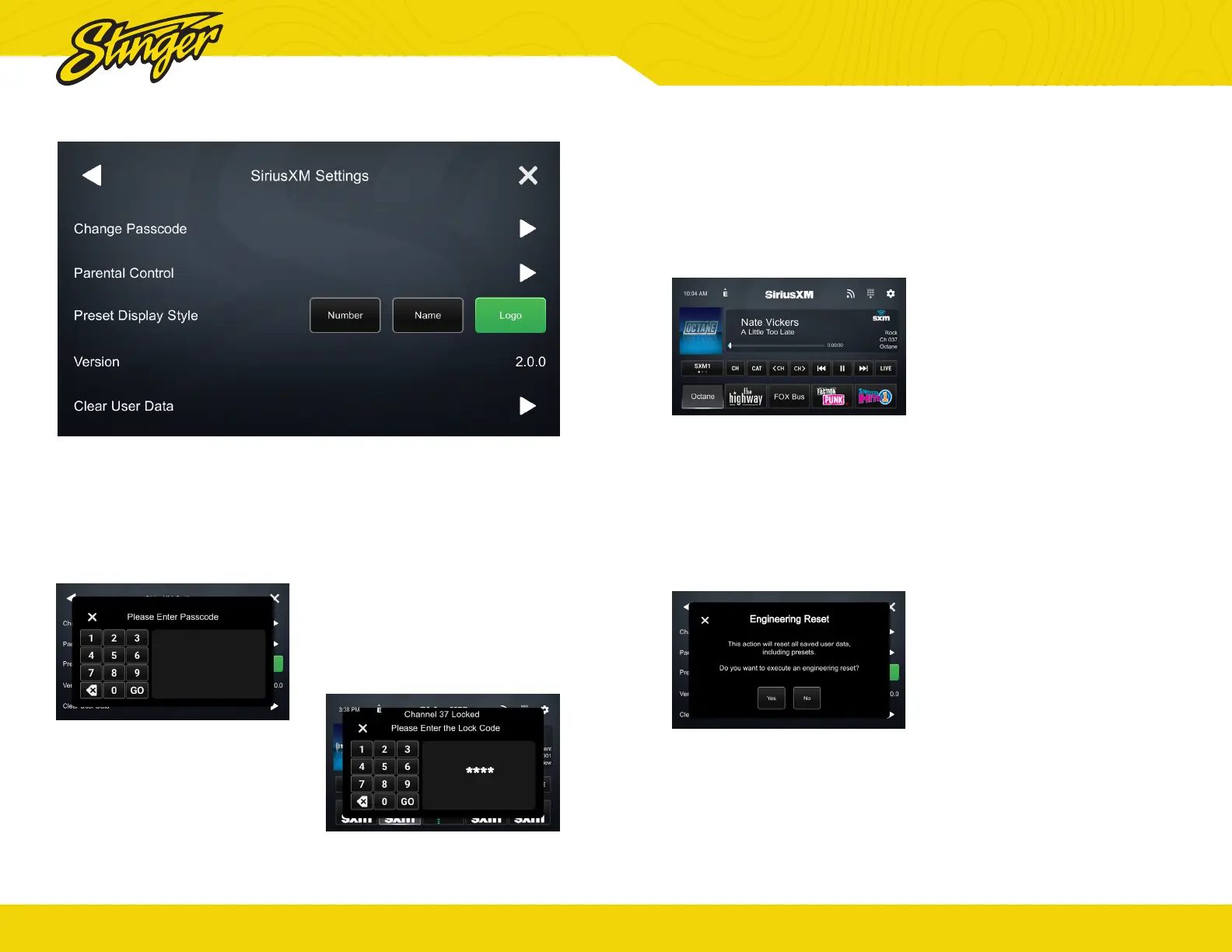
Parental Controls
To access Parental Control Settings:
1. When direct tuning, tap the
parental controls button to enter
the Parental Controls menu
directly. You’ll be asked to enter the
lock code before you can change
settings.
2. Once you’ve entered the parental
controls code, you can lock or
unlock channels
Passcode
By default, all channels are
unlocked and the lock code is 1234
To change the passcode click
Change Passcode > Set Lock Code
> Enter Passcode.
®
stingersolutions.com
17
Preset Display Style
The preset display style will allow
you to display station number,
station name, or station logo.
Logo Style shown below.
Version
The version tab will display the
current SXM version.
Clear User Data
To reset all saved SiriusXM
data, click the arrow next
to the Clear User Data tab.
SIRIUSXM® Settings


 To Next Page