®
stingersolutions.com
10
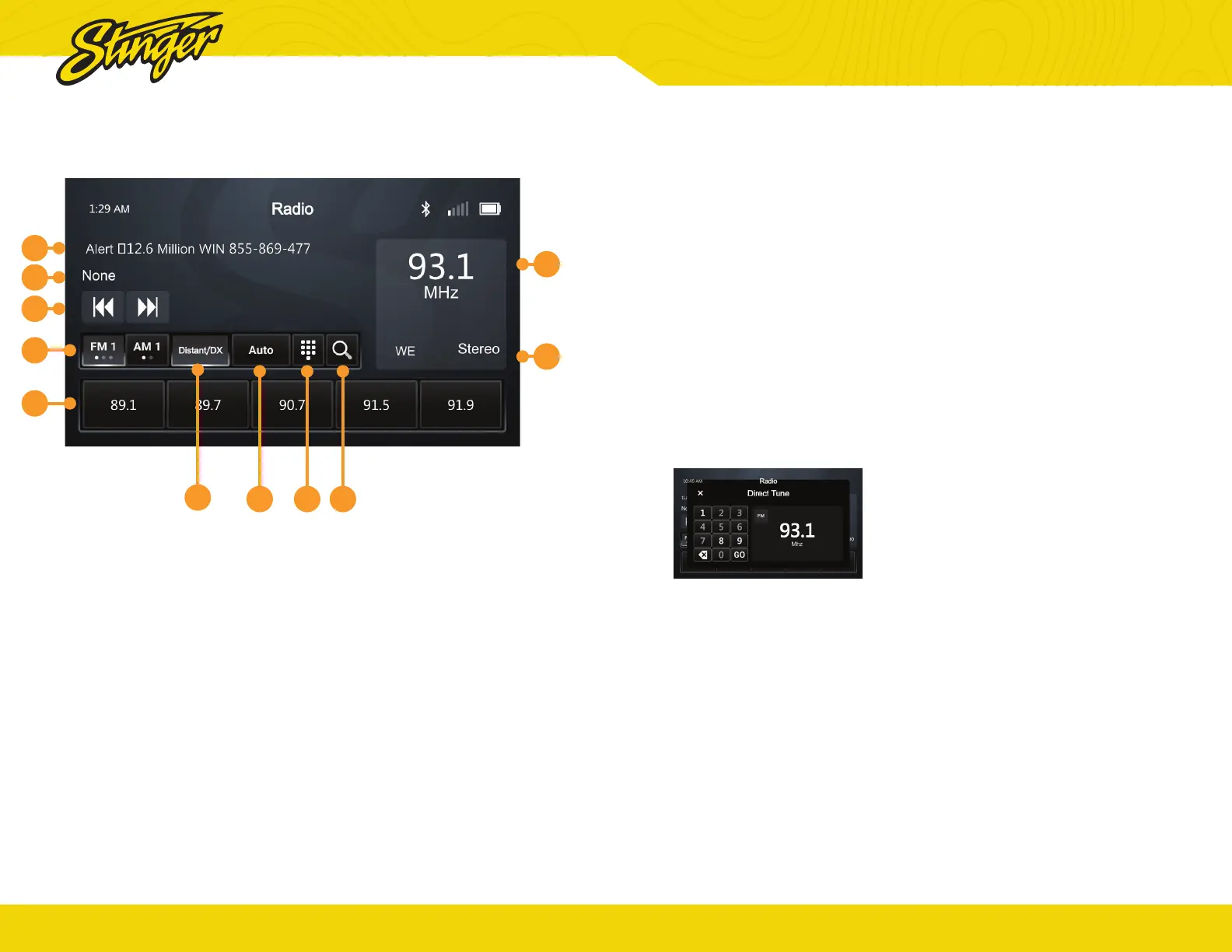
Press the HOME BUTTON > Radio to select the Radio source.
1. Station Presets
To assign a preset, go to desired
channel, press and hold a preset
button for 2 seconds to store the
station. A total of 15 FM & 10 AM
stations can be stored in memory.
2. AM/FM
Press to cycle through AM/FM
Presets.
3. Station Information Display
These two lines display Show / Artist
/ Track Name for current station.
They also include ads and alerts.
Note: Information will only apear when broadcasted
by the station selected.
4. Tune / Seek Down
Tap to tune frequency down. Press
and hold to seek the next available
radio station.
10
3
5
3
4
2
1
6
7 8 9
AM/FM RADIO™
®
stingersolutions.com
11
9. Scan By Genre
Tap to select a genre. The head unit
will display the HD Radio screen
and scan for the next available
station whose PTY genre listing
matches the selected option.
10. Displayed Genre
This section will display what PTY
genre has been selected to set
radio presets.
5. Station Frequency Display
Displays currently tuned frequency.
6. DX/LOC
Changes radio tuner sensitivity.
Touch to toggle between distant
(DX) and Local (LOC).
7. Auto Presets
Tap to automatically program
channel presets. This will
reprogram all existing presets.
8. Direct Tune
Touch to tune directly in the current
band (FM/AM). Once the desired
frequency is entered, tap go to
tune.


 To Next Page