SatLink VSAT User Guide
Publication no. 101557
Copyright © 2009 – STM Group, Inc.
Page 118 (160)
UDP receiver for testing satellite link to hub
For UDP sender testing satellite link to hub, follow the below mentioned procedure.
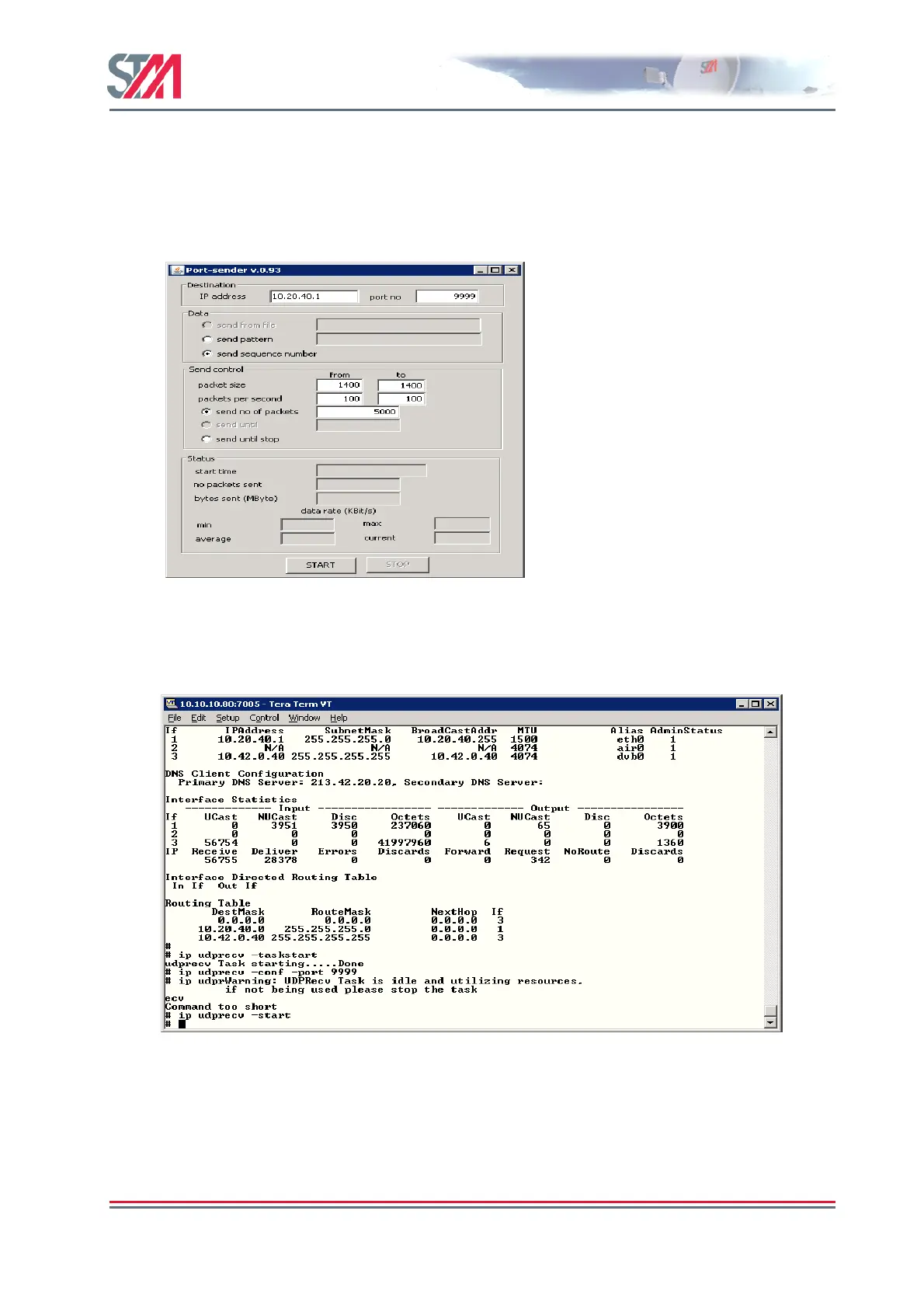
1. Configure the port sender for ip address, port number, packet size, packets per second and
number of packets to be send as shown in the following figure:-
2. Start the task on the terminal by typing the command
ip udprecv –taskstart
3. Configure the port number on the terminal using the command
ip udprecv –conf –port
9999
Make sure that the port number on the terminal is same as that on the port sender.
4. Type the command
ip udprecv –start and click the start button on the port sender to start
sending the packets.



 To Next Page