SatLink VSAT User Guide
Publication no. 101557
Copyright © 2009 – STM Group, Inc.
Page 26 (160)
1. Logon to the VSAT Web interface and click Lineup option in VSAT home page
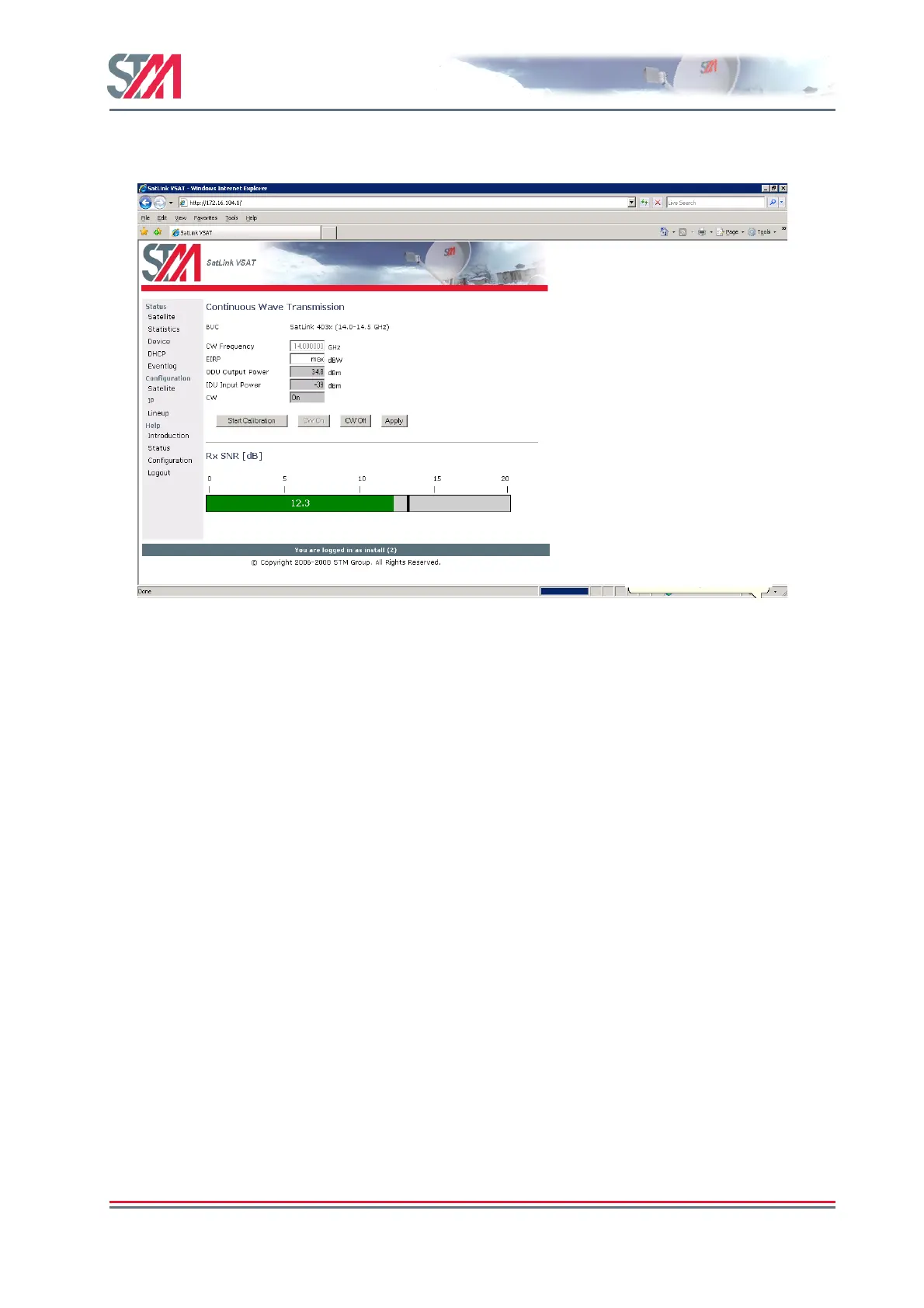
2. Ensure that the initial IDU output power level is set to a low value (-30 dBm is recommended).
Figure 22 : CW Transmission
3. Push CW On button on the Line-up page to initiate the CW transmission. Start the CW transmission
only after the permission is granted by the system operator.
4. Adjust the IDU output power in small steps (never more than 5 dB) based on feedback from the
system operator.
6.3.4 Fine adjustment of antenna pointing and polarization
After the initial IDU output power level has been found, the pointing and polarisation of the antenna
should be fine adjusted based on feedback from the system operator.
1. Fine adjust the pointing and polarisation of the antenna based on the the feedback from the system
operator.
2. After the fine adjustment of the antenna, the received signal level should again be verified by
consulting the system operator and re-adjust the IDU output power level as necessary.
3. Click Save button on the satellite configuration page to save the configuration.
6.4 Test of Connection to Hub
After the line-up procedure in section 9.3 (or alternatively, Appendix I.1) has been successfully
completed the STM SatLink VSAT is ready to logon to the Hub.
The STM SatLink VSAT is only allowed to log on to the network if its DVB MAC address is registered
at the Hub. Registration of the VSAT’s MAC address at the Hub is a network operator responsibility.
The DVB MAC address of the STM SatLink VSAT can be found under Device option on the Satlink
Web interface home page or it can be found on the label underneath the STM SatLink VSAT chassis. The



 To Next Page