SatLink VSAT User Guide
Publication no. 101557
Copyright © 2009 – STM Group, Inc.
Page 31 (160)
7. Status Monitoring Using SatLink Web Interface
The SatLink Web interface is used to display the status of the SatLink VSAT. Operator can view the
status information of the satellite interface, packet and burst statistics, device information, status of the
DHCP server, and status of mesh and terminal burst receiver.
7.1 Satellite Interface Status
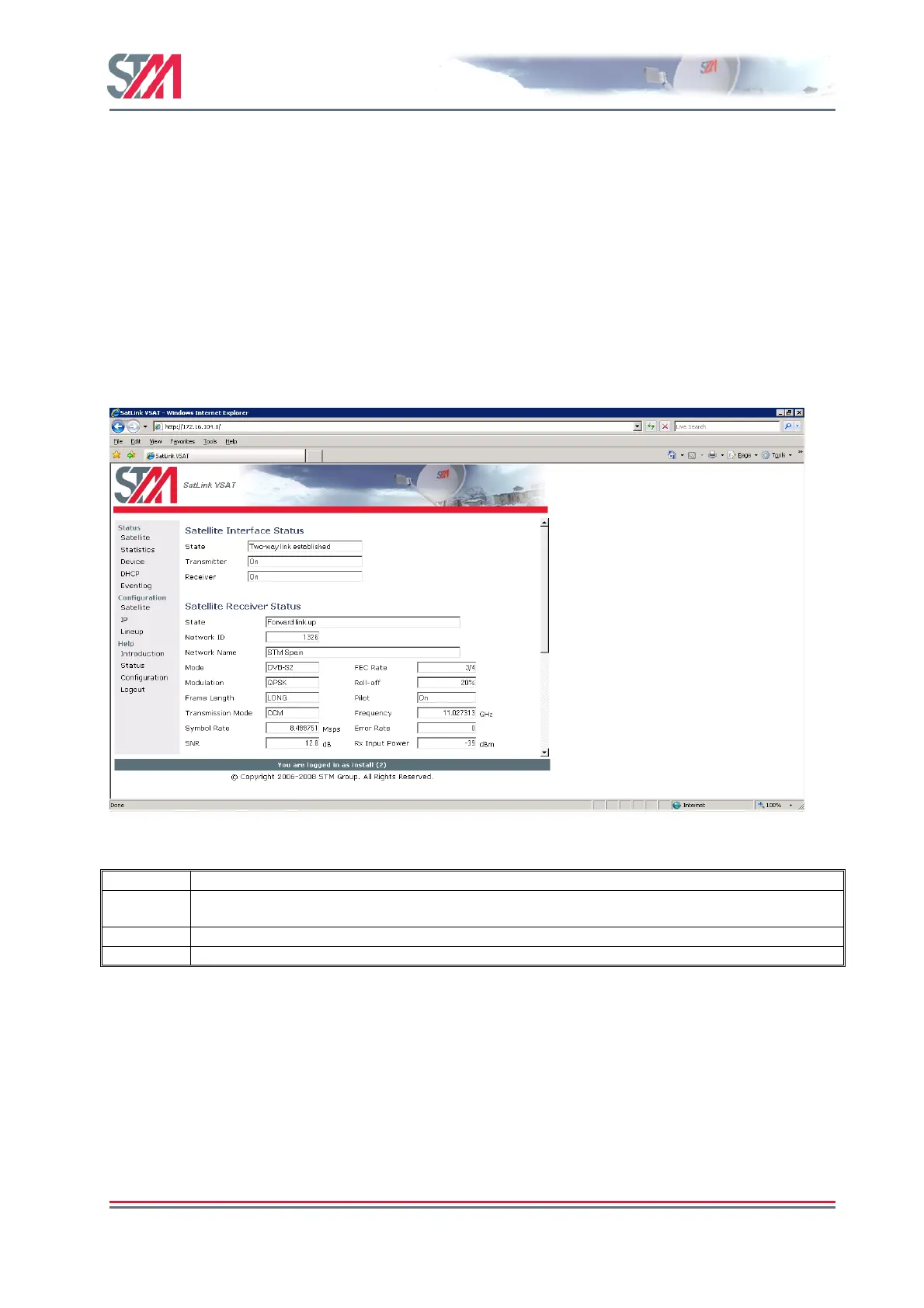
The satellite option provides an overview of the status on the satellite interface such as state, transmitter
and receiver. Select the Satellite option under Status on the Satlink Web interface home page to open the
Satellite Interface Status page.
Figure 28 : Satellite Interface Status
Parameter Description
State Specifies the state of the satellite (DVB) interface. During normal operation it shows "Two-way link
established"
Transmitter This determines the transmitter status. During normal operation it shows "On".
Receiver This specifies the receiver status. During normal operation it shows "On".
Satellite Receiver Status
The satellite receiver status option displays the detailed view of the receiver status. The operator
can view the receiver state, network id, network name, mode, FEC rate, Modulation, Roll-off,
Error rate, Frequency, SNR and Sybmol rate of the satellite receiver.



 To Next Page