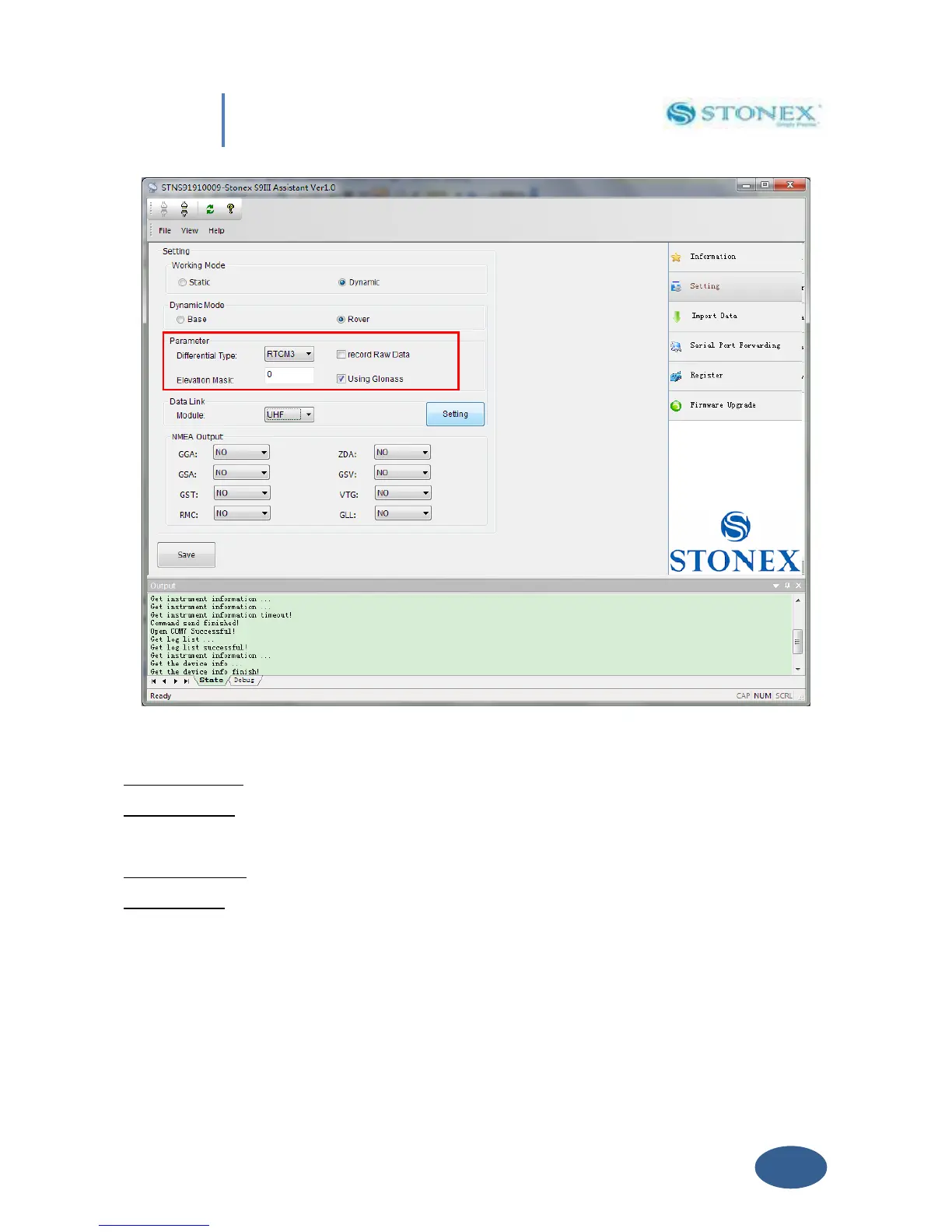
Fig. 5.6 – Dynamic working mode parameters
Differential type: To select the format of the differential corrections transmitted or received.
Elevation mask: Define the minimum elevation of used satellite to be collected in order to avoid
noisy satellites (suggested value between 20° and 10°).
Record Raw data: to record raw data inside memory of S8.
Using Glonass: to enable/disable Glonass reception.
V. 2.2.1. Base coordinates setting
If you choose “Dynamic” and “Base” option, a “Base Setting“ button will appear on the screen,
see red arrow in Fig. 5.7. Click on it, and the Base Setting module will appears on the screen:


 To Next Page