opened, push “Confirm” to allow the new code installation.
If your code is expired, please ask to your local dealer/agent.
V.6 Firmware update
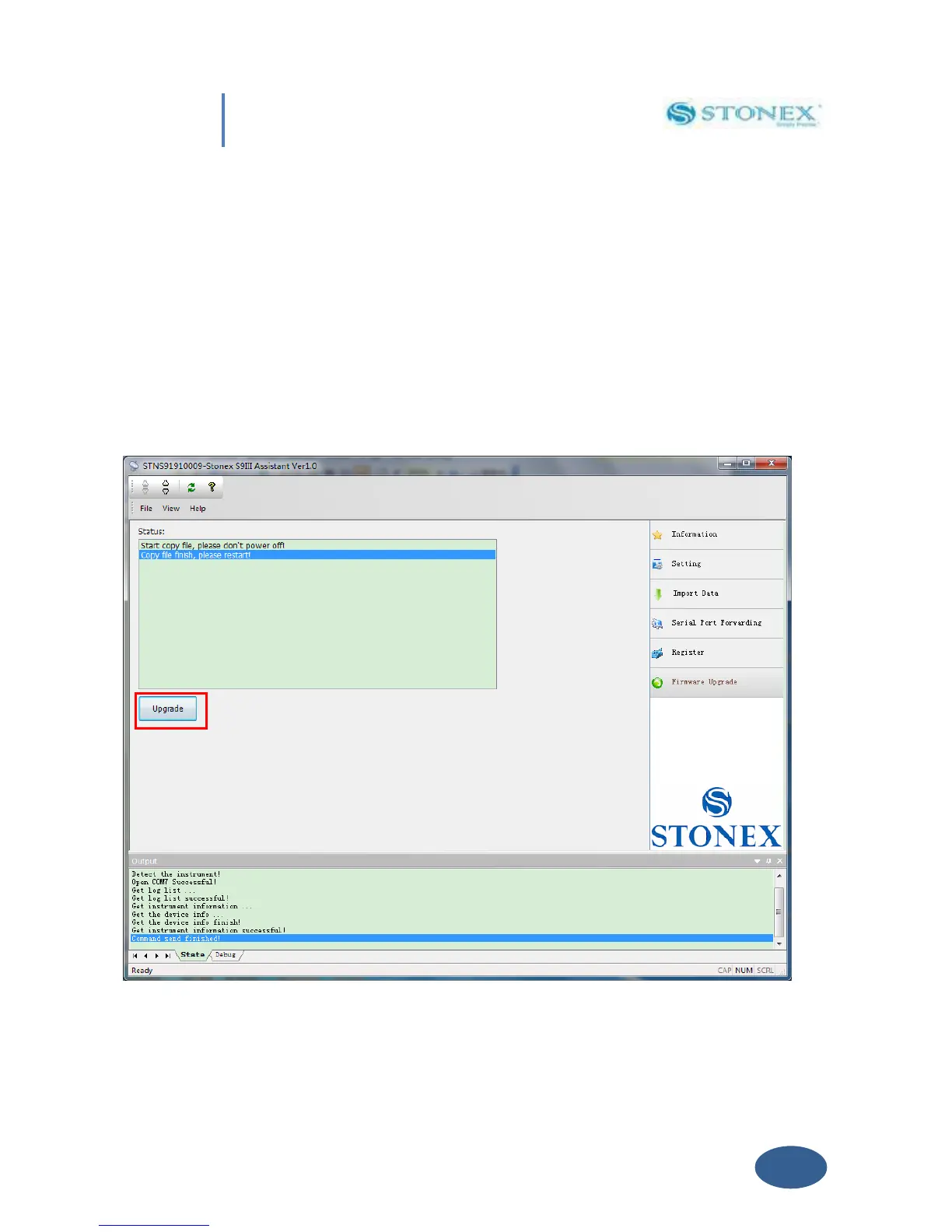
Click on “Firmware Upgrade” button and a new window as in Fig. 5.24 is opened. Then click on
“Upgrade” botton showed by red rectangle to select the location of the folder where the update
firmware is located. Then select the firmware file and automatically it will be downloaded into
the receiver, finally restart the receiver.
Fig. 5.24 – Firmware update window


 To Next Page