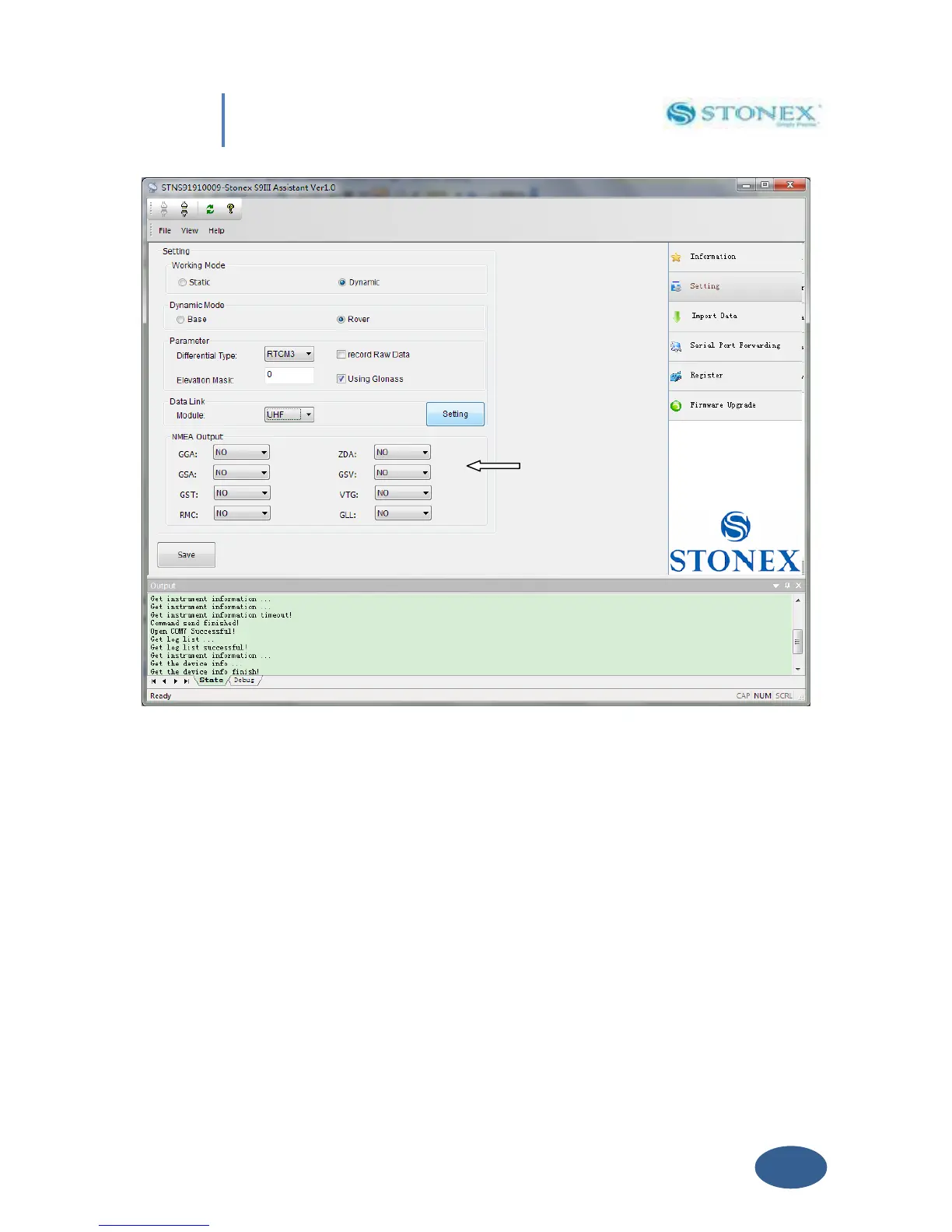
Fig 5.19 - NMEA String
In this area you can configure the default NMEA messages that are output to the datalogger at
the startup of the receiver, enabling or disabling the different string.
V.3 Import Data
This section of the Assistant allows the user to download raw data from S8 memory to Pc,
instead of doing manual copy of files. After connecting the receiver click on “Import Data”: a
new window is opened as in Fig. 5.20.


 To Next Page