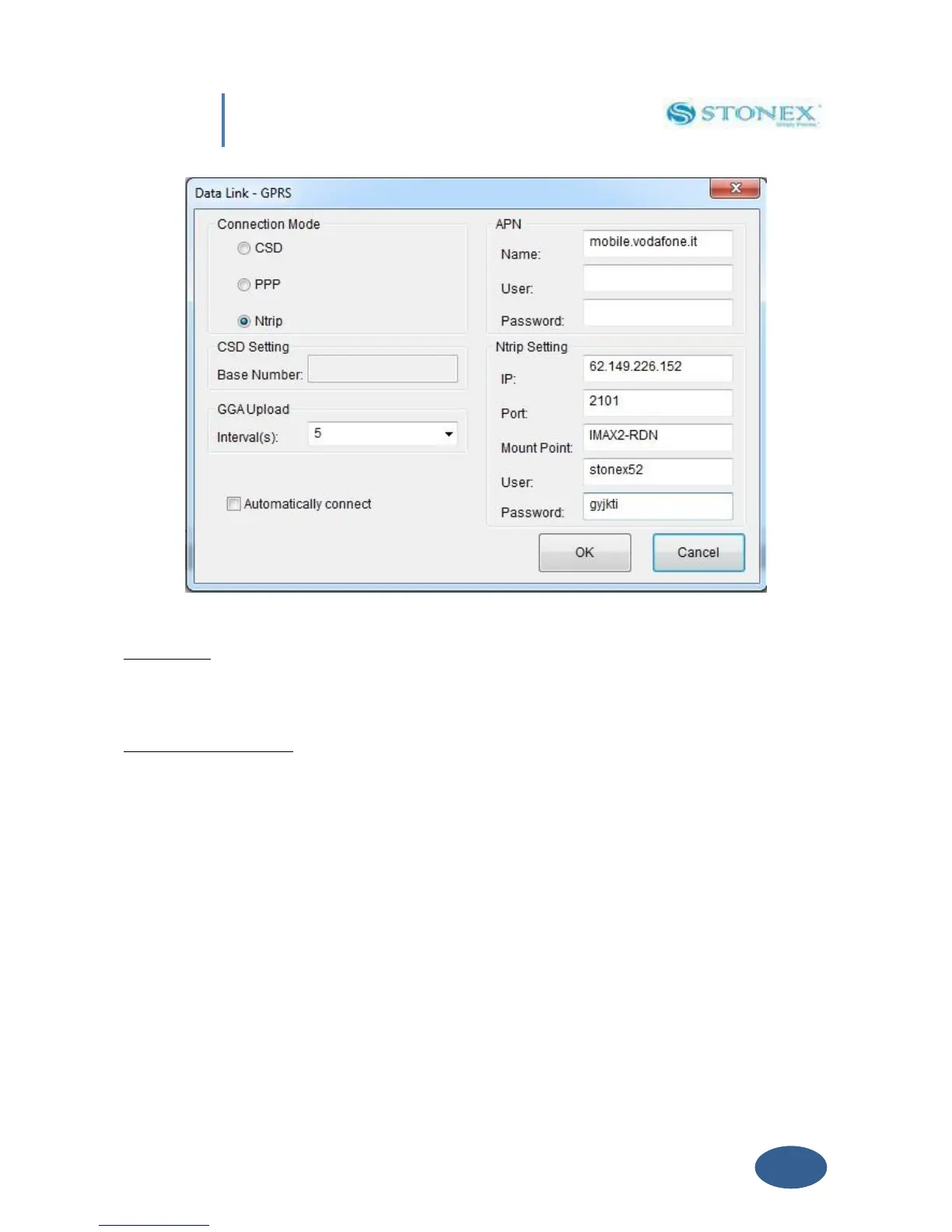
Fig. 5.14 – NTRIP Settings
GGA Upload: input window provide the interval of NMEA GGA string upload, this string contains
the rover coordinates that must be sent to the CORS or base, the proper interval depends on
the base.
Automatically connect: when this box is enabled, the receiver, as soon as it is switched on, will
try automatically the connection to the previously stored server without need that user sends
any command through a software.
Click on “OK” button to confirm your entry.
V. 2.3.2 UHF Radio
Choose this option when you are taking differential corrections from your GPS Base.
If you select UHF from the Scroll box and click the “Setting” Button a new form will open,
where you can introduce following data: Frequency settings, Channel number and Transmitting
power, as you can see in Fig 5.15.


 To Next Page