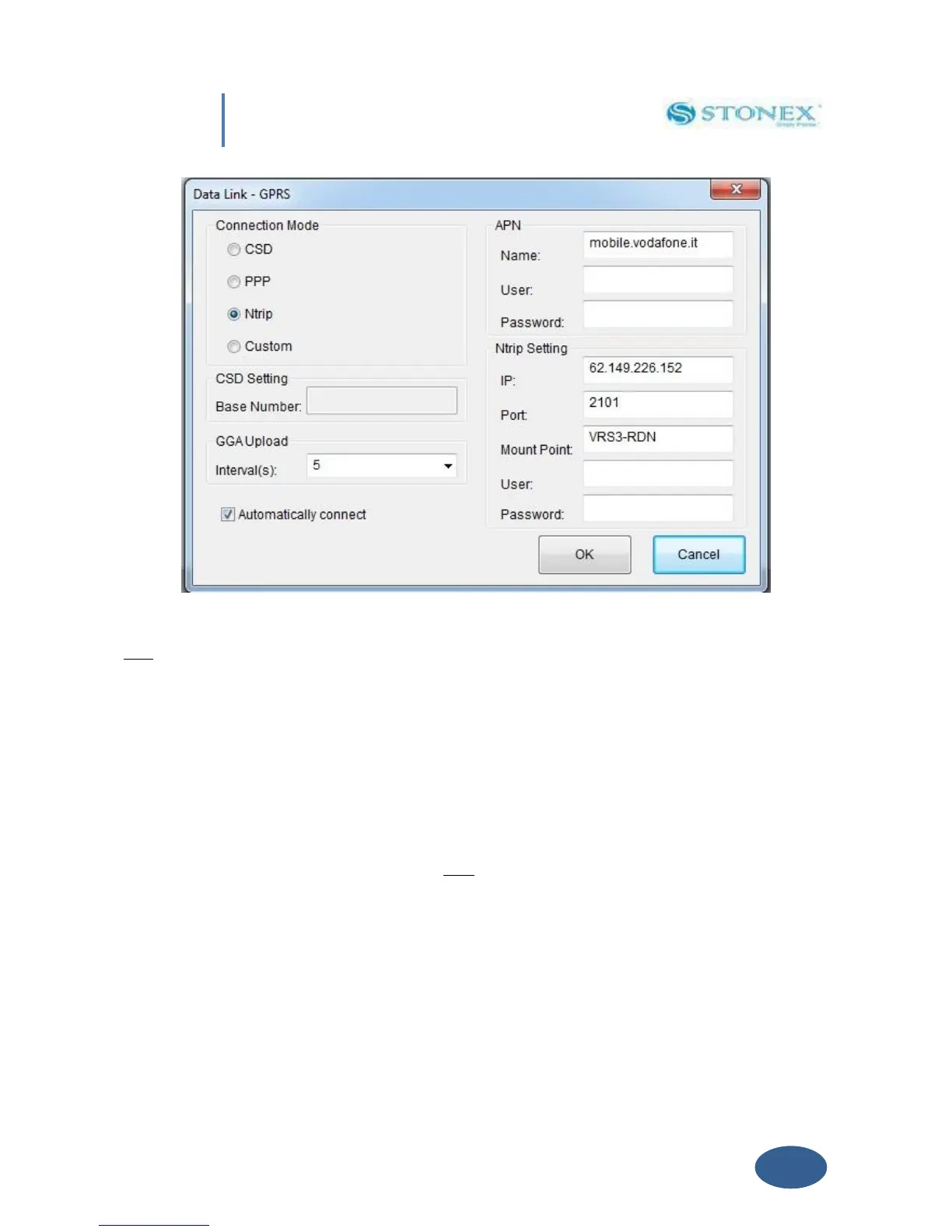
Fig. 5.11 – Network menu
CSD: Normal dial GSM call, using a phone number that you can insert in “Base Number“ Text
Box. When user need to set a rover for a direct call, the right part of the page becomes grey
(see in Figure 5.12), in the left part he should insert:
a) the Base SIM telephone number
b) set an interval for GGA upload (the suited interval depends of the correction source)
c) enable the automatic connection.
In the base configuration he should only enable the automatic connect, not other set is
required, it is also necessary to switch on first the base and then the rover. Anyway you can
also refer to a specific tutorial regarding how to set a direct call between two S8.


 To Next Page