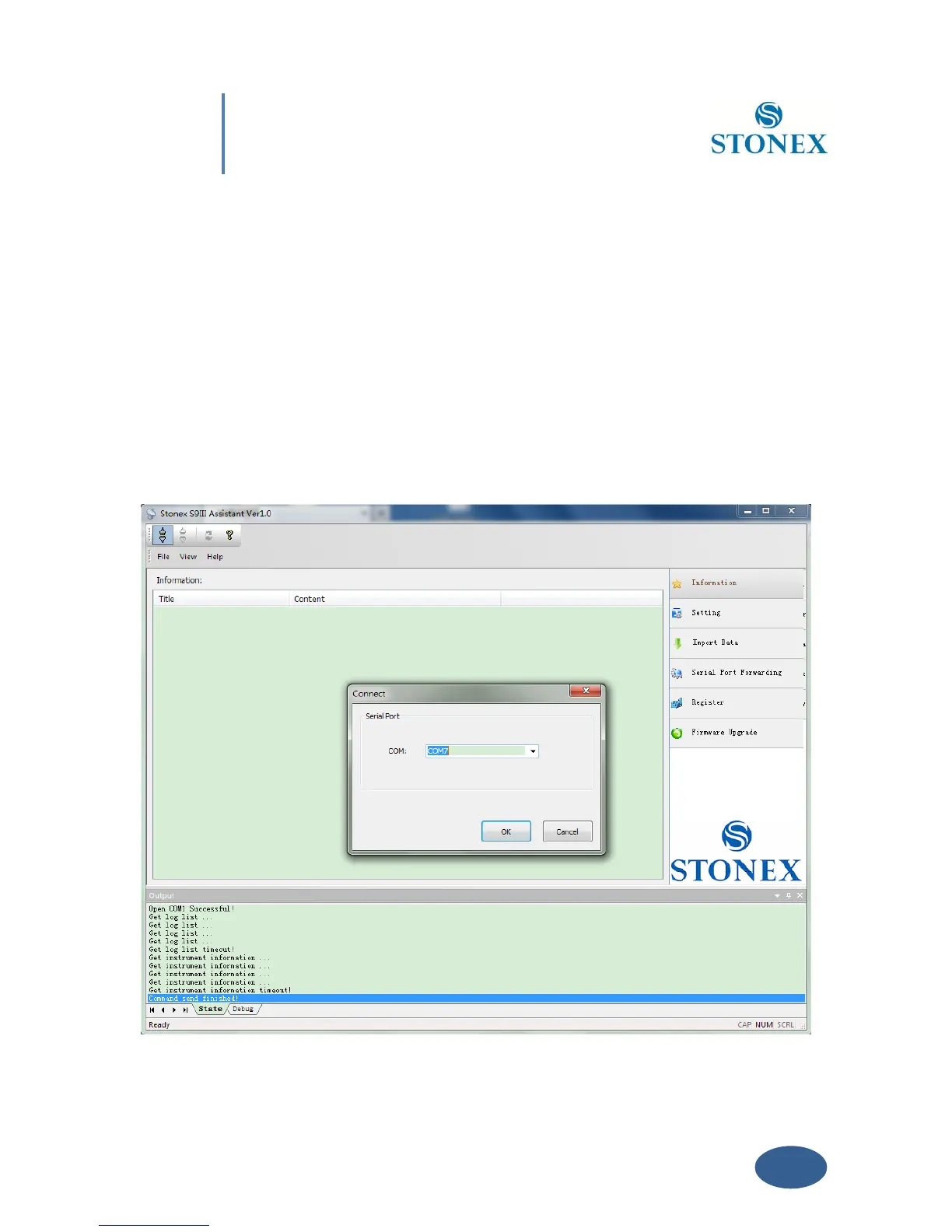
The opening page, is showed in Fig. 5.1. It reports internal system configuration of the GPS
receiver S9 after get PC connection.
V. 1 Start Stonex Assistant on your PC.
Connect the S9 to the PC USB port using Lemo7 – USB/Serial cable.
Switch on the receiver; automatically the program should search the COM port where the
receiver is connected (automatic search works only for USB virtual serial connection). If this
doesn’t happen, select the right COM port manually. To select the right COM port manually,
please click on “File”“Connect“ and you will get the Connect page, see Fig 5.2:



 To Next Page