19 620 02 0117
23
Operation
4.4.1 Module selection
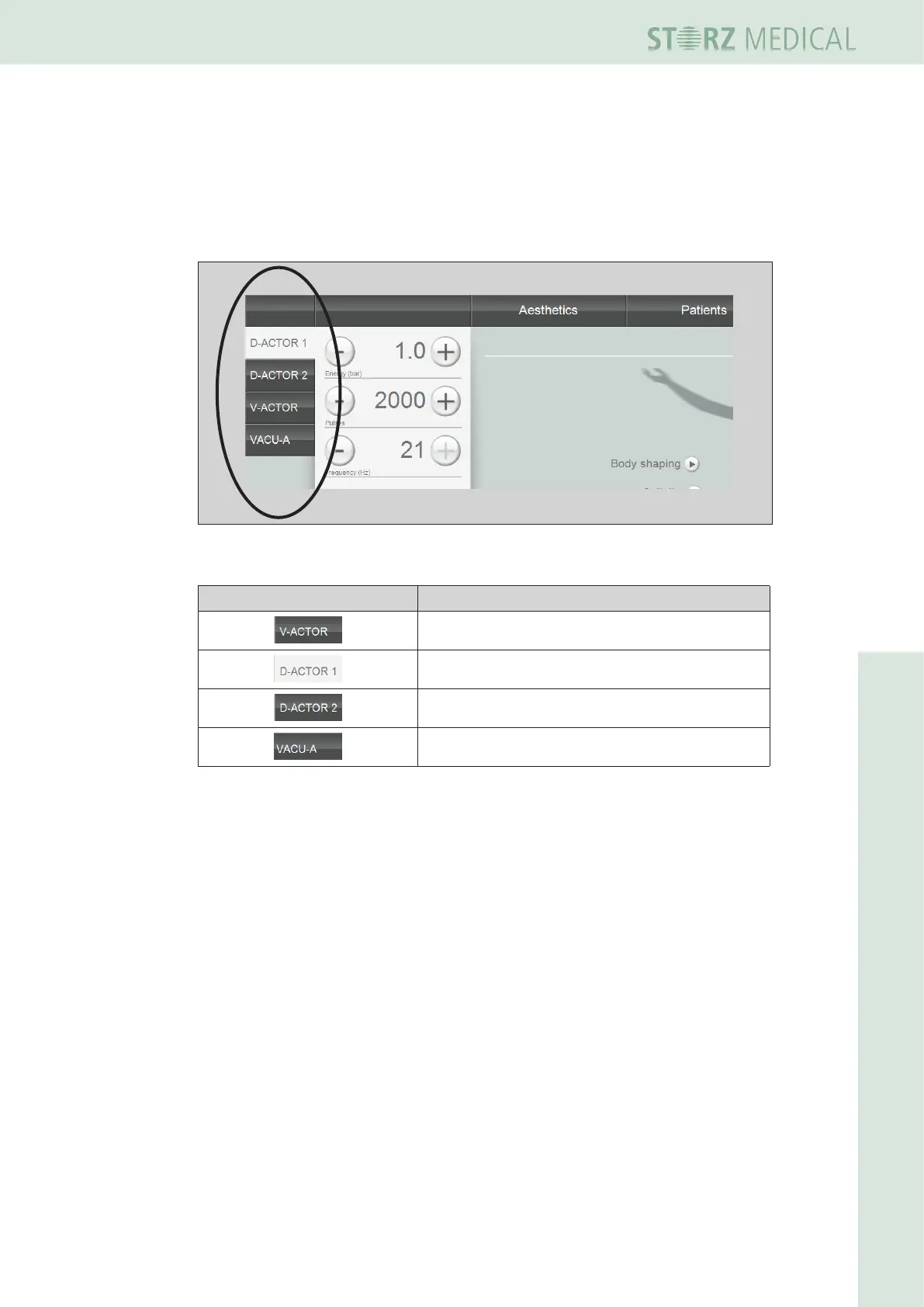
Theeldatthetopleftisusedfordisplayingtheoperatingmodesthatcanbese-
lected. Once a handpiece or the VACU-ACTOR is connected, it is possible to activate
the corresponding operating mode in the mode selection area. The active module
button is highlighted.
Fig. 4-4 Modeselectioneld
Symbols Meaning
Vibration therapy: Select V-ACTOR
D-ACTOR mode: Select handpiece 1
D-ACTOR mode: Select handpiece 2
suction cup therapy: Select VACU-ACTOR
Tabelle 4 -1 List of symbols for mode selection



 To Next Page