19 620 02 0117
46
Operation
4.5.12 Creating new patient data
• Press in the top menu bar.
– The alphabetically sorted list of patients is opened.
• Press .
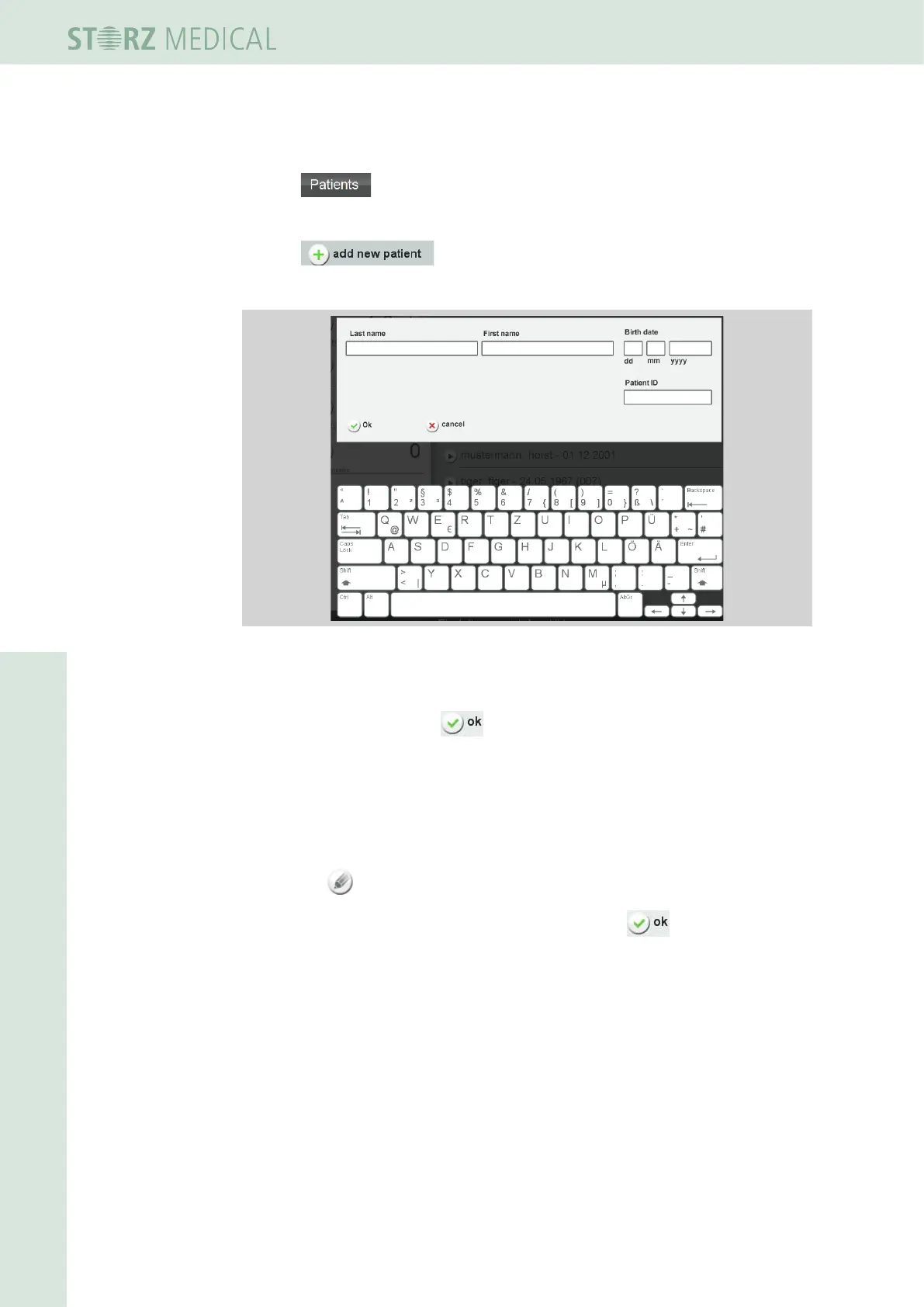
– A window with a keypad and text boxes for the patient data is opened.
Fig. 4-35 Creating a new patient
• Enter the data.
• Save the entry by pressing .
• You can edit your new patient dataset to
– Store notes
– Add treatment pictures
For information about this, read Chapter 4.5.10.1 stOring treatMent nOtes
and Chapter 4.5.10.2 lOading iMages and/Or videOs.
• Press the buttontosettheeldyouwanttochangetoeditingmode.
• Carry out your changes and save the entry by pressing .












 To Next Page