19 620 02 0117
47
Operation
4.5.13 Exporting treatment data
This function can be used to export treatment data to a USB memory stick as
Excel-readableles.
• Ensure that your USB stick supports the USB V1.1 protocol. You can order a
validated USB stick from your dealer.
• Loadtheparameterrecordforaspecicpatient.
• Press .
– You will be prompted to connect a USB stick.
• Conrmbypressing .
ThedataistransferredoncetheUSBconnectionhasbeenestablished.Theexportle
name of the patient record is protocol_name.csv.
• Wait until the ‘Export completed’ message appears on the display and then
remove the memory stick.
4.5.14 Deleting patient datasets
• Open the patient record to be deleted.
• Press .
– The dataset is set to editing mode.
• Press .
• Conrmyourinputbypressing .
h The patient dataset is deleted.
4.5.15 Resetting the treatment pulse counter
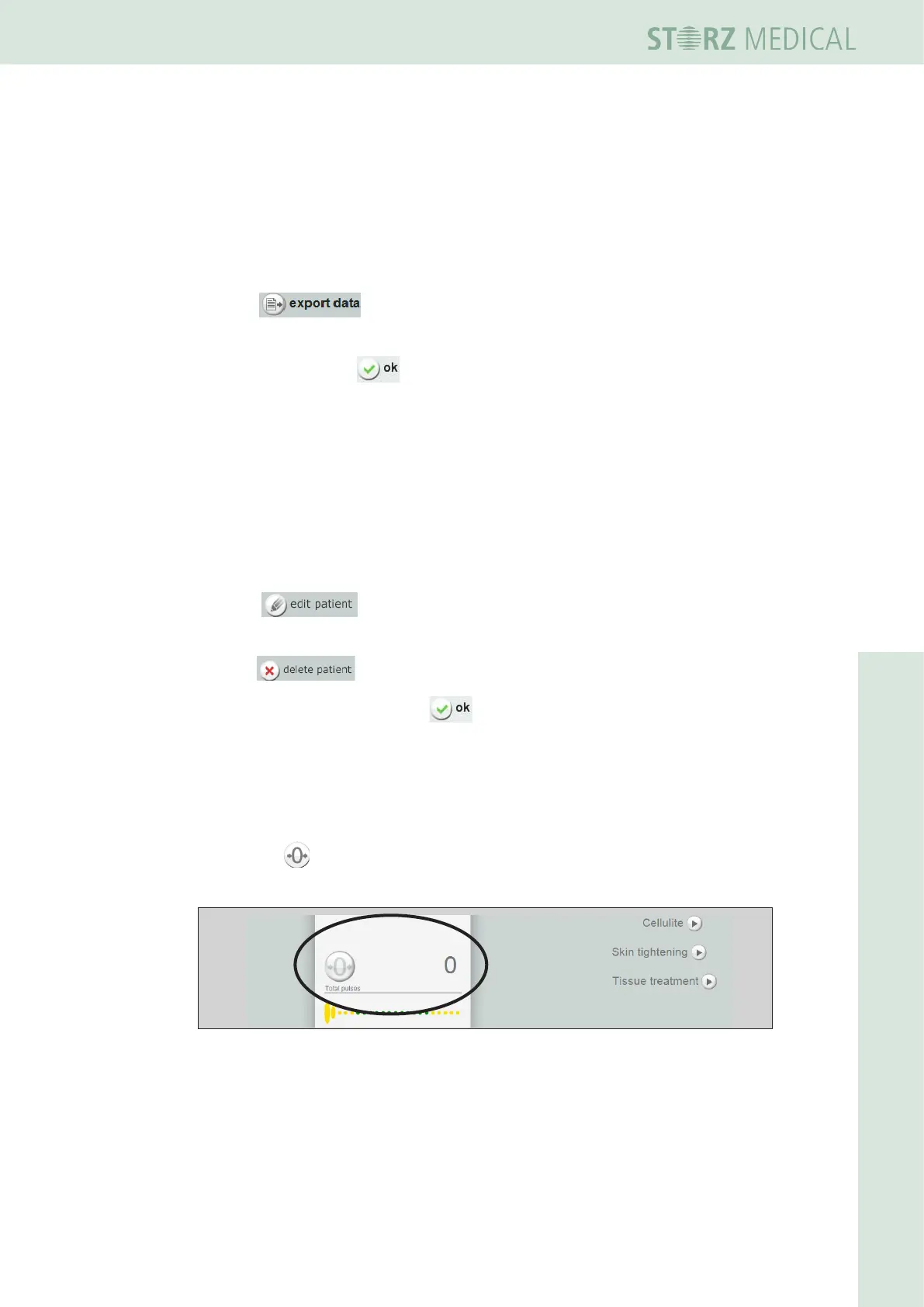
• Press the RESET button in the COUNTER READINGSeldtosetthe
display of applied pulses back to ‘0’.
Fig. 4-36 Counter readings
h The display of the number of pulses and the energy output per treatment is reset.












 To Next Page