19 620 02 0117
33
Operation
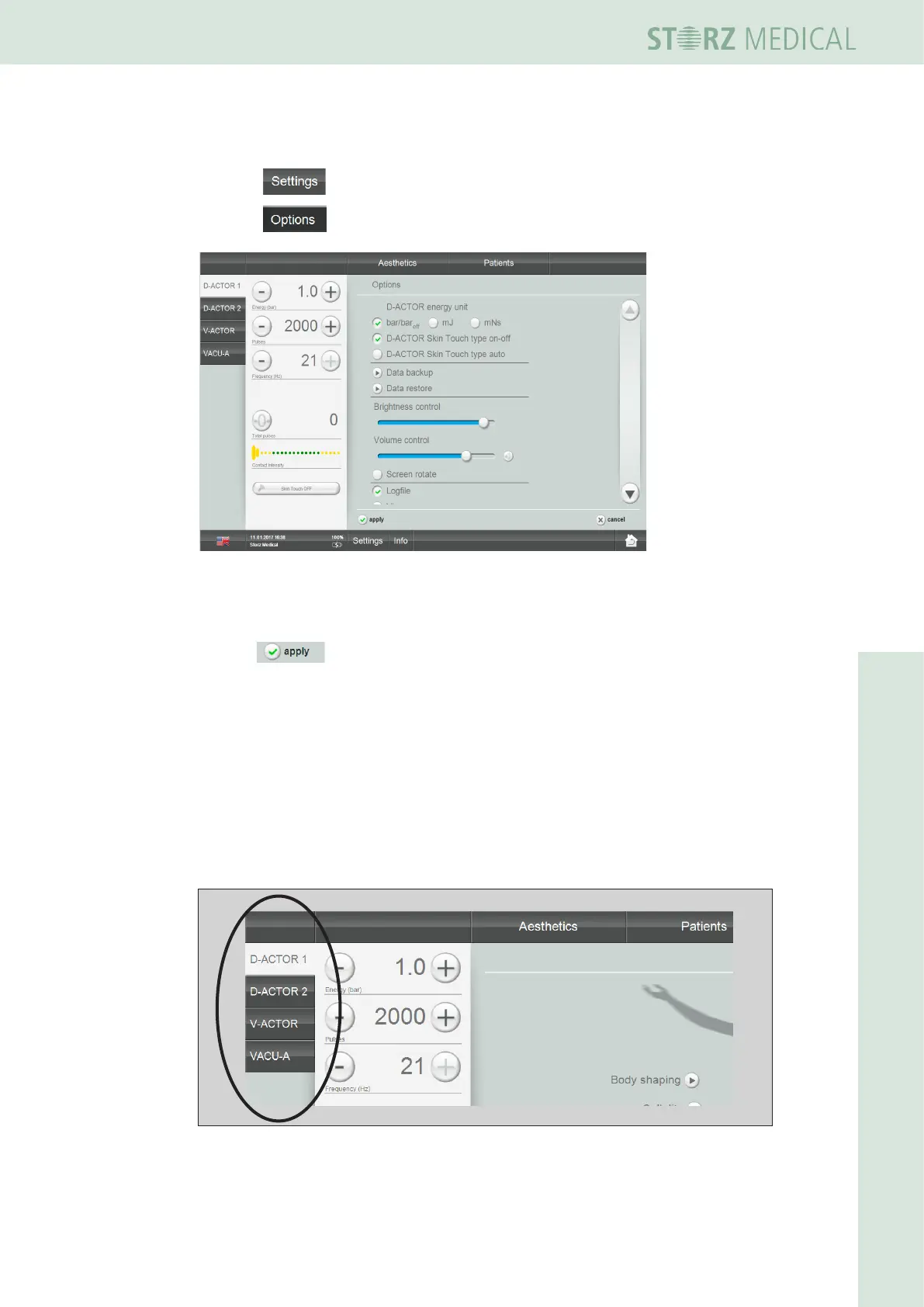
4.5.3 Setting brightness and volume
• Select .
• Select in the open top menu bar.
Fig. 4-15 Options
• Tap on the scale at the desired position in order to adjust the brightness of the
screen or the volume.
• Press to save the settings.
If the menu is exited without saving the changes, the presettings will be reloaded.
4.5.4 Selecting the operating mode
Once the unit has been started, the display automatically shows the last setting.
To select a different operating mode:
• In the MODE SELECTION eld, press the operating mode you want to activate.
– The active mode button is highlighted.
Fig. 4-16 ModeselectioneldwithD-ACTORmodeactivated












 To Next Page