19 620 02 0117
32
Operation
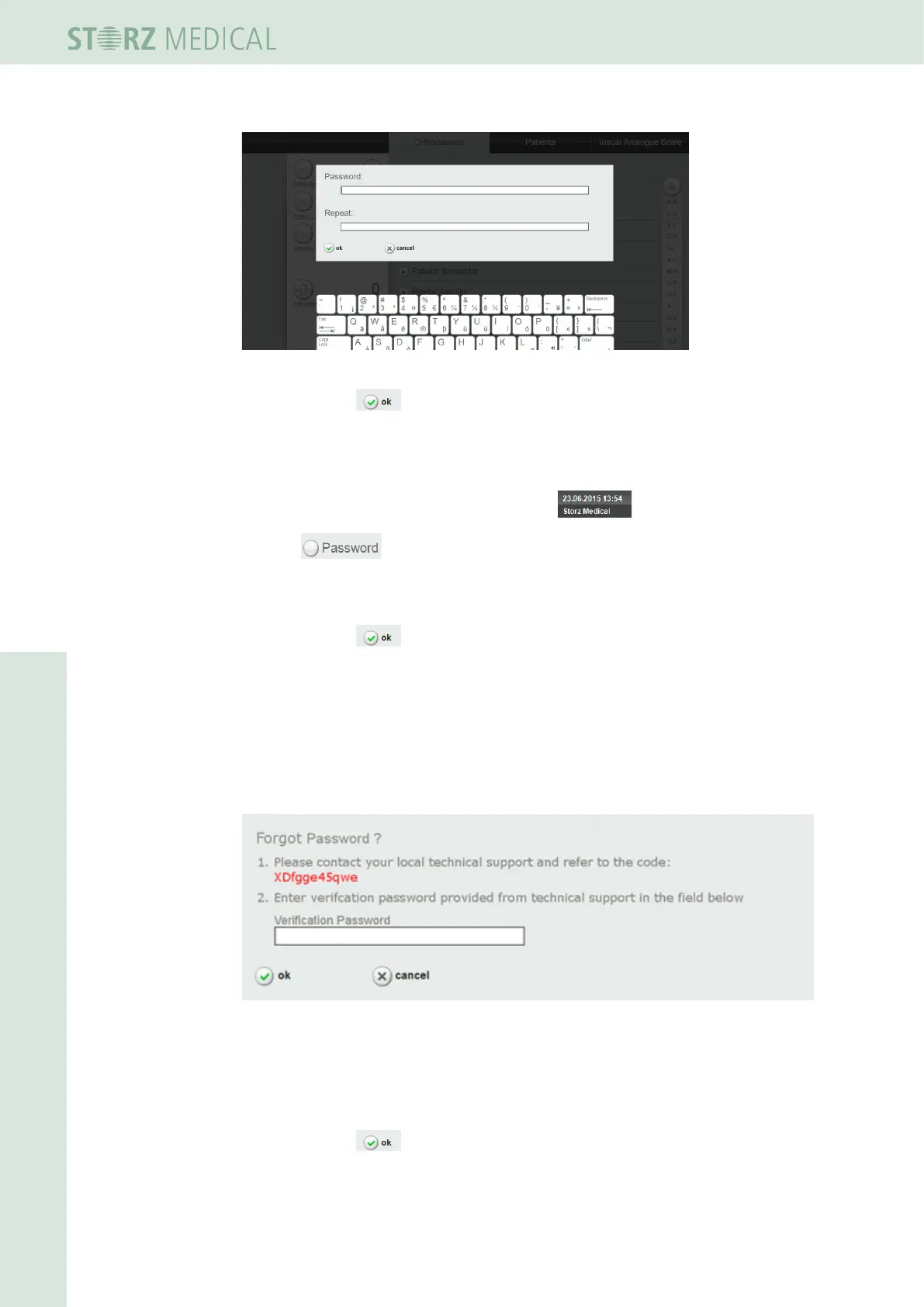
Fig. 4-13 Password entry
• Conrmwith
h Your password is activated.
Deactivate password protection
• Pressseveralsecondsondateandtimeeld .
• Press to deactivate password entry (the check mark needs to be can-
celled after that).
• Type now your password on the following screen.
• Conrmwith .
h Your password is deactivated.
Forgot password?
If you forgot password,
• press “forgot password“.
On the following screen you get a random code.
Fig. 4-14 Forgot password
• Pass this random code to the Service.
Using this random code the service technician can generate a new password.
• Typethisnewgeneratedpasswordinthecorrespondingeld.
• Conrmwith .
h All password settings are now reset.












 To Next Page